Google Pixel Watch 5 review: Smarter inside, familiar outside

- Friendly, proactive Google Health app
- Offline Gemini is genuinely useful
- Breathing Emergency Detection is a neat health innovation
- Remains highly repairable
- Design is feeling a little stale
- Full app experience costs extra
- Starting price climbs by $50
Just 10 months after Google's previous smartwatch hit store shelves, its successor is here—earlier than we expected, and priced slightly higher.
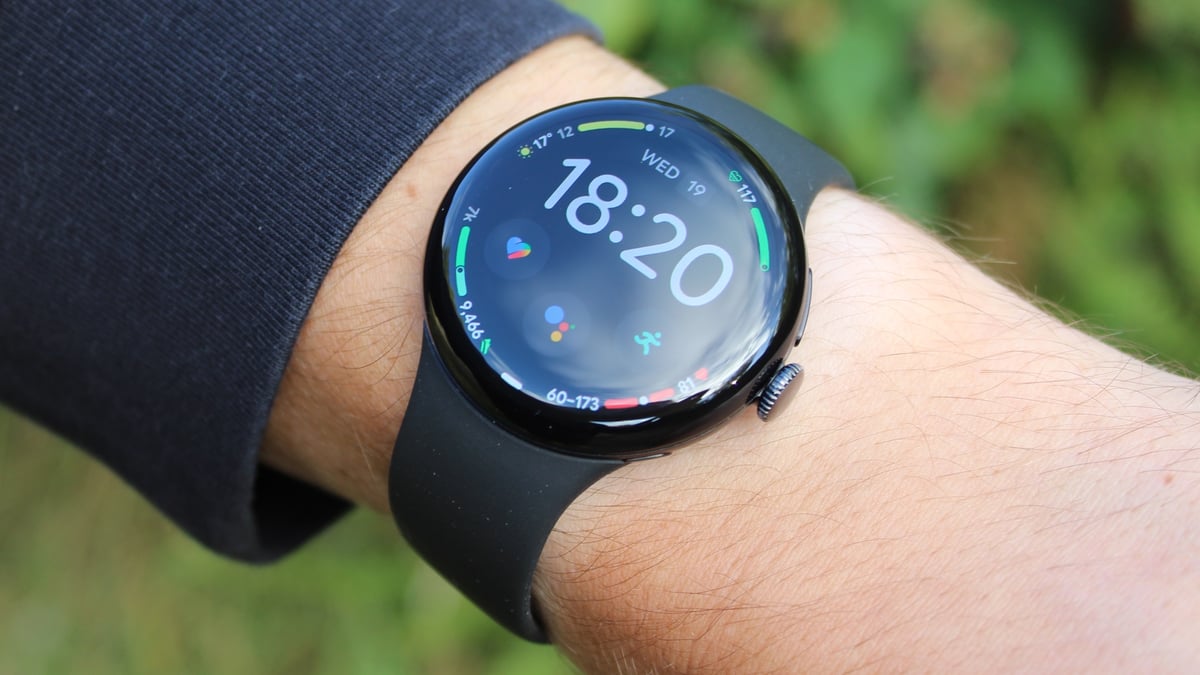
On the surface, the Pixel Watch 5 is the tech giant's most iterative watch update yet. The 41mm and 45mm cases, domed Actua 360 display, and overall silhouette carry over from the Pixel Watch 4, which itself was barely distinguishable from the first three generations.
Almost everything that’s new lives in software: a cloud-based GPS correction system, an offline version of Gemini, and a Health Guardian suite headlined by an automated emergency feature for breathing problems.
So, the question this year isn’t whether Google has reinvented its smartwatch—it very much hasn’t—but whether software alone is enough to make a yearly update worth caring about. I've had the Pixel Watch 5 on my wrist for the last couple of months; here's my full verdict.
Price, versions, and competition
The Pixel Watch 5 starts at $399/£369 for the 41mm Wi-Fi model, and $429/£399 for the 45mm. LTE versions cost $499/£469 for the 41mm and $529/£499 for the 45mm.
That’s a $50 increase at the entry level over the Pixel Watch 4 (£20 in the UK) and the first time the line’s starting price has risen in the US, putting Google slightly above Samsung’s Galaxy Watch 9 ($379/£349).
As ever, it works only on Android phones, making the Galaxy Watch 9 its most obvious direct rival. Samsung still does personality and variety better, and its range stretches further toward premium and rugged with the Galaxy Watch Ultra 2; Google sells one design in two sizes.
The Apple Watch Series 12 ($399/£369) is the benchmark for how a mature smartwatch should iterate, though it’s iPhone-only.
The most direct competitor, though, may be the Pixel Watch 4. Google has brought Breathing Emergency Detection and its Health Guardian trend reports to the Pixel Watch 4 (and, for the trend reports, the Pixel Watch 3), while offline Gemini remains exclusive to the new watch. The GPS post-processing should also roll back to older models, since this doesn't use any new hardware, but that's still unconfirmed.
That’s what makes the upgrade question a real one—and you can see our Pixel Watch 5 vs Pixel Watch 4 comparison (and the bottom of this review) for our firm verdict on that.
Design and display
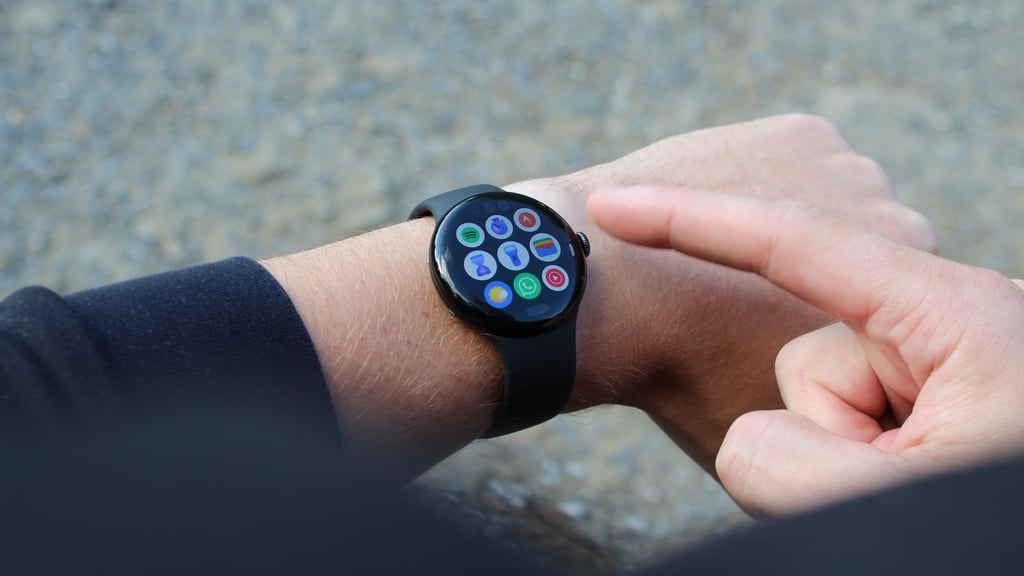
Place the Pixel Watch 5 next to its predecessor, and you’d struggle to tell them apart.
Across five generations, the domed, pebble-shaped design has barely changed—the display reaches a little farther toward the edges, and the tactile crown and side button are as familiar as ever.
In many ways, that’s fine: it’s the archetypal smartwatch design, and, as I’ve said before, I prefer it to the Apple Watch, which feels slightly less dressy and more tech-forward. But with Google committed to an annual release, it could afford to change something, if only to keep people interested in upgrading.
I tested the 41mm version this year. It felt dainty before the 45mm arrived with the Pixel Watch 3, but I didn’t mind it this time, even though I’m used to wearing bigger watches. Battery life is the main reason to size up, as I’ll explain below.
Neither size is the watch to pick if you want an Android watch with personality, as Samsung does that far better. But as a great, nondescript design, it’s hard to fault.
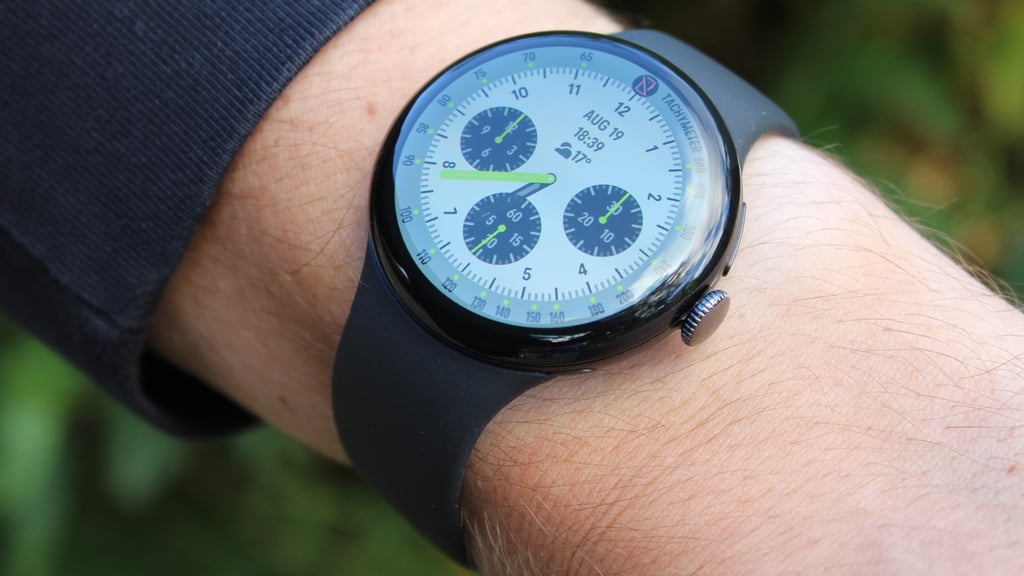
The Actua 360 display introduced last year also remains visually stunning. While Google—like most manufacturers—hides the dead screen space well with black backgrounds throughout Wear OS 7, a light-background watch face, as shown below, still doesn't feel silly or out of place. The domed glass shape, as it did before, does a great job of making it feel like an effect.
A fixable Pixel
Durability remains the main caveat with the design, since the exposed edges can often feel vulnerable—though I’ve never had a problem in any review period testing a Pixel Watch, even with plenty of hard wear in the gym and while traveling.
Google has largely negated this issue by making the Pixel Watch one of the most repairable wearables around (try saying that with a mouthful of wasps).
Among outlets that take needles, hammers, and multi-tools to gadgets, the Pixel Watch consistently ranks among the best, thanks to the more modular build introduced in last year's design.
It ditches adhesives for O-ring seals and screws (a lot like you would see in a dive watch), and you also don't need a heat gun or anything like that to get inside.
It's an oft-overlooked area of smartwatch design, and Google still leads the industry comfortably here even in a year with no hardware changes.
Software, Gemini, and Google Health
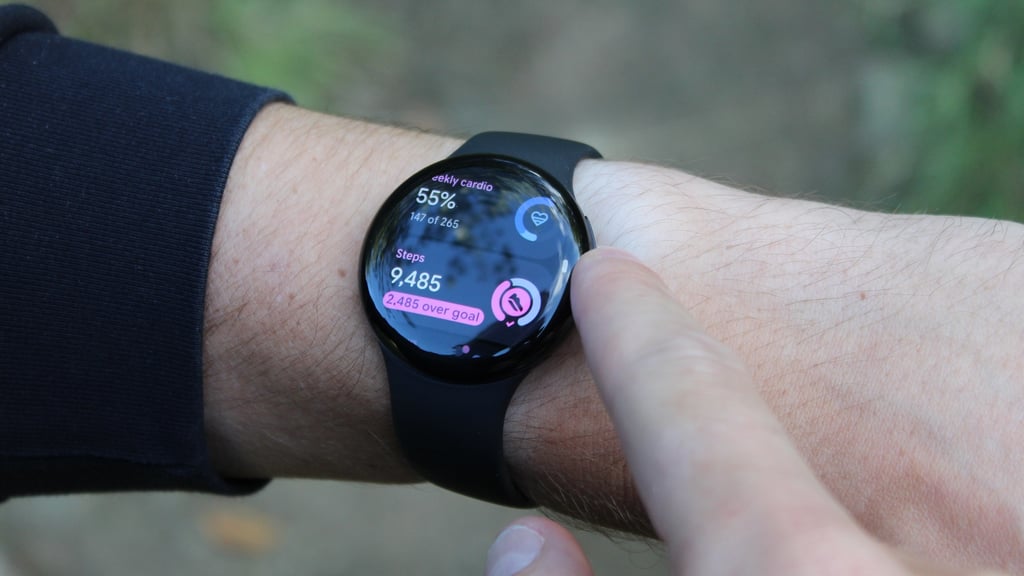
If the hardware is a carbon copy, the Pixel Watch 5 earns its keep in the software. The headline act is the redesigned Google Health app (the rebranded Fitbit app), which I find much friendlier than alternatives like Apple’s Fitness app.
Everything lives in one place, with a dedicated Pixel Watch app still existing for settings you’ll rarely touch after initial setup.
Google Health is colorful and intuitive, and the Gemini integration is genuinely useful and—for want of a better word—smart. If you haven’t synced in a few days, it’ll tell you. If your workouts or sleep are trending in a certain direction, it’ll tell you that, too. It feels very much like the Health Guardian its branding promises.
Not everyone will want that level of always-on feedback, and it’s a shame the full experience sits behind a paid Google Health Premium subscription ($9.99 a month or $99.99 a year). Even so, it’s better than anything any other smartwatch maker has managed so far.
Putting the smart in smartwatch
Offline Gemini is the other big addition, and a sensible one. It arrived with Google’s September software update rather than at launch, but simple commands—setting a timer, starting a workout or run, checking the time, turning on the flashlight, or interacting with basic apps like Calendar—now work without a connection.
For complex queries and general knowledge, you still need to be online, and it’s a shame the feature doesn’t roll back to the Pixel Watch 3 and 4. But it matters. Smartwatches too often masquerade as such but are really glorified fitness trackers, and features like this make a real difference when I’m deciding between wearing a fitness tracker, sports watch, or smartwatch as my 'main' wearable.
I'm not saying it'll be a dealbreaker for everyone. But it all helps build a picture that's hard to leave home without—and with offline Gemini, you’re more likely to.
The same goes for the new gesture controls: a double-pinch lets you confirm and send Gemini’s suggested replies hands-free. It’s hardly groundbreaking, but it’s a nice touch.
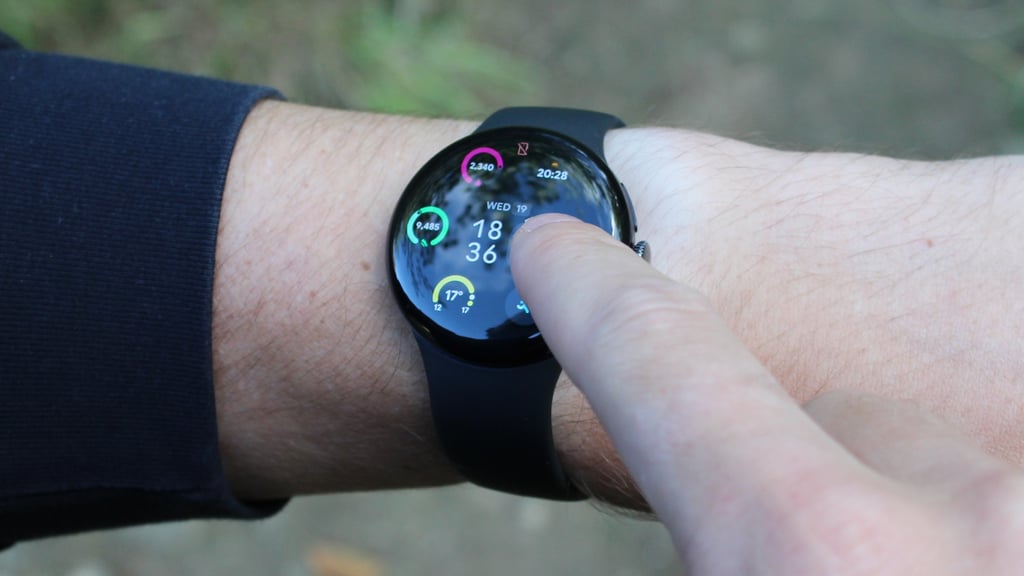
A note on performance, too. The Pixel Watch 5 uses a slightly improved chip—a Qualcomm Snapdragon W5 Gen 2 Accelerated. Google says this should deliver around 12% improved CPU performance over the Snapdragon W5 Gen 2 from the Pixel Watch 4, and, combined with 3GB RAM (up from 2GB last year).
In reality, I don't think you'll notice this outside of Gemini usage. Responses and apps open quicker than on the Pixel Watch 4, which is certainly helpful, but this was already a smooth-running experience. It's not a huge change in this regard—more of a nice iterative step that Pixel Watch 2 (or earlier) users will benefit from.
GPS tracking and post-processing
When the Pixel Watch 5 was announced, the GPS upgrade felt the most noteworthy—but also easy to misread.
The hardware is unchanged, since the Pixel Watch 4 already has dual-frequency GPS; what’s new is how Google processes the data.
After a workout, the raw location data goes to Google’s servers, where Google corrects it using building and terrain models from Google Maps, weather corrections from reference stations, and a second round of sensor fusion.
Google says it’s its most accurate route tracking yet and claims it outperforms the (now previous generation) Apple Watch Ultra 3 and Garmin Fenix 8 Pro.
In my own testing, though, the difference has been hard to spot. I don’t often run between skyscrapers, where the corrections matter most—but, still, I haven’t noticed much change from the Pixel Watch 4.
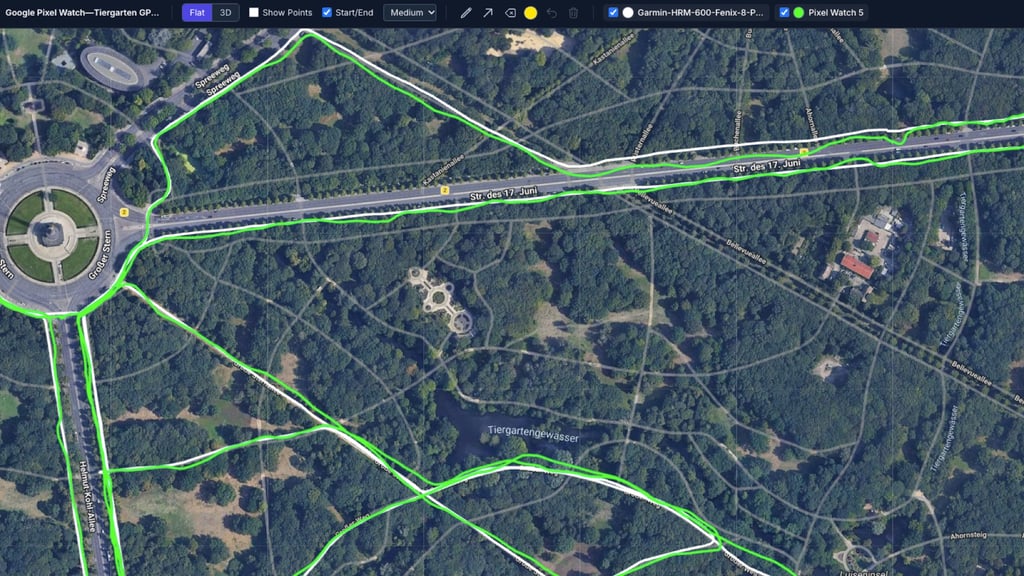
On an 8.02-mile run through Berlin’s Tiergarten, shown above and below, the Pixel Watch 5 and a Garmin Fenix 8 Pro (in Garmin's Multi-Band mode) finished at the same distance, though mid-run the Pixel Watch’s distance seemed to lead the Garmin’s by about 25–50 meters. That’s noticeable—generally meaning the watches will log a mile within around 10 seconds of each other—but certainly nothing wild.

The post-run tracks tell a slightly mixed story. In this run's tree-covered sections, the Pixel Watch 5’s track (the green line) often strayed farther from the path than Garmin’s (light blue). This is still decent coverage, but the wobbles in both screenshots above are clear.
Some of that is probably down to wrist placement, as the watches were on different wrists and closer to or farther from the road at different points. But still, it doesn't feel as rock-solid as Garmin—and, remember, even though this is just one example, this isn't even when the conditions are at their most challenging.
It's also the catch with post-processing: corrections arrive after you finish and sync, so they do nothing for what’s on your wrist during the run.
If you’re running through Canary Wharf in the London Marathon, the tall buildings are notorious for throwing off your readings and making you second-guess yourself. And it’s the part this doesn’t fix—even if pace on most watches already blends motion-sensor data with GPS to smooth out the worst spikes.
For your training log and post-run map, it’s a major—and novel—upgrade in the right conditions. And I've also seen plenty of examples in the past couple of months from users where the difference is clearly there. But still, for most people, it’s a quieter change.
Heart rate tracking performance
The Pixel Watch 5 uses the same optical heart rate sensor as the Pixel Watch 4, and the results were much the same as last year: very good, and often very tight to the Garmin HRM 600 chest strap.
Across three recorded sessions—an interval workout and two tempo runs—the Pixel Watch 5’s average heart rate landed within roughly 1 BPM of the strap’s each time: 157.4 versus 158.1 BPM in the intervals, 155.7 versus 155.6 in the first tempo run, and 161.1 versus 162.3 in the second.
Overall, the Pixel Watch 5 performed very well. It's perhaps not quite as snug against Garmin's chest strap as the Apple Watch Series 12—but that is splitting hairs, really. It's certainly as good as I found with the Samsung Galaxy Watch Ultra 2, and, for most people, more than accurate enough to inform your training or race efforts.
Tempo run tests
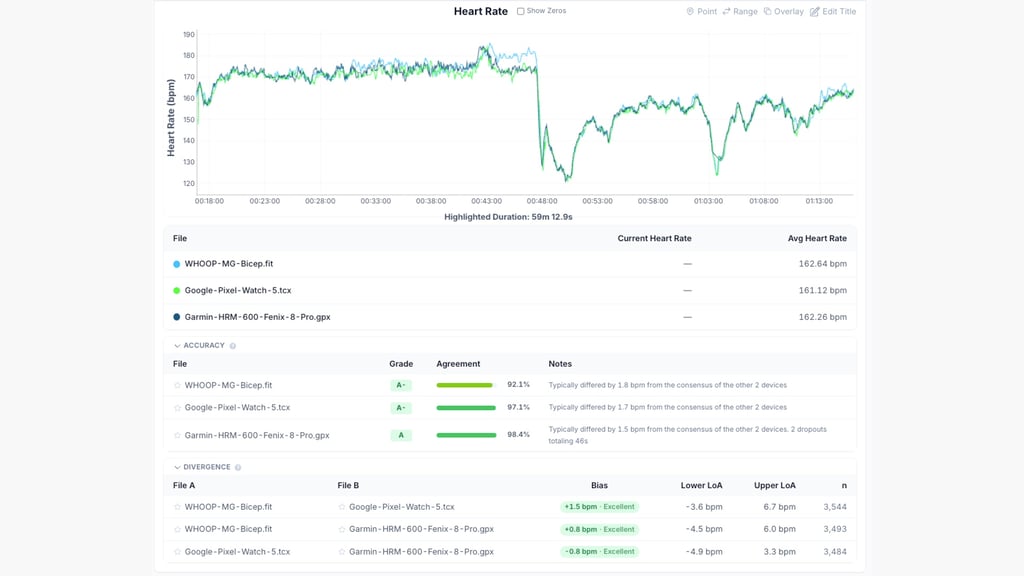
On this training plan run while traveling, you can see a clear split between when my scheduled session ended and when my more leisurely jog back to the hotel began.
What's clear, though, is that the Pixel Watch 5 managed to stick very close to the HRM 600 throughout the entirety of the workout. The Whoop MG worn on my bicep also did a decent job for the most part, but very distinctly gets confused toward the last mile or so of the 48-minute tempo block.
This wasn't entirely rock solid—there are plenty of period where the Garmin and Pixel Watch 5 disagree—but not nearly enough to really make a difference to how you pace.
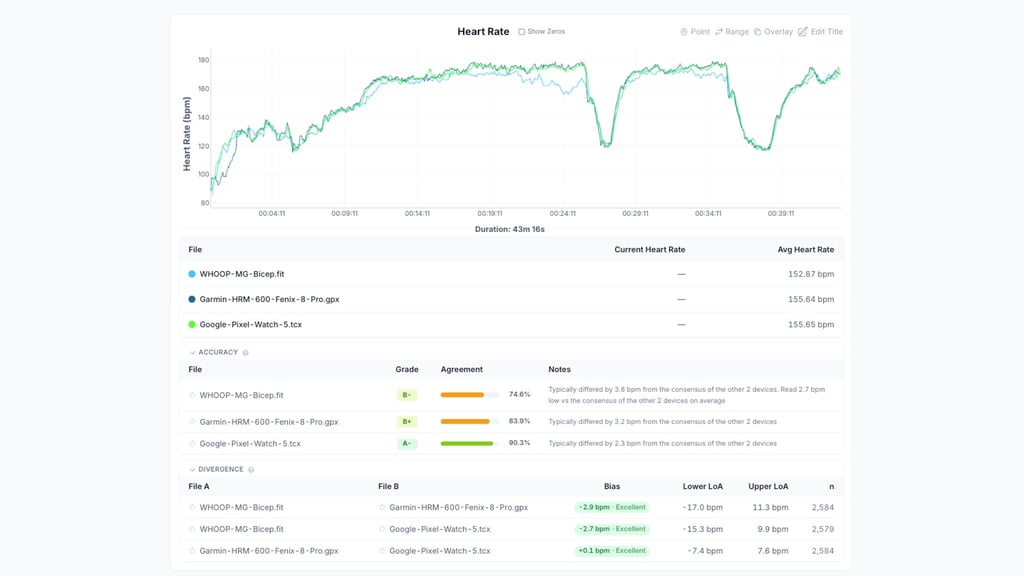
Things were much tighter on this second example. After the Garmin initially struggled to get up to speed, it was pretty much on par with the Pixel Watch 5, while the Whoop MG again struggled to keep up (this time underreporting for long periods rather than overreporting).
As you'll find with all wrist-based optical sensors, the Pixel Watch 5 has a noticeable lag compared to the chest strap when intensity changes occur. However, this matters much less in a session like this, in which those changes are gradual rather than sudden.
Interval run test
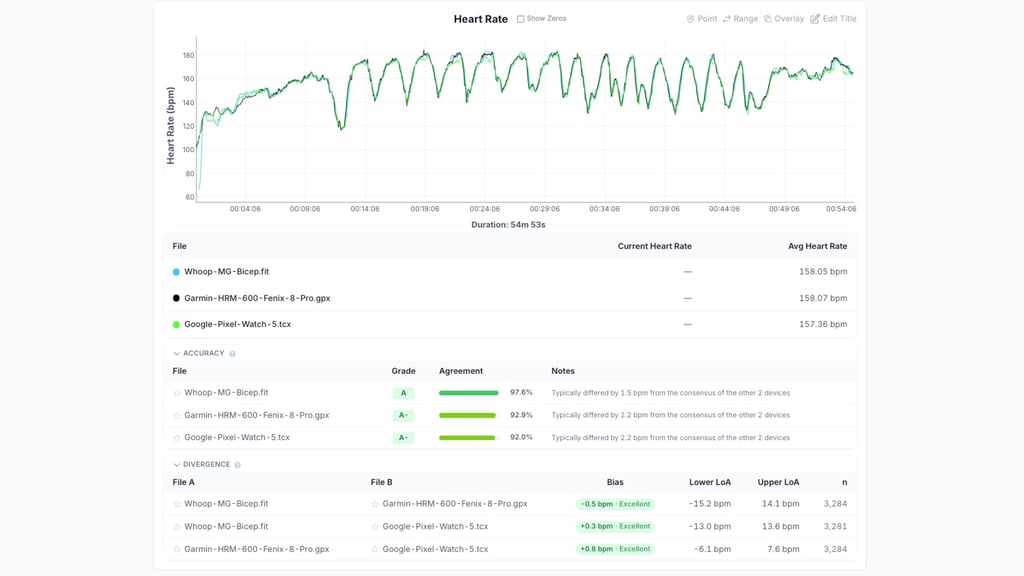
As ever, the interval session is the toughest test, with repeated surges and recoveries. Yet, all devices stayed in lockstep throughout this 14 x 500m workout, with an average bias of just 0.8 BPM.
The only minor failings were the Pixel Watch failing to reach the same reading in the third, fourth, and fifth interval, before it eventually came back to life.
Still, though, this is far from a poor showing. Even the latency was pretty minimal here, even when you zoom right in to each interval.
As expected, it lags behind both reference devices in the time to respond to the curve of each set, but it's still good enough for those relying on an accurate capture of an interval,.
Health and safety features
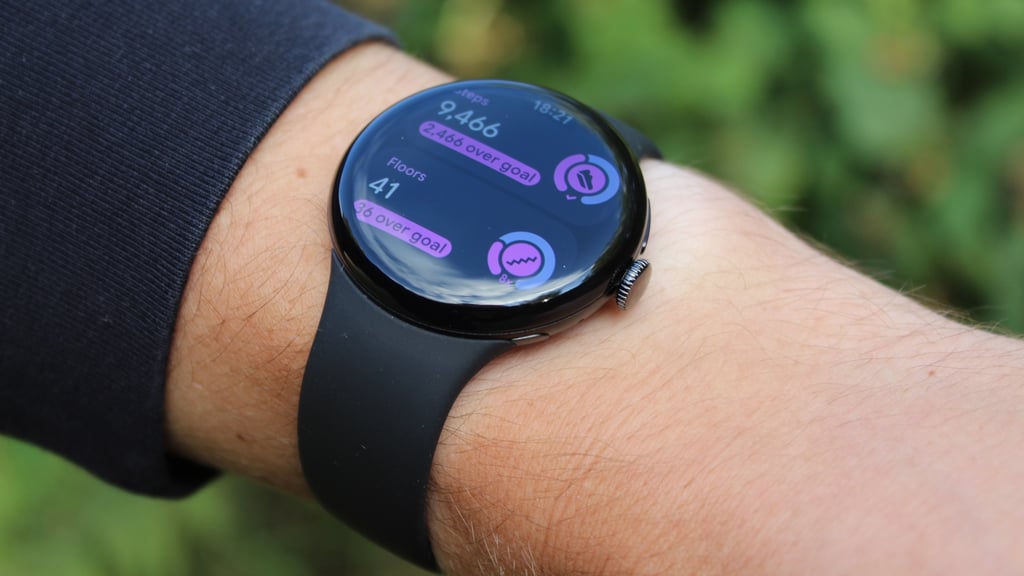
Google has quietly been a consistent innovator in smartwatch health and safety features—and I think this often goes unnoticed amid the noise of marketing and device comparisons.
Previous to this generation, we've seen the company roll out SOS Satellite & Cellular Communications, Safety Check & Emergency Sharing, Earthquake Alerts, Fall Detection, and Car Crash Detection. Not all of them were or are exclusive to Google's smartwatches, but it's as comprehensive a package as you'll find in this area.
This time—and with 2024's Loss of Pulse Detection acting as a bit of a template—we have Breathing Emergency Detection as the headline feature.
Using the watch’s heart rate, motion, and altitude sensors alongside AI, it watches for severe, sustained drops in blood oxygen of the kind associated with choking, severe pneumonia, or an overdose.
If you don’t respond to a phased alert, the connected phone or an LTE-enabled watch can call emergency services and notify your emergency contacts. The feature is opt-in and available in 10 European countries, including the UK, but not yet in the US.
It isn’t exclusive to the Pixel Watch 5, either, as Google has brought it to the Pixel Watch 4 as well. You can’t (or would want to) put it through its paces in a review period, but as with Loss of Pulse, once you know it’s on your wrist, the watch starts to feel like something you can afford to leave at home.
An ever-improving picture of health
Google is also rolling out its Health Guardian trend reports in the Google Health app: monthly assessments of blood pressure and insulin-resistance patterns, plus a daily sleep-and-breathing quality report.
They don’t measure blood pressure or glucose directly, and Google positions them as wellness insights, not diagnoses. Still, it rounds out the picture of a device that feels essential.
They’re included with the watch, not behind the Premium subscription, and they’re not exclusive to the Pixel Watch 5; the Pixel Watch 3 and 4 get them too.
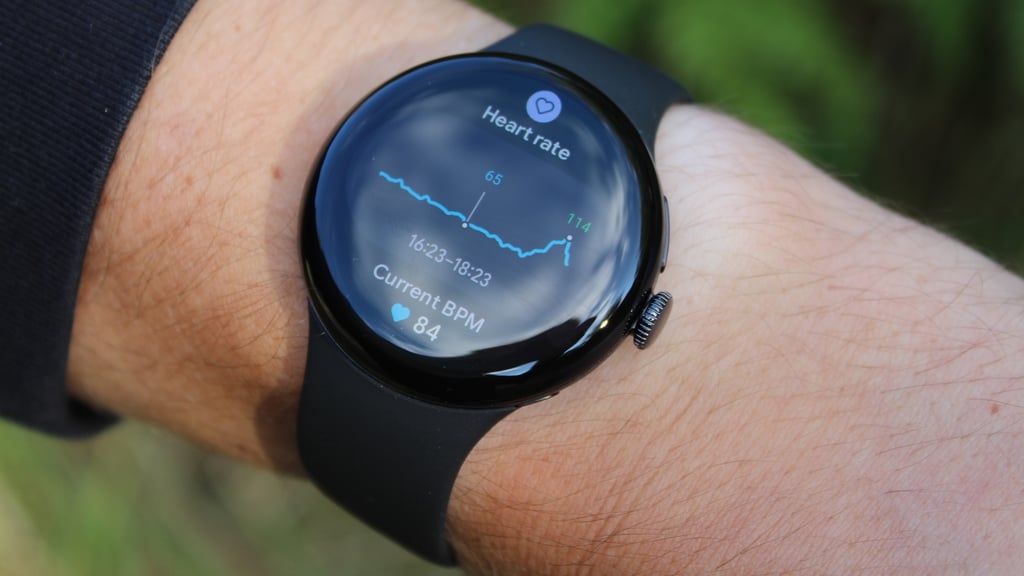
What those older watches don't get is the 15% improvement in sleep-stage detection available on the Pixel Watch 5—or the 30-minute smart alarm window that analyses your heart rate for a gentler wake-up.
We don't put too much stock in sleep-stage analysis here at Wareable, since even the best wearables still struggle to match gold-standard polysomnography machines (and even then, as we see with chest straps, gold standards aren't infallible).
However, any improvement is a positive—and sleep stage estimates can still help you understand the general trend in your restorative sleep (or wake periods) so you can adjust your sleep hygiene.
Battery life and charging
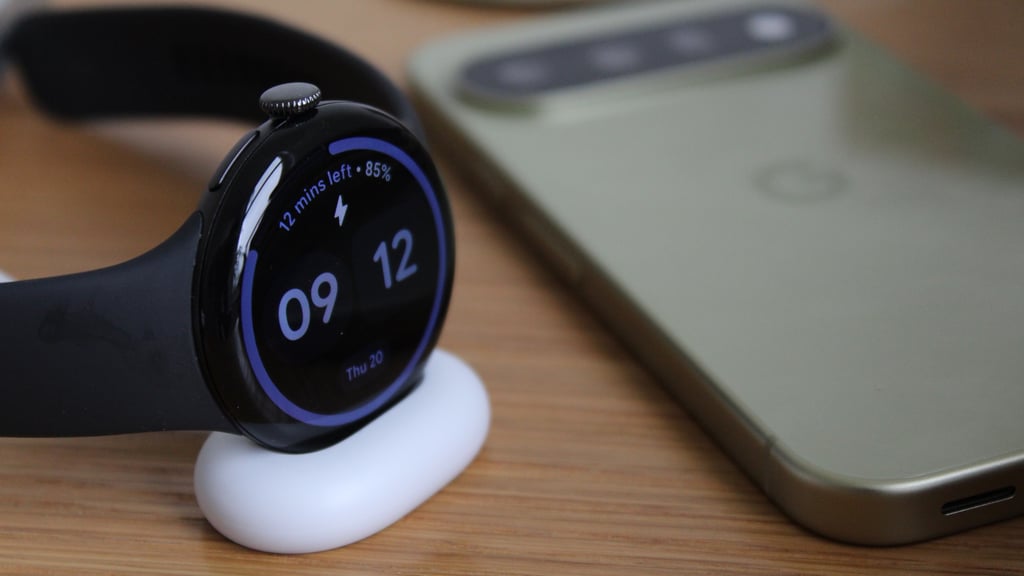
Battery life looks static on paper: Google quotes up to 30 hours for the 41mm, and up to 40 hours for the 45mm with the always-on display active, the same as the Pixel Watch 4.
In my testing, the 41mm lasted around that 30-hour mark even with heavy use, including near-daily outdoor runs with GPS and all the smart features on.
That’s hardly groundbreaking, but it’s about as good as you’ll get from the smaller variant of any true smartwatch, and it’s not far off what I found when testing the latest version of Apple’s bigger case size.
I still don’t love charging every day, which you’re pretty much locked into here, but it’s enough to support everything, including sleep tracking.
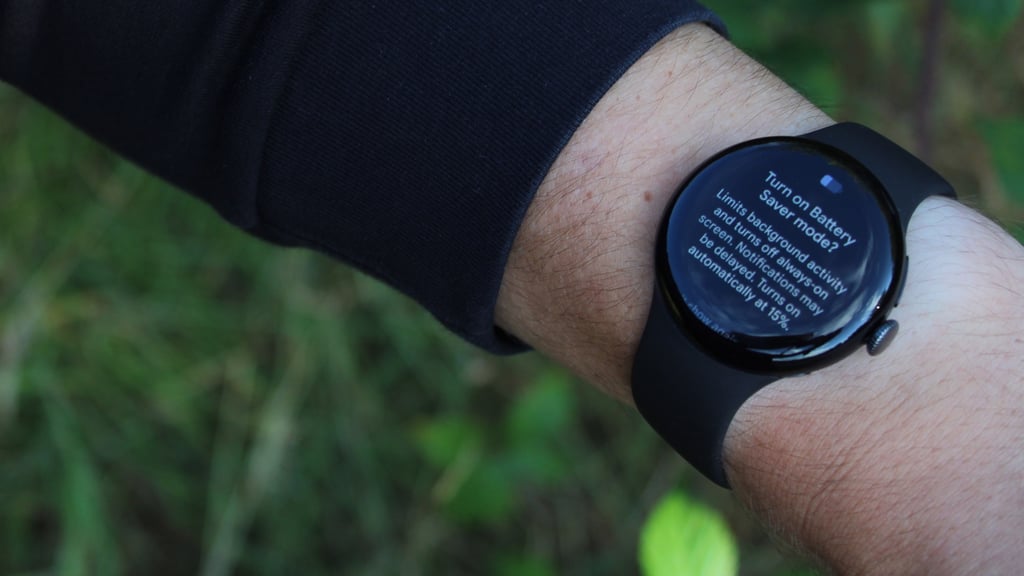
That’s why, if I were buying, I’d go for the 45mm for the extra 20–25 hours or so we've experienced with the previous two generations.
A quick note on charging, too: it carries over from the Pixel Watch 4 and still uses that secure, side-mounted dock.
This still works a treat if fast top-ups are your thing—we found that it went from flat to 50% in around 17 minutes, and flat to 100% in just 46 minutes. As before, it's the quickest 0-100% charging of the big-brand smartwatches—especially since the Galaxy Watch 9 still doesn't support fast charging.
Final thoughts
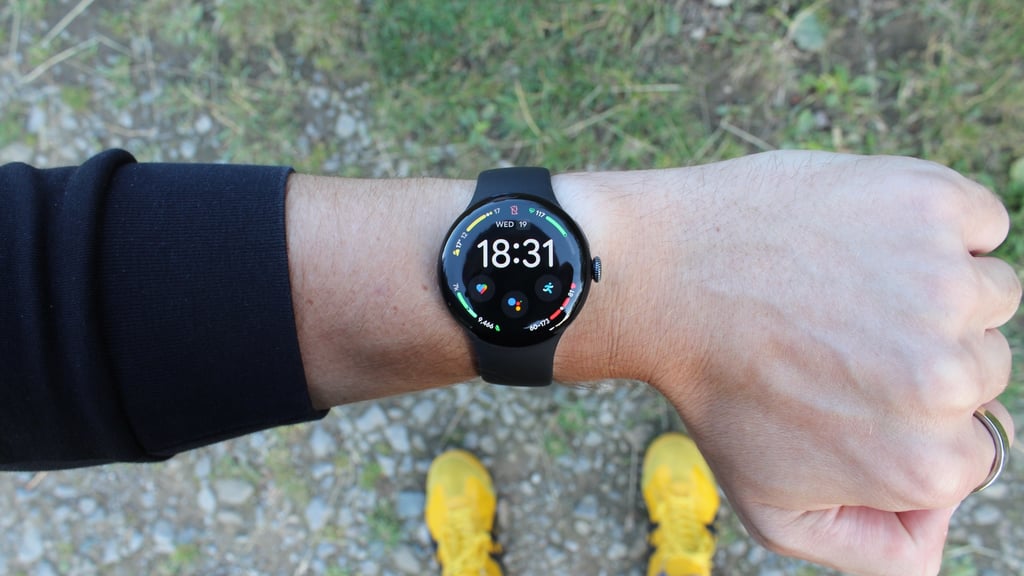
The Pixel Watch 5 is a difficult watch to say much about, because there’s few things flashy and new that you typically expect from a flagship release.
That’s more a reflection of how good the Pixel Watch has become than of any shortcoming. Like the Apple Watch, it’s now a very good product that’s hard to build on without overhauling the whole proposition, and Google has sensibly spent its effort on what’s inside and smaller tweaks.
That means the upgrades are easy to overlook. They’re almost all software, and they reveal themselves over weeks of use rather than at the unboxing, which is why a spec-sheet comparison makes this look like a modest refresh.
Living with it tells a more nuanced story: the cloud-corrected GPS tracks are clever, though I suspect you’ll only really see the benefit if you run in a built-up city, and offline Gemini makes the watch something I reach for over comparable devices. Add the refined, excellent companion app and Breathing Emergency Detection, and you get a watch that starts to feel essential.
It’s not flawless. Google should probably tweak the design more if it’s going to keep releasing a watch every year; the GPS improvements only arrive after your workout; the full app experience costs extra; and the starting price has gone up.
But none of that stops it from being an outstanding smartwatch and the default choice for Android users at this price point. I would still point those keen to save money toward the Pixel Watch 4—and the larger version of any Pixel Watch for extra battery life—and it's by no means an essential upgrade if you own the Pixel Watch 3, since plenty of the software is part of Wear OS 7.
However, those running older Pixel Watch models, or with devices from other OEMs with older versions of Wear OS, would be hard-pressed to do better than the Pixel Watch 5.