- Feature-packed software
- Much-improved sports tracking
- Some useful new health and wellness insights
- The battery performance hasn't improved
- Some features require a Samsung smartphone
- No major design changes
Galaxy Watch has been an annual smartwatch staple for some time now. In modern smartwatches, though, the differences between generations are often minimal. And Samsung isn’t ringing the design changes with Galaxy Watch 7, with its latest iteration looking virtually identical to last year’s Galaxy Watch 6.
Instead, the brand has focused on performance and making its smartwatch a better fitness and well-being companion. There’s a faster new chip, a redesigned BioActive sensor, and the addition of dual-frequency GNSS.
So, do the tweaks mean Samsung has delivered an exciting new version of its mid-range smartwatch?
We’ve been testing Galaxy Watch 7 to find out. Here is our comprehensive verdict.
Price and competition
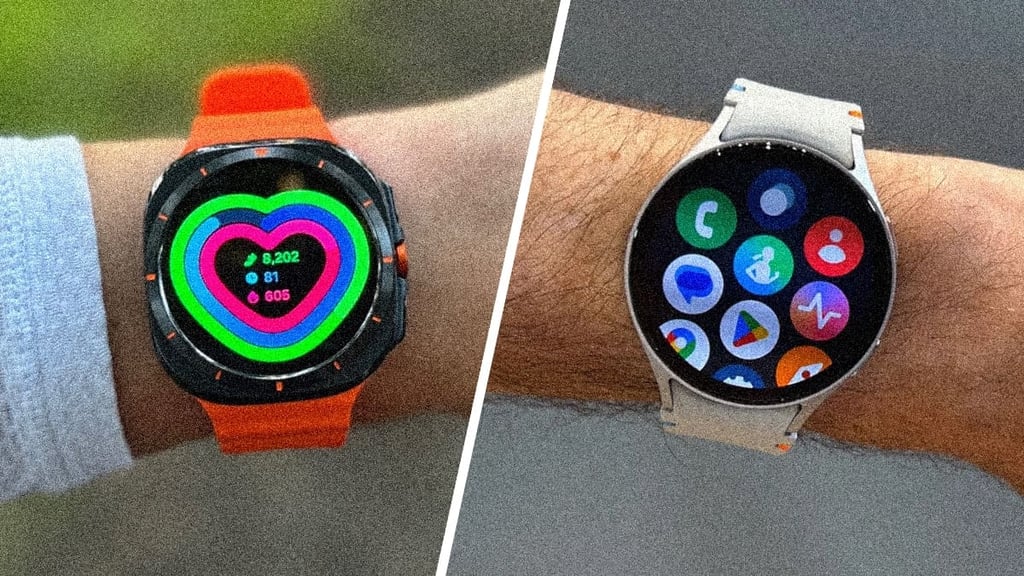
You’re going to have to spend a decent chunk of change to pick Galaxy Watch 7 up, but not as much as it’ll cost to do the same for Galaxy Watch Ultra. This premium model replaces Samsung’s Galaxy Watch 6 Classic and is now one of the brand’s more expensive smartwatches.
Like Watch 6, Watch 7 comes in the same two size options—40mm and 44mm. Both can be grabbed in Bluetooth or Bluetooth/LTE flavors, with the latter invariably costing you more.
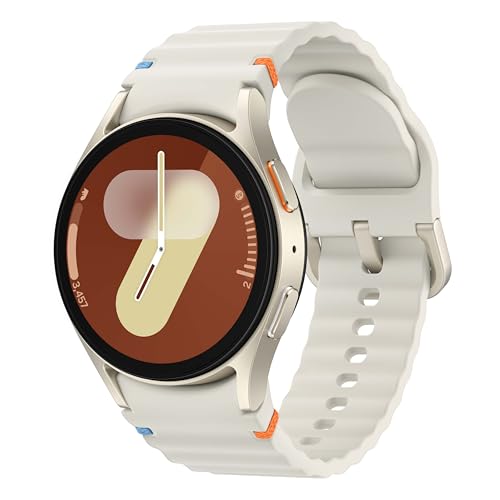
Design and display
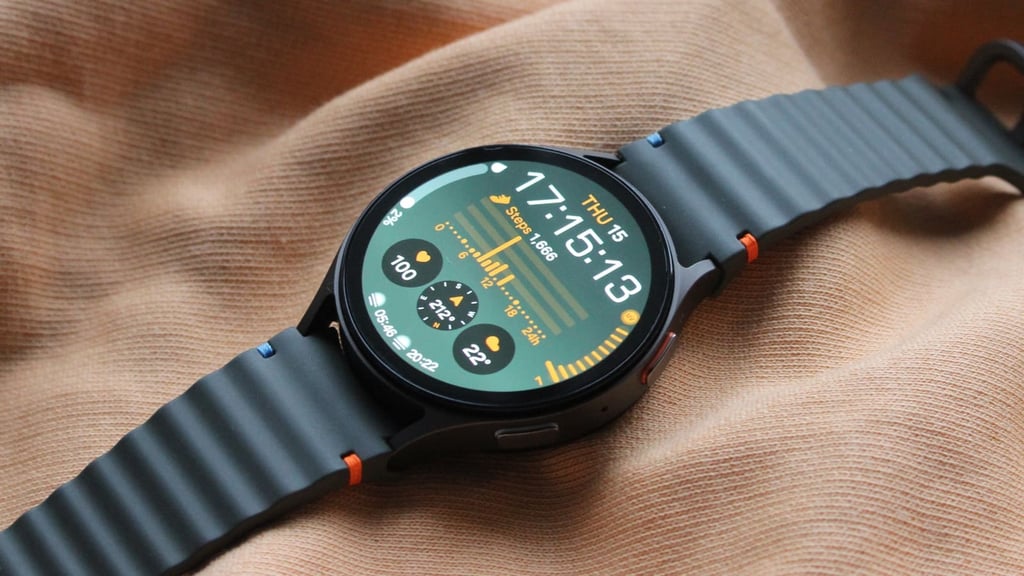
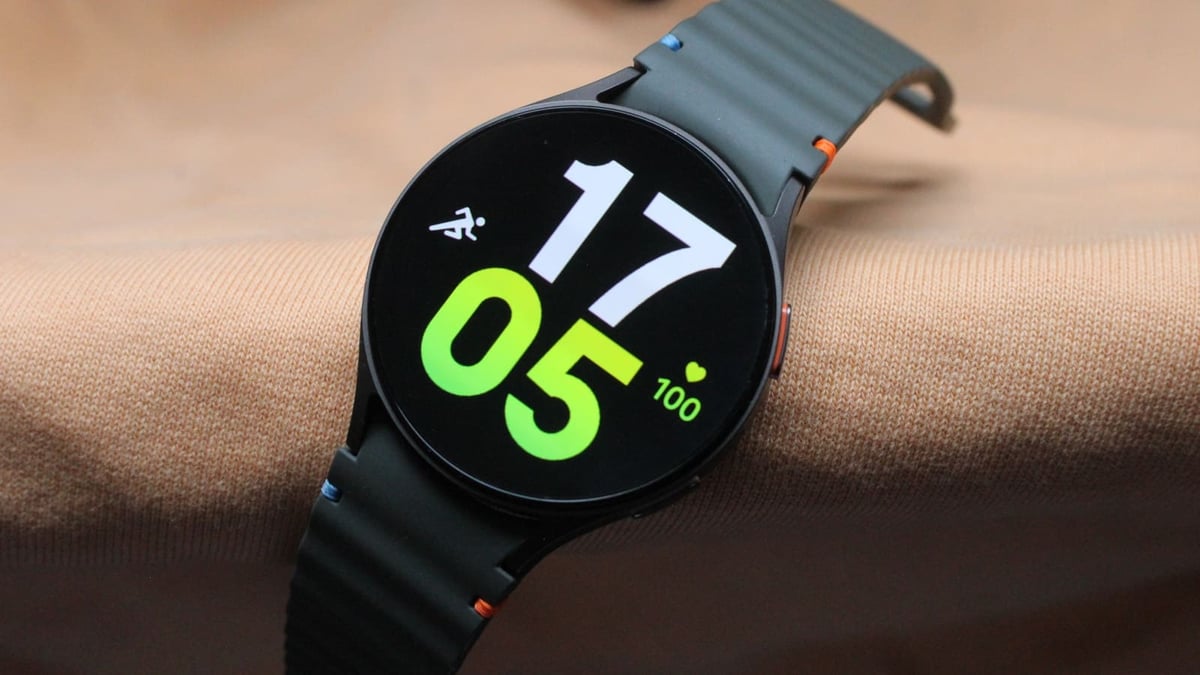
Watch 7 hasn’t strayed too far away from the look of Watch 6, and, as mentioned, the same two case sizes are on offer for this generation.
We’ve had the 44mm version on our wrists, which is slightly thicker (9.7mm) compared to Watch 6’s equivalent (9mm). But, in reality, there’s not a world of difference in terms of heft. The case is once again made from aluminum and comes in green and silver looks, a change from the previous graphite and silver options.
Despite not changing much, this is a smartwatch series that still has a bit of character and doesn’t simply blend into the sea of other Android smartwatches. Things haven’t changed on the screen front, where you have an exceptional 1.5-inch, 480 x 480 resolution Super AMOLED display matched up with a sapphire crystal. That’s joined by two flat physical buttons, which also host electrodes to enable you to take on-the-spot ECG heart rate measurements.
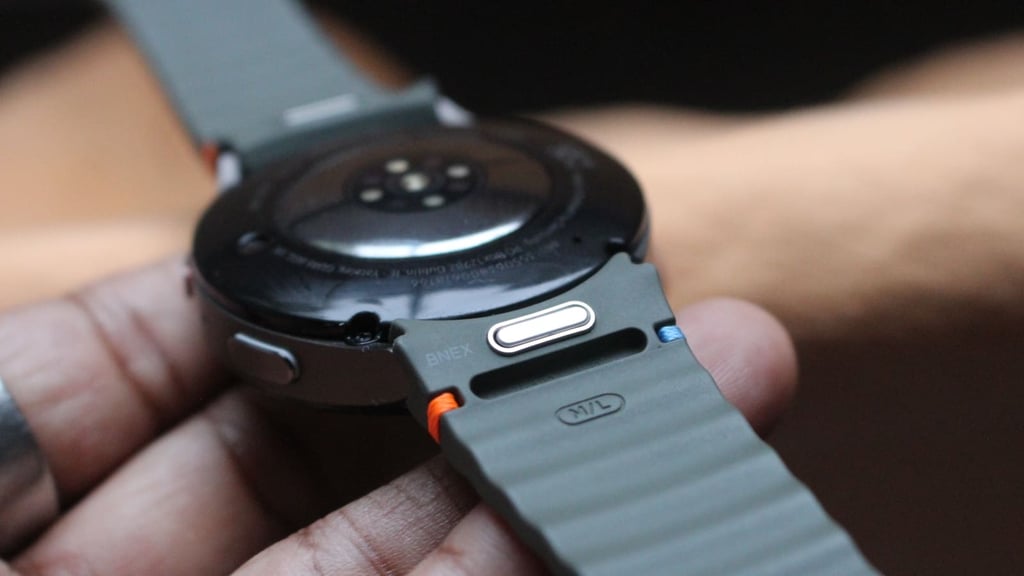
At the rear, you’ll drop the same charging cradle onto where Samsung’s BioActive sensor lies. Samsung has improved that sensor array that can track metrics like heart rate, blood oxygen, skin temperature, and changes in body composition. This upgraded version with 13 LEDs focuses on improving Watch 7’s ability to track heart rate and sleep (more on this later).
That’s accompanied by a very comfortable and exercise-friendly strap that can be removed, and the band mechanism is also compatible with non-Samsung, 20mm-sized straps. We were actually able to successfully swap in a strap from a Withings smartwatch with ease.
While Samsung gave the larger Galaxy Watch Ultra the best protection against moisture and dust, Watch 7 gives you something that can be submerged in water up to 50 meters deep and carries an IP68 dust resistance rating. We’ve used it for swims with no issue, while the case and screen haven’t picked up any sort of scratches or dents.
Smart features
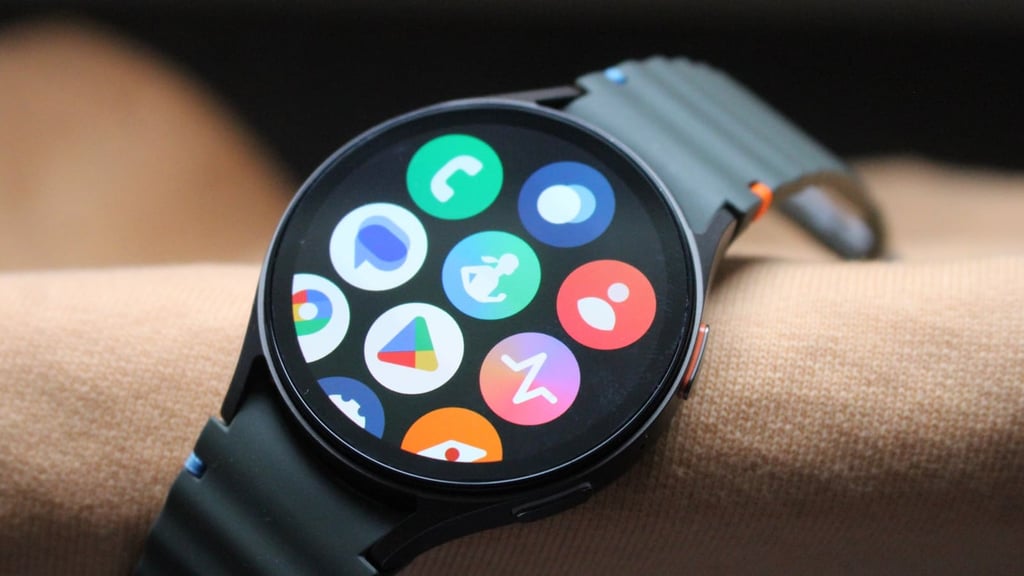
As we’ve seen in the years since Samsung partnered back up with Google, it now gets early access to the latest version of its Wear OS software, which hits Wear OS 6.0 for Watch 7.
To make things still feel very Samsung and less Pixel Watch, Samsung also includes the latest version of its One UI skin to give it the feel of a Samsung smartwatch pre-Wear OS. That’s not a bad thing, and while there are a lot of screens and settings to peruse, the experience of using Watch 7 as a smartwatch is slick.
It’s quickly very evident how having Google’s native apps like Maps and the Google Play Store makes using Samsung’s smartwatch a nicer one. It handles presentation and engaging with notifications easily, turning to AI if you want some help quickly replying to text messages.
Samsung continues to include its digital rotating bezel—though, again, it doesn’t feel as useful as it did on Samsung’s pre-2021 Tizen smartwatches. There’s the double pinch gesture here, as well, which does have its uses for things like quickly clearing notifications or calendar reminders.
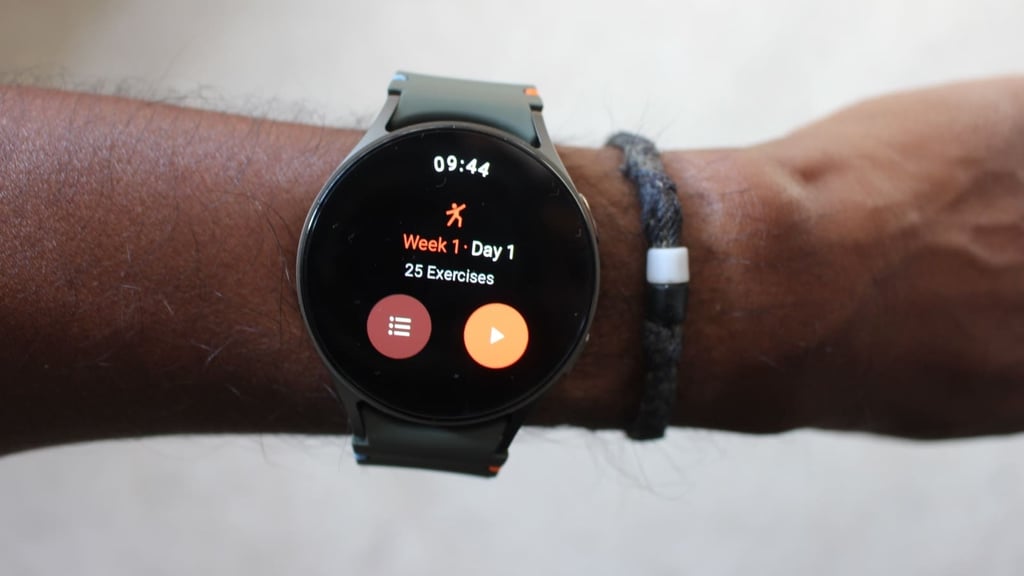
Boosting onboard storage from 16GB to 32GB (of which 21GB is available) means more room for apps, saving routes, maps, and music from streaming services like Spotify. Watch 6 was by no means a sloppy performer, but the new 3nm processor included keeps things running smoothly.
It gives you pretty much everything you could want in a smartwatch. There are apps from Samsung, Google, and great third-party ones. You’ve also got payments, strong notifications, and music features wrapped up in neat software, a UI on top that’s easy to get to grips with.
Activity and sleep tracking
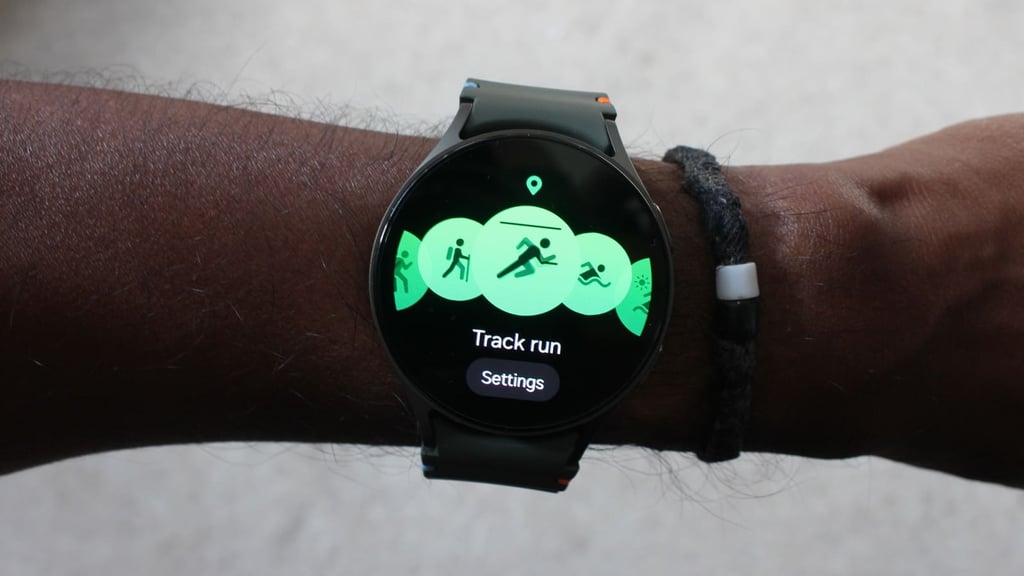
We’ve always found Galaxy Watch to be a better fitness tracker than a sports watch, and Samsung is seeking to rectify that by adding new sensors and modes to help give Watch 7 a sportier appeal.
From a fitness tracking point of view, you’re always just a screen swipe away from its heart-shaped widget showing off daily step counts, active time, and activity calories. Swipe down, and you can see a breakdown of those steps over the day with a prompt to head to Samsung’s Health phone app to see more. We never expect step counts to entirely match up with rival trackers.
The best you can hope is that they don’t feel wildly off from each other, which might suggest an accuracy issue. On good days, we found there was a difference of 700–800 steps against another fitness tracker and, at most, 1000. It’s not great, but it’s not a disaster, either.
To keep you motivated to move, Samsung will also send inactivity prompts and congratulate you on doing so. There’s nothing groundbreaking here, but we certainly appreciated the animated delivery of those inactivity prompts.
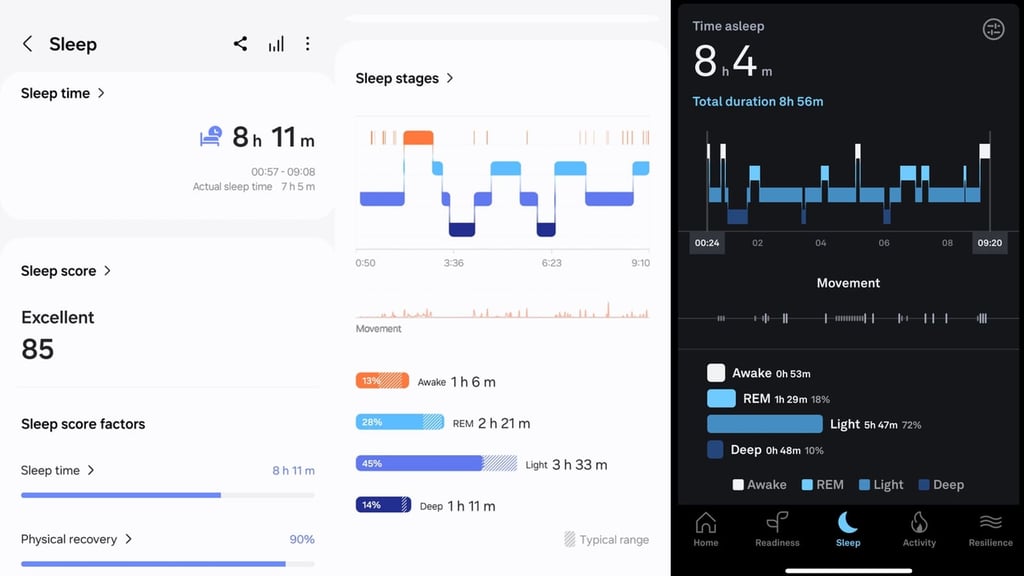
When it’s time to track sleep, you’re getting a lot of the typical sleep monitoring stats, too. The new FDA-authorized sleep apnea risk detection feature wasn’t available to test, given it’s yet to be green-lit in the UK, but we could see sleep scores and sleep stage breakdowns, with additional information on skin temperature, heart rate, and blood oxygen estimates available inside the Samsung Health app.
From an accuracy point of view, we found the core data very good, particularly for capturing when we fell asleep and woke up the following morning. Sleep duration accuracy was good, too, along with temperature and average heart rate readings. Sleep scores did at times feel a little more generous than other sleep trackers we tested Watch 7 against.
Over to sports tracking, and there’s no shortage of profiles Samsung has covered off, with the ability to add more also included. Runners are one of the biggest beneficiaries of the latest features added, with new dual-frequency GPS now included.
Samsung joins the likes of Huawei, Apple, and Garmin (among others) by including the latest positioning technology. If implemented well, this can provide much-improved outdoor tracking accuracy near tall buildings or densely wooded areas.
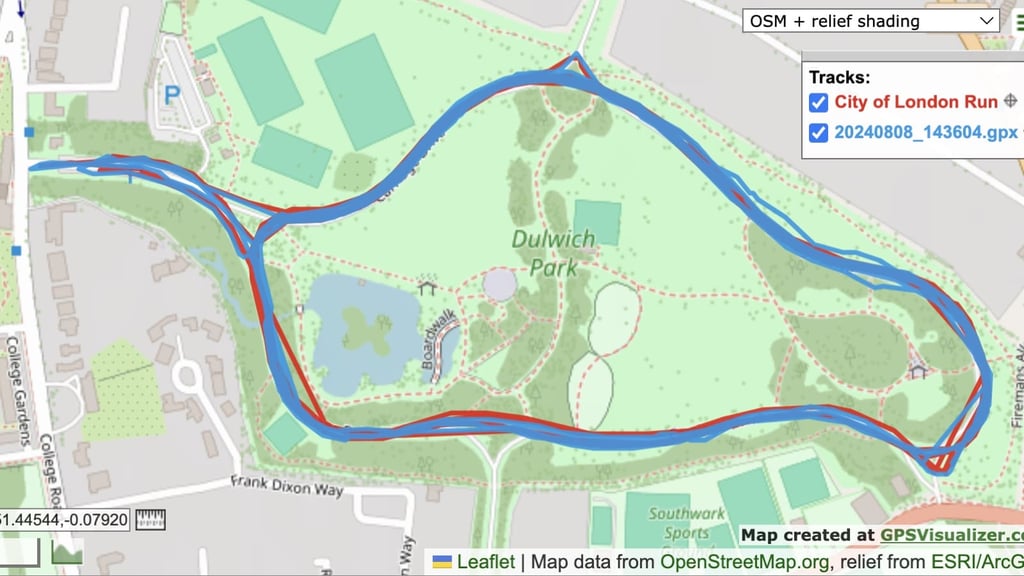
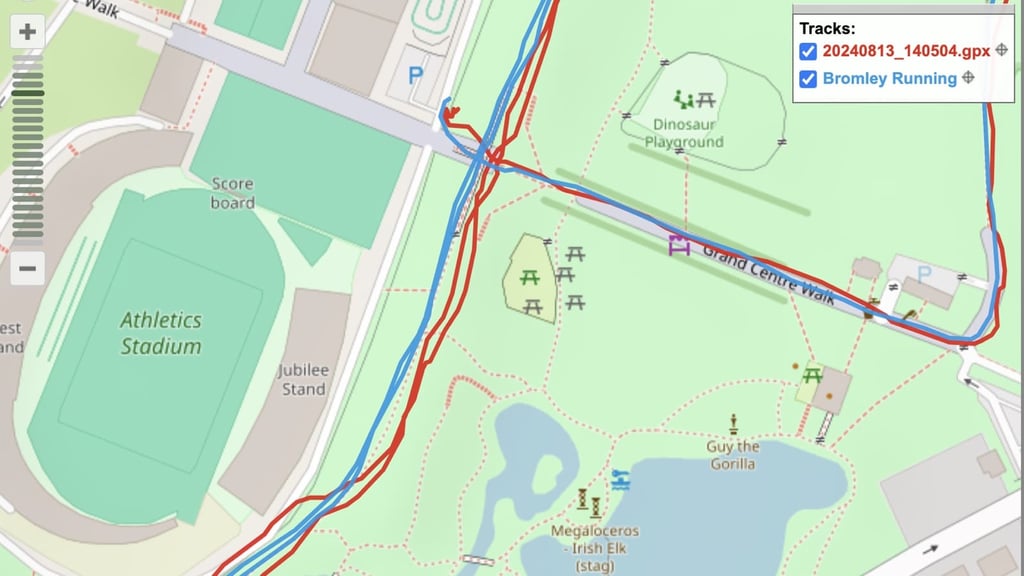
As far as being the best showcase for dual-frequency GPS, distance tracking typically was overreported on most runs. It did actually fare better against the dual-frequency support on Coros Pace 3 while running laps around a park, but it had more issues against Garmin’s Multi-Band mode (above). It does feel like an improvement on previous Galaxy Watch generations, however, and probably the best GPS performance we’ve ever experienced on a Samsung watch.
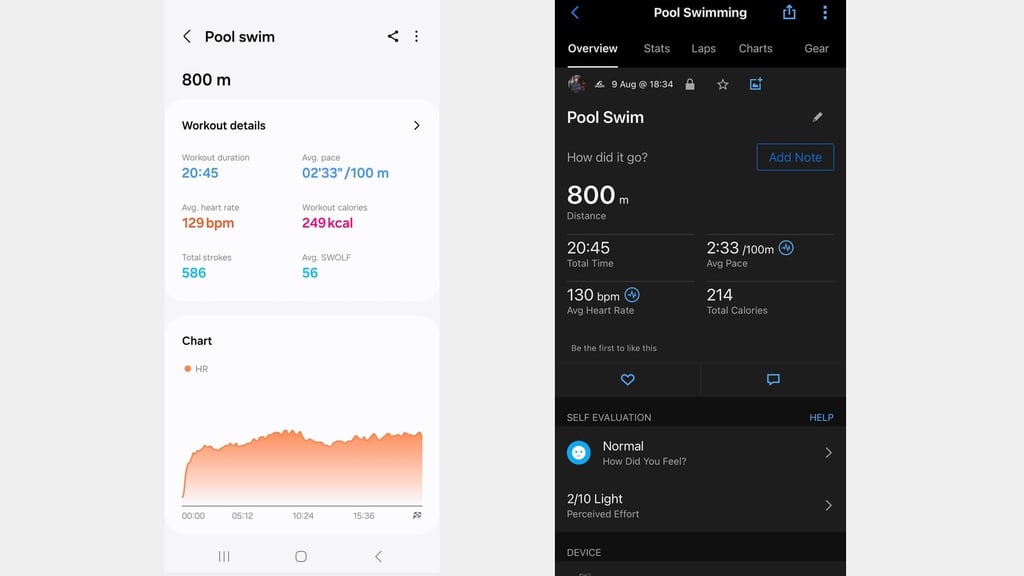
We did find it performed well for activities outside of running, too. When we took it for swims, the core swim data held up well against Garmin and Form Smart Swim 2.
When we used it for indoor rows and rides, data like heart rate was similar to a chest strap monitor, though still delivered higher maximum readings on pretty steady outdoor runs.
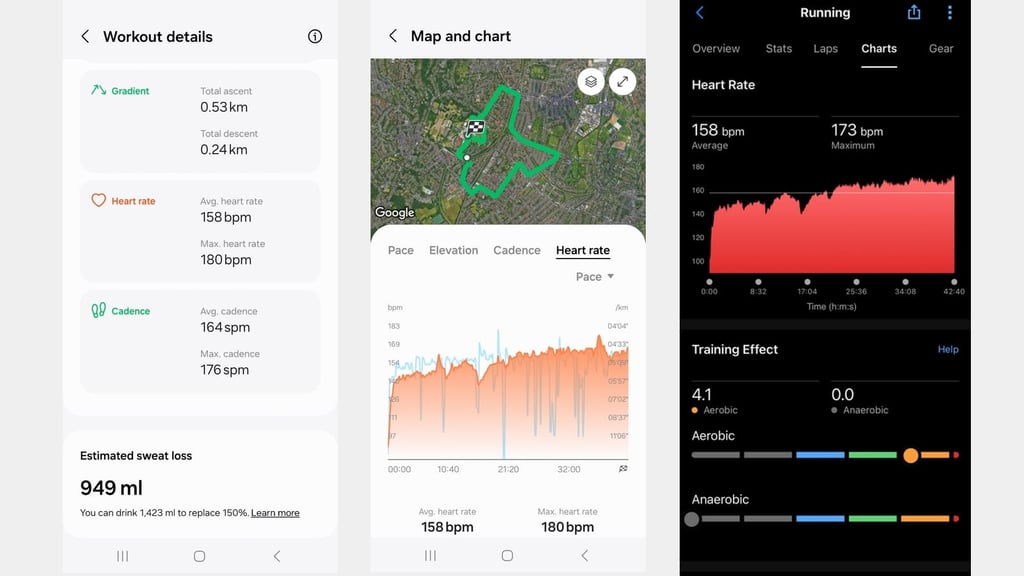
Samsung upgraded its BioActive sensor to improve heart rate accuracy, and it seems it’s mostly done the trick. It’s still a shame, though, that you still can’t pair up an external heart rate monitor.
Health and wellness tracking
Samsung is offering everything we got on Watch 6 from a health tracking point of view, along with the promise of increased precision in tracking. That redesigned BioActive sensor also unlocks some new insights (that you may or may not find useful).
The big health features retained are the ECG and blood pressure estimate tracking—still only available to Samsung smartphone users. That’s because you need the Samsung Health Monitor app, which isn’t just available to download from the Google Play Store.
If you’re an Android user of Google or OnePlus phones, then you’ll miss out on what we found was useful ECG monitoring. Blood pressure estimate measurements were equal to Watch 6, with this still requiring calibration with a traditional blood pressure monitor.
Then you get into what Samsung’s new BioActive sensor may provide in terms of insights. It can track your heart rate continuously, and the data is quite accurate (as long as you get a good strap and fit). There’s the ability to monitor blood oxygen and skin temperature, as well, with the latter proving more consistent than what we’ve seen on rival smartwatches.
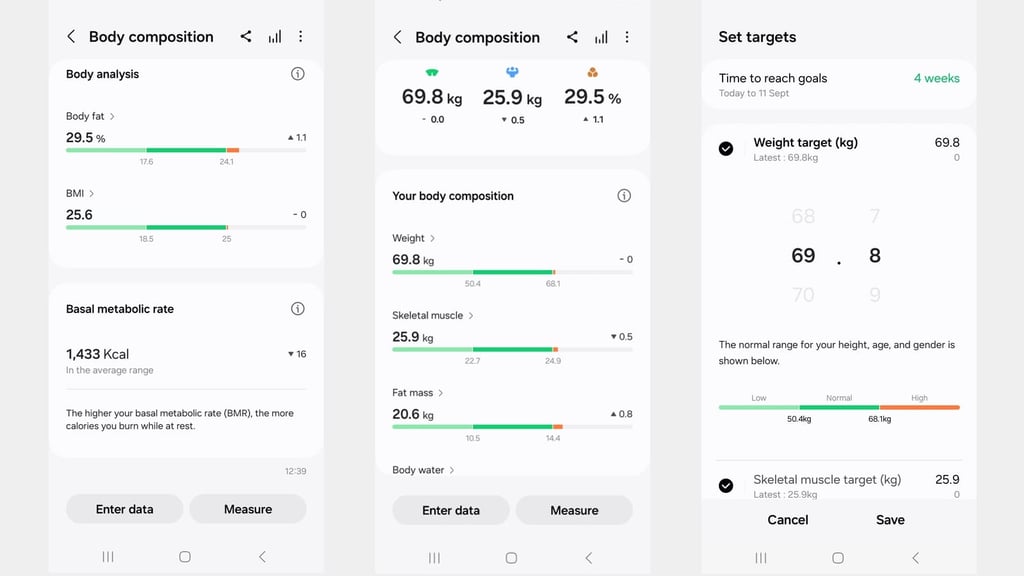
You’re still getting the body composition analysis from previous Galaxy Watch devices, as Samsung once again promises to tell you details about your skeletal muscle, body fat, BMI, and more. We found that while some of that analysis wasn’t far off from a Withings smart scale, not all data points were on the money. Doing the measurements regularly will get you more reliable data, but it’s still not spotless.
There are a few more metrics and insights Samsung aims to provide. The first is an Energy Score, which is a very similar concept to what we’ve seen rolled out by Fitbit, WHOOP, Garmin, Polar, Oura, and others over the last few years. It looks at data like sleep, previous day activity, and heart rate during sleep to assess your recovery and score your energy levels.
We’ve been using it alongside an Oura, and its own readiness scores chimed with Samsung’s one. It’s also nicely presented on the watch, too.
Next up is one of Samsung’s supposedly AI-powered wellness insights, represented by a box sitting at the top of your main feed in the Samsung Health app. It looks at information like Energy Score and sleep measurements (such as sleep heart rate variability) to offer additional information about your well-being. On one day, it told us that while we’d put in a good amount of exercise time that day, we still needed a better balance of exercise and rest. Interestingly, you can’t go back to previous days to see the previous insights provided.
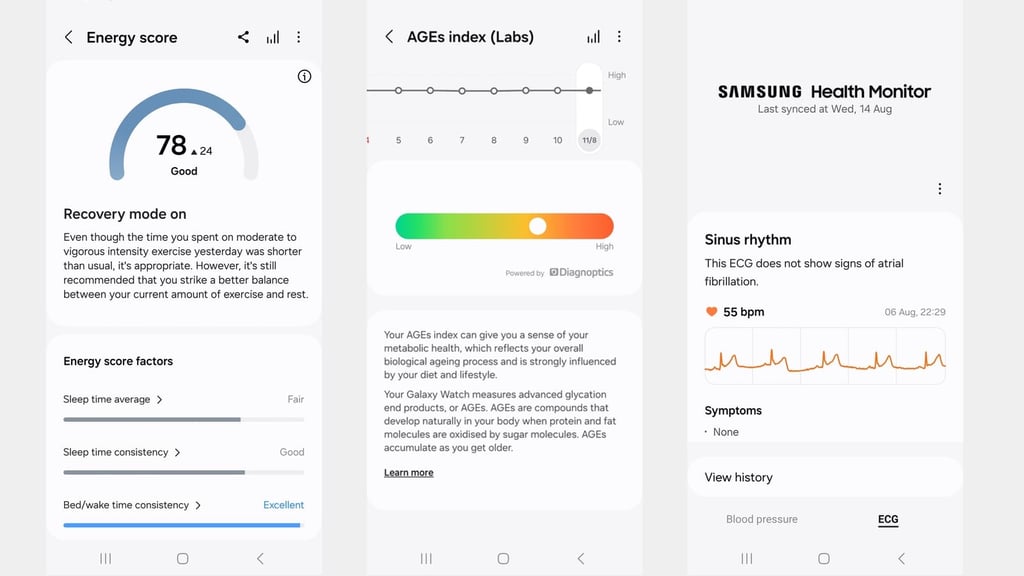
The last one sees Samsung make an ambitious move into the realms of metabolic health, with the claim that it can give you a better sense of whether your general habits and lifestyle are speeding up your aging process. It’s called the ‘AGEs index’—and we’ve provided a detailed breakdown of the Samsung metabolic health feature to help explain it all.
In essence, Samsung says it can use its onboard optical sensors to measure what is referred to as ‘advanced glycation end products’—or AGEs. These are formed when sugar molecules and proteins are combined and form in different areas of the body. The formulation of these AGEs may be influenced by different aspects, like diet, and when they are produced more quickly, may be associated with aging.
This index is a color-coded one, with green equaling low and red being high. You basically don’t want to see it in the high section. Ours generally stuck in the amber zone and fluctuated slightly on some days, but largely stayed in the same zone. According to Samsung, you shouldn’t expect to see sweeping changes. At this stage, it feels like a feature that could be a breakthrough, though it needs more finessing in terms of communicating when things are good and bad. Samsung does at least offer some general ways to improve the AGEs index, which is a good start.
Battery life
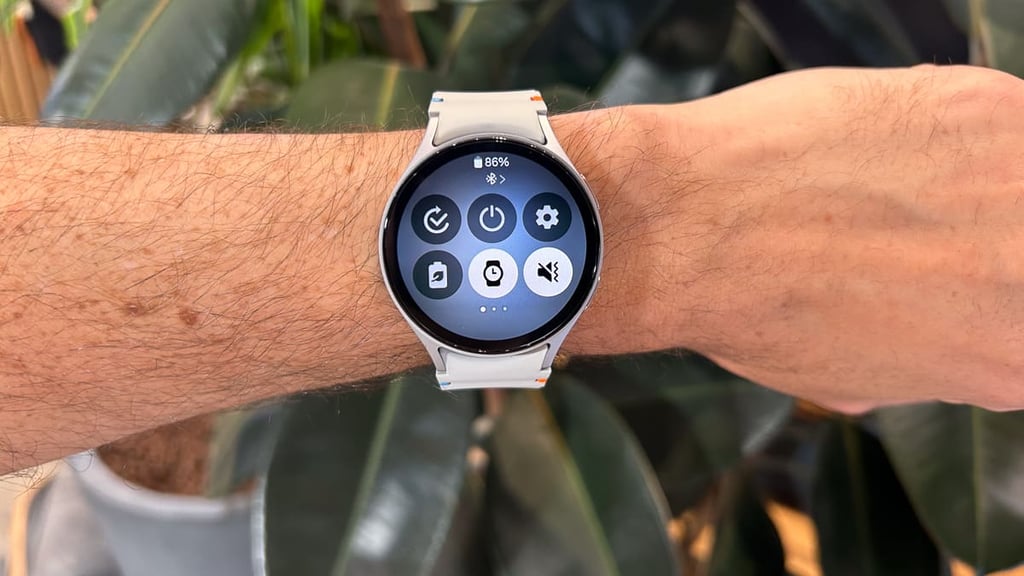
Despite all of the promised performance improvements elsewhere, the battery isn’t one of them on Galaxy Watch 7. Samsung sticks to the same promised battery numbers as Watch 6. So, for the 44mm version we tested, that’s 40 hours (1.6 days) when the screen isn’t set to always on and 30 hours (1.25 days) when you keep the screen on at all times. It’s using the same-style charger, and it also takes just over an hour to power back up from 0–100%.
We’ve found the quoted numbers pretty much ring true, which is a little disappointing given the strides being made by other Wear OS smartwatches on the battery front. There’s been a fair few occasions where we’ve taken Watch 7 to bed with less than 20% of battery, and it’s gone flat overnight. When you stick the screen to always-on mode, the battery drain is noticeable, and it struggles to make it through a couple of days’ use with features in play like notifications, health monitoring, and use of the GPS.
Samsung does include the same power-saving mode as Watch 6, which means sacrificing the raise-to-wake feature, always-on display, Wi-Fi, screen brightness, and some health features.
That can get you over to 2 days of use, but when you factor in that OnePlus Watch 2 and TicWatch Pro 5 can go significantly longer, it doesn’t feel all that demanding for Samsung’s smartwatch to push for more battery in between charges.