
These two ecosystems offer completely different experiences—here's what we recommend for those choosing between them
Choosing between Whoop and Garmin is one of the toughest decisions in wearables right now for a simple reason: it’s really a choice between two completely different philosophies.
There’s also a vast range of factors to consider if you’re to achieve the best fit for your goals.
For those just starting, we think of Garmin here at Wareable as the ultimate activity companion. It puts data on your wrist in real-time, guiding you through workouts with GPS maps, pace alerts, and performance metrics. Whatever your activity, Garmin generally wants to help you track it with advanced insights and features.
Instead of being a real-time player, WHOOP is the ultimate passive coach. It has no screen, so it won’t distract you during a workout. It lives in the background and analyzes your recovery, sleep, and physiological stress to tell you when to work and how hard.
Ultimately, this means that bagging both is a legitimate option for data nerds who want the best of both worlds (and can afford it). However, we understand that most people will be deciding between a Forerunner, Venu, or Fenix and a Whoop 5.0 or Whoop MG.
This guide breaks down the nuances of key areas: devices, costs, activity-tracking features and accuracy, battery life, recovery insights, and more.
Quick verdict: What we recommend
While both fitness trackers are excellent at what they’re meant to do—track your activities and provide insights into your well-being—Garmin and WHOOP are as different as they can be.
Garmin works as a real-time coach with insights and activity tracking on your wrist. Battery life also varies widely by model, ranging from 5 to 30 days. Additionally, Garmin does not require a subscription to access all its insights on the dedicated app.
Meanwhile, WHOOP devices are screenless, which means you won’t get real-time insights on your wrist, and all the data lives in the app. Battery life, despite the brand’s claims, is usually 5 to 7 days, which falls short of the longevity of some Garmin devices. Additionally, WHOOP requires a subscription to access insights, but it stands out for its depth and focus on well-being and recovery metrics.
So, if you want real-time insights, no additional subscriptions, and smartwatch-like qualities, then choose Garmin. If you’d rather stick to a fitness tracker that works silently in the background and sums up your activity and wellness data in an app, then WHOOP is the better choice for you.
Price, subscriptions, and value: Which model we prefer
This is the most significant structural difference between the two ecosystems—and it varies considerably depending on the device or subscription package you choose.
WHOOP—subscription-based model
For the uninitiated, WHOOP is entirely a subscription-based affair. You don’t ‘buy’ the device; you pay for the service. As part of the WHOOP 5.0 and WHOOP MG launch in May 2025, the brand WHOOP also introduced three membership tiers:
- WHOOP One ($199/year): Includes the standard WHOOP 5.0 device and core access to Sleep, Strain, and Recovery insights.
- WHOOP Peak ($239/year): Adds advanced health features like the new Healthspan and WHOOP Age metrics.
- WHOOP Life ($359/year): Includes the premium WHOOP MG (Medical Grade) hardware, unlocking exclusive features like on-demand ECG and blood pressure insights.
As of 2026, this remains WHOOP’s latest membership structure, and we’ve broken the tiers down in more detail in our WHOOP 5.0 vs. MG guide, along with the functional hardware differences. Yet these basic details are a good place to start—consider which you can realistically see yourself comfortably paying for, and for how long.
Garmin—one-time purchase model
Alternatively, going with a Garmin is a one-time purchase. You pay upfront for the hardware, and the core ecosystem is free forever.
However, the cost of entry varies wildly. A Forerunner 165 starts at $250–300, while a Fenix 8 can cost over $1,000. And while the Garmin Connect app is free, including all its core data and metrics, the brand has always charged extra for its specific services in golf, boating, aviation, and SOS comms.
Plus, if you want the most accurate running metrics (like the new Running Economy), you’ll need to buy an HRM 600 chest strap ($150+). Or if you pick up a device with satellite messaging (like the Fenix 8 Pro or an inReach Messenger), you’ll need a monthly subscription.
We still prefer this to WHOOP’s model, since Garmin’s devices are designed to last and remain relevant for a very long time. Plus, you will always own core access no matter what, and that’s hard to put a price on.
- Winner: Garmin
Design: Screen vs. screenless
Whoop has always been a non-watch, screenless wearable—and that hasn’t changed with its latest hardware entries.
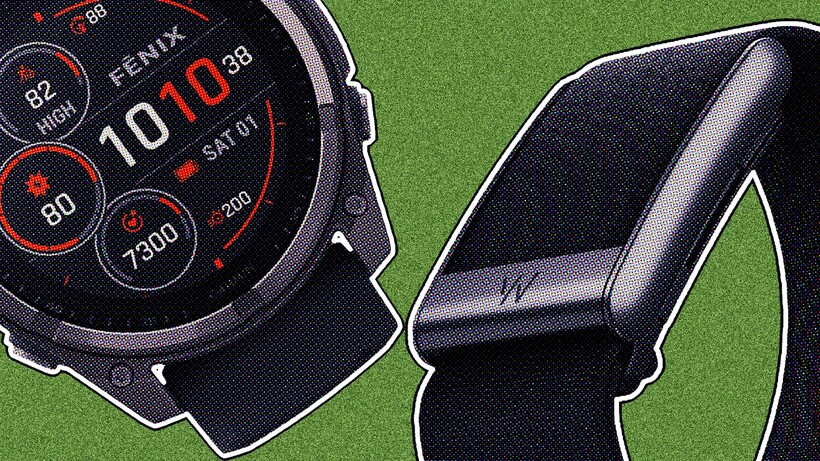
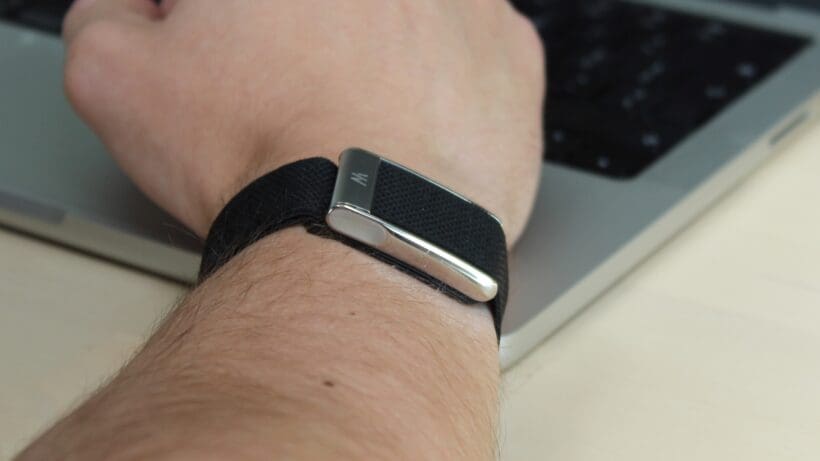
The new Whoop 5.0 and MG trackers are screenless, fabric-covered pods that are designed for 24/7 wear and disappear on the wrist (or wherever you wear it; we prefer it on our upper arm).
Its superpower—especially when compared to brands producing more traditional devices like Garmin—is the versatility. You can pop the sensor out of the wristband and wear it in Whoop Body apparel (bras, boxers, shorts), or on a bicep band for improved heart rate accuracy.
These add-ons are Whoop-branded and can be costly, but are also slick and really enhance the experience. They also allow you to wear a classic mechanical watch on your other wrist without looking like a two-watch wearer (like the Wareable team).

Again, similarly to its pricing and subscription model, Garmin’s core focus is on watches—though it also branches out into niche devices for those who want a specialized experience.
Whether it’s the sleek smartwatch-style devices (like the Vivoactive or Venu) or the more rugged outdoor watches (such as the Fenix or Instinct), Garmin’s devices are still style symbols.
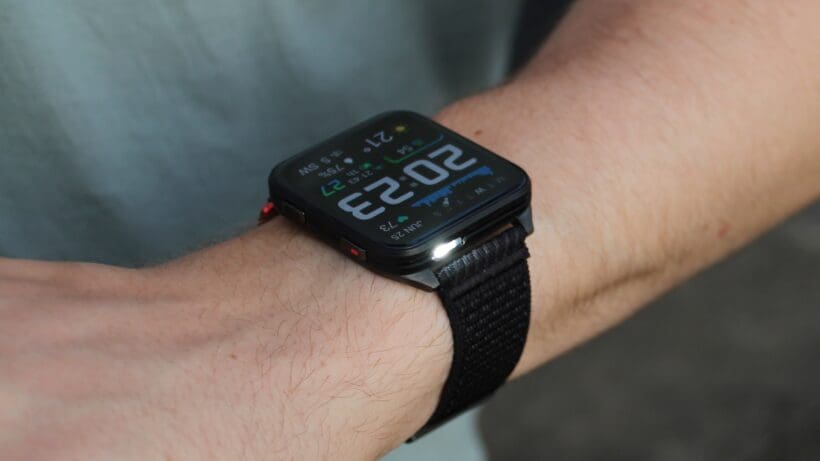
They have buttons, touchscreens, and optional always-on displays, and are tools for daily interaction. If you want to check your notifications, control music, or see a map, Garmin is the move here, but it really comes down to whether you want a screen on your wrist or not.
- Winner: Draw
Battery life: convenience vs. longevity
This is yet another philosophical difference between WHOOP and Garmin, and it directly impacts your daily device use.
WHOOP is one of the very few devices you do not have to take off to charge. The 5.0 has a small clip-on battery pack that nests onto the strap. This design lets you charge your WHOOP device while you are wearing it. In our experience, this is a noticeable advantage, as we have never had to plan charging around usual activities or sleep tracking. So, ultimately, WHOOP is easily a device you can always wear and charge without ever taking it off.
However, we also found some conflicting information regarding WHOOP’s battery life. Although the brand promises 14+ days of battery life with the 5.0 and the MG, in reality, we typically saw around 5 to 7 days of use before needing a charge. The battery drained significantly faster during continuous tracking and on high strain days. While you do not need to remove your WHOOP to charge it, you will still need to charge it quite frequently.
Garmin, on the other hand, still dominates the fitness tracker world in exceptional battery performance. If you need something that will last around 20 days without charging in smartwatch mode, then Garmin’s Fenix 7 or Forerunner 965 is your go-to choice. We also found that, even in GPS mode, these Garmin models still required less frequent charging than WHOOP 5.0 or MG.
That said, the catch here is quite obvious. To charge a Garmin device, you have to remove it. For you, that might mean adjusting your activities to charging time or vice versa. From our experience, we could charge any Garmin device from 0% to 100% in about an hour or two, but it didn’t feel as seamless as WHOOP’s approach.
So, ultimately, the trade-off here is between maximum battery life with Garmin and always-on wear and charging with WHOOP. While we found WHOOP’s system a bit more convenient for continuous tracking, Garmin’s exceptional battery life is very hard to ignore.
- Winner: Garmin
Health and activity tracking
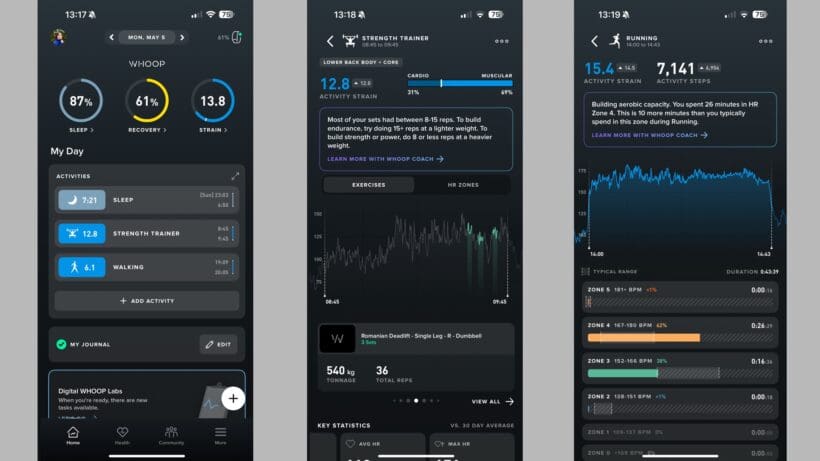
Health and activity tracking is Whoop’s core strength, but Garmin has significantly closed the gap in recent years.
Whoop simplifies everything into three scores: Strain (how hard you worked), Sleep (how well you rested), and Recovery (how ready you are). The Recovery score (0-100%) is the headline figure, based largely on your heart rate variability (HRV) and resting heart rate.
It is famously sensitive; a late-night drink or a stressful day may noticeably lower your score, making the impact of your lifestyle choices more visible. However, it’s still powerful—and has been slightly offset by the 2025 arrival of the ‘Healthspan’ feature, which contextualizes how your behaviors may affect your physiological age.
It’s also developed into an advanced health tracker, with the MG hardware offering ECG readings and estimated blood pressure insights based on trends. With Advanced Labs, you can also integrate (and, depending on your region, organize) third-party blood tests into the platform and cross-reference them with your data, though this should not replace diagnosis and treatment from medical professionals.
When you strip away the branding of each feature, Garmin actually offers many of the same insights. In the interest of brevity, we won’t list them all here, but some of our favorites can help you create a Whoop-like experience (just with a bit more manual sifting through graphs).
Garmin—an improving experience, but the presentation still lags
Here are some of our favorites that are readily available on most modern Garmin devices (launched after 2023) and can provide training-focused takes on your wellbeing and recovery:
- Body Battery: This is Garmin’s real-time energy score (0-100) that drains with activity and recharges with rest. Unlike Whoop’s static score, Body Battery updates throughout the day, showing the immediate benefit of a nap or a relaxing evening.
- Training Readiness: This blends sleep, recovery time, HRV Status, and stress history into a unified score that mirrors Whoop’s Recovery.
- HRV Status: A traffic-light-style system that looks at your nightly HRV compared to your baseline. It’s powerful data, but less user-friendly than Whoop’s traffic-light system.
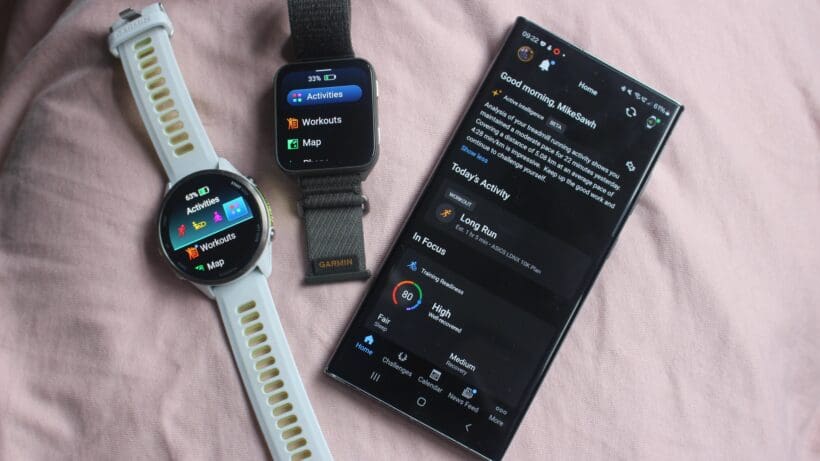
Garmin is also making strides to help users pinpoint the effects of their lifestyle, launching Lifestyle Logging and Health Status features in late 2025. It’s also a sneakily solid health tracker, with many top Garmin devices including ECG support.
However, we still prefer WHOOP in this area; its presentation is more straightforward, holistic, and better at encouraging meaningful behavior change. Garmin’s features, on the other hand, still lean heavily toward sports tracking, and it lacks the long-term health overview that the wellness options in this area now offer.
- Winner: Whoop
Sleep tracking compared
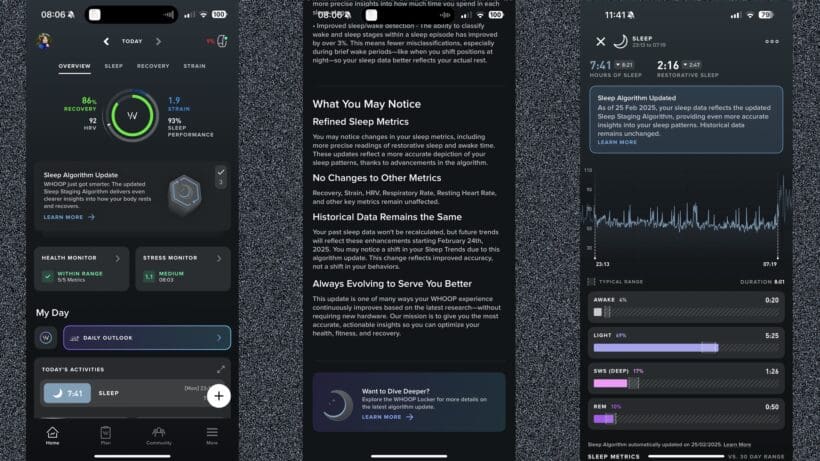
We’ve tested and compared these platforms for years. Neither is at the top of our best sleep trackers list—that’s reserved for the likes of Oura and Apple Watch—but the accuracy is solid enough to power a healthy array of insights that may help you monitor and potentially improve your sleep.
WHOOP revamped its sleep tracking with the 5.0/MG hardware in 2025. This reimagines the Sleep Performance score, focusing on actionable hygiene (consistency, sleep stress, and efficiency) rather than just hours vs. need.
It also still acts as a clever sleep coach, telling you exactly when to go to bed to support your recovery goals—or based on the strain from that particular day, and what you plan to do tomorrow. It’s a bit graph-heavy for daily dives into the tracked data, and, like with any brand, we treat its sleep stage accuracy with some caution, but there’s a lot here for those trying to make a conscious improvement to their sleep habits.
Garmin—not quite as accurate, but with a hidden solution
Garmin’s sleep tracking has improved, and now reports far less poor readings with regard to sleep/wake times, but it’s still not a great analyzer of rest.
Over consistent testing of a number of its flagship watches, we’ve found it can overestimating sleep duration and missing wake-ups that Whoop catches. And, though we’ve just said we don’t put much stock into sleep stages, it feels very likely Garmin’s are less accurate than Whoop’s interpretation; our reporting has often showed virtually no awake periods compared to other devices, meaning sleep scores are often skewed.
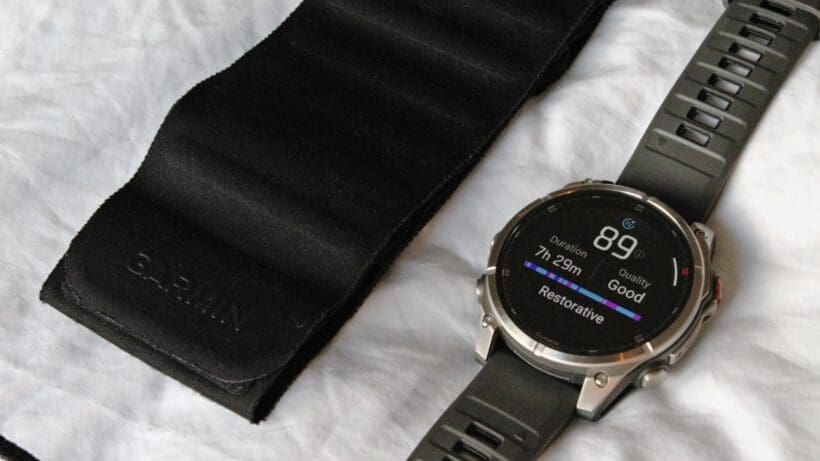
Garmin, it would seem, is aware of these gaps in its tracking; in 2025, it launched the Index Sleep Monitor, a dedicated, screenless armband that we found does alleviate these issues with its sleep data. However, again, like with many aspects of the Garmin experience, getting that extra feature or functionality costs extra ($170, in this case). Without it, the wrist-based tracking accuracy and comfort trails Whoop considerably.
Winner: Whoop
Workout and sports tracking
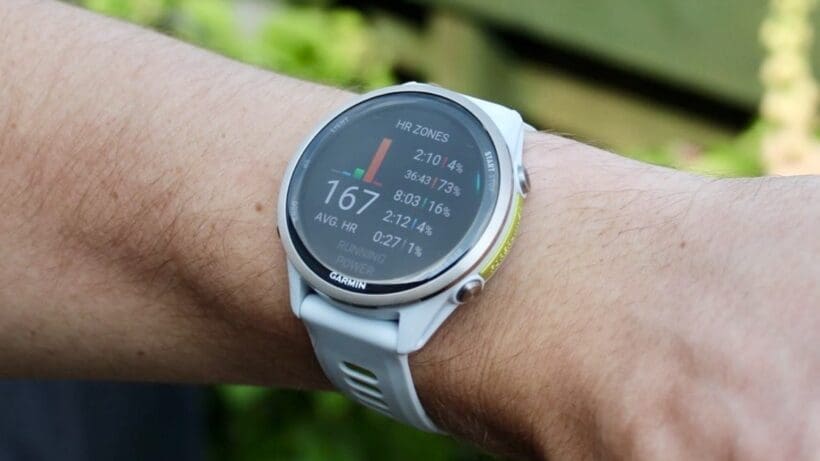
This is a blowout victory for Garmin, which should come as no real surprise. Ultimately, it’s hard for any competitor to match a brand that specializes in creating the most advanced training tools for seemingly endless sports and disciplines.
Whether you’re training for a half-marathon, golfing on a new course, or hiking up an unknown trail, Garmin has a dedicated, detailed mode and feature to make the experience smoother. And there’s generally something for every kind of sport, the most popular—running and cycling—are particularly excellent. Given you choose the correct device, Garmin can offer unparalleled insights into your fitness level, running form, race preparation, training load, and more.
Really, though, even the basic fact that Garmin watches offer gold-standard GPS accuracy, pair with everything imaginable (power meters, chest straps, headphones), and give you infinitely customizable data screens is enough for it to beat out Whoop here.
WHOOP—a basic approach that might work for some
Instead, as we’ve established, Whoop is a passive tracker. It auto-detects activities (often quite well) or lets you manually start them, but it relies on your phone’s GPS for distance and pace.
It has no screen to show you splits. And, crucially, while the Whoop 5.0/MG has improved heart rate sensors slightly, our testing shows it still struggles massively with accuracy (when worn on the wrist; the bicep can alleviate much of this) compared to a Garmin device.
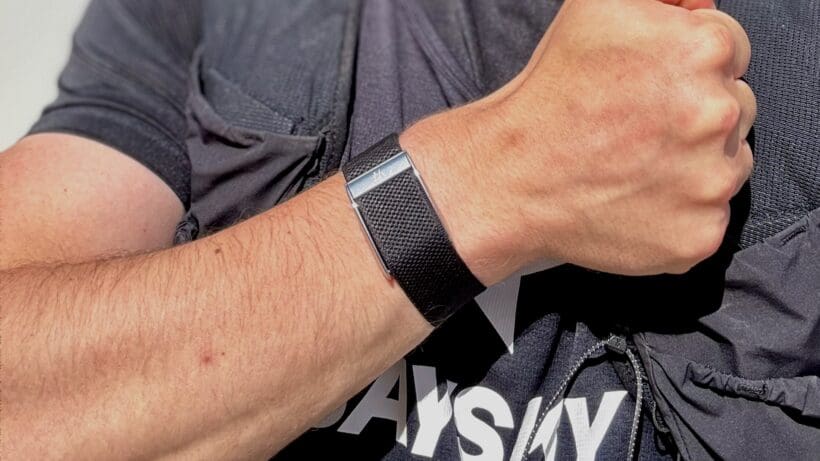
It still has merit for a particular type of trainer. We’ve waxed lyrical, for example, about how WHOOP may be the only wearable that’s really worth using in the gym for lifting weights. That’s mainly because it’s one of the strongest devices on the market for interpreting your daily load on your body’s systems.
To put it simply: WHOOP doesn’t care how fast you ran, only how much strain it put on your cardiovascular system. For some, that might be all the insight they need. If you’re training in a specific discipline, though, you’re likely to need more feedback from your tracker.
- Winner: Garmin
Smart features and software: Smartwatch vs. silent wearable
Here, the differences between WHOOP and Garmin are obvious, and the choice comes down to selecting a smartwatch or a screenless wearable.
Neither of the WHOOP devices pretends to be a smartwatch. There’s no screen, no notifications, no music controls, no payments, and no apps. All the tracked data exists only in the WHOOP app on your smartphone.
In practice, we found this both liberating and limiting. On one side, this approach removes all distractions, as you won’t get a buzzing notification at the most inconvenient time. However, this also means you may be reaching for your smartphone more often to check anything beyond passive WHOOP tracking.
Meanwhile, Garmin’s approach is the total opposite of WHOOP’s. Garmin, besides delving into niche trackers, specializes in full-featured smartwatches, such as the Fenix, Venu, or Forerunner series. With them, you get a slew of features, including notifications (with quick replies on Android), music storage and streaming, Garmin Pay contactless payment system, calendar widgets, and even some apps you can purchase via the Connect IQ store. Basically, this means you have everything you need on your wrist, and leaving home without your smartphone can definitely be refreshing.
That said, even with constant updates, Garmin’s experience is still pretty much utilitarian. All the necessary features are there, but we found it can sometimes be pretty hard to find them in the watch menu, and some needed quite a bit of manual setup to feel actually usable.
Ultimately, it’s hard to draw a line here, as smart features and software are the core identity of these two devices. WHOOP is a health tracker with no pretense of being a smartwatch, and a Garmin is an accurate sports watch and a capable smartwatch. So, it all depends if your preference is a screenless, zero-distraction device or a full-blown smartwatch.
- Winner: Draw
Ecosystem and compatibility: Simplicity vs. flexibility
This part of our comparison is less about basic compatibility—both work with iOS and Android—but rather more about how locked-in you are and where the user experience is actually located.
With the WHOOP devices, everything happens in the app and there alone. As WHOOPs are screenless fitness trackers, you are fully reliant on your phone for any insights and history. We found that this approach creates a very cohesive experience, but within a more locked-in ecosystem. So, using a WHOOP, you will get:
- An app-first experience
- Guided insights
- Limited integrations with Strava, Apple Health, and Health Connect
- Less flexibility for data export or layering with external tools
Meanwhile, Garmin’s approach is overall broader and more flexible, and most smartwatch-style wearables can easily work independently from your phone. Using a Garmin, you can find:
- On-watch and in-app experience with less phone dependency
- Integrations with Strava, TrainingPeaks, and others
- Loads of app, widget, and customization options via Connect IQ
- Easier fit into existing training setups
After working with both WHOOP and Garmin, we didn’t have to look for differences very far regarding ecosystem and compatibility. WHOOP is primarily a closed, insight-led system, while Garmin is a more flexible, data-rich ecosystem with easy outside integrations. So, the choice boils down to this: WHOOP is excellent for simplicity and consistency, but we found Garmin to be more adaptable, especially if you’re already used to relying on Strava or any other third-party platforms.
- Winner: Garmin
WHOOP vs. Garmin verdict—which is right for you?
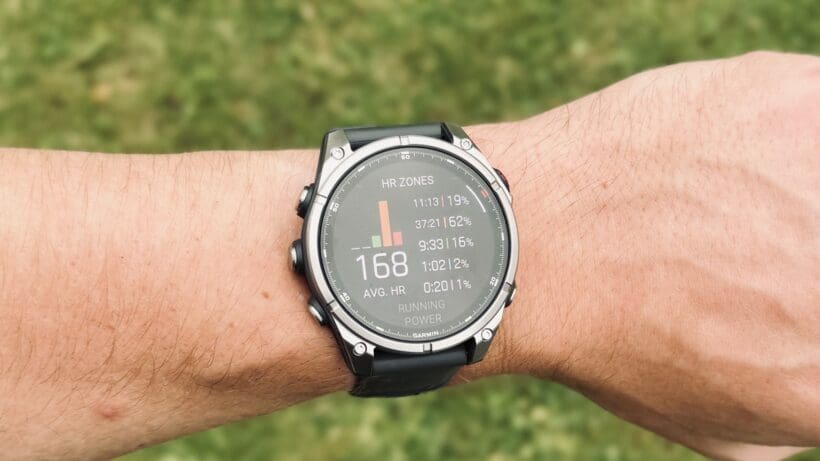
As we mentioned above, there’s a strong case for investing in both platforms.
A Whoop 5.0 (perhaps worn on the bicep) paired with a dedicated Garmin sports watch is the ultimate setup for the serious athlete. You get the best workout data in the world and the best recovery coaching in the world, without compromising on either.
But, again, we know most people are here to choose between them—and, ultimately, that makes the most sense from an affordability perspective.
Choose Garmin if…
If your primary goal is performance-based or sports-focused, you should choose Garmin.
If you’re training for a race, chasing a PB, or exploring the outdoors, a Garmin provides the tools, metrics, and real-time feedback you need to execute your training. It’s an active partner on the wrist—often with stellar battery life—and offers solid features and accuracy beyond its core discipline of sports tracking.
Subscribe to Whoop if…
Your goal is training, sleep, and other lifestyle factors support.
If you want to better understand your sleep, training, and body limits, WHOOP is a superior coach to Garmin. The new 5.0/MG hardware and Healthspan features give it potential as a longevity tool that goes far beyond simple fitness tracking.
It’s a passive guide that holds you accountable 24/7. If you can stomach the price, there’s a lot to be gained from the WHOOP experience that you can’t get anywhere else.