RayNeo Air 3s Pro review: How good are these smart glasses?

- Bright, vibrant display
- Up to 120Hz refresh rate
- Lightweight 76g design
- Good value for picture quality
- No screen anchoring
- Narrower view than some rivals
- Prescription inserts cost extra
RayNeo Air 3s Pro promises a more engaging way to watch films and play games, putting a wearable display in front of your eyes rather than another screen in your bag. That makes these glasses an interesting proposition for travel, sofa sessions, or sharing a room without sharing your entertainment.
In this review, I look at picture quality, sound, fit, and device compatibility, alongside the practicalities of wearing a screen instead of sitting in front of one. I also examine where the experience makes sense and where a conventional display remains easier. With all that in mind, the central question stays: does that convenience deliver enough value to justify the price, or simply add another accessory?
| Display technology | 0.6-inch tandem micro-OLED displays, branded HueView 2.0 |
| Resolution per eye | 1920 x 1080 pixels (Full HD) |
| Refresh rate | Selectable 60Hz or 120Hz |
| Brightness | Up to 1,200 nits to-eye brightness, according to RayNeo; 20 brightness levels |
| Field of view | 46 degrees |
| Weight | 76g, according to RayNeo |
| Connectivity | Wired USB-C; the source device must support DisplayPort video output over USB-C. HDMI sources require a compatible adapter, sold separately |
| Price | $299 for the glasses on RayNeo’s US product page; adapters and bundles cost extra |
RayNeo Air 3s Pro: Fit, comfort and everyday portability
Build quality and fit
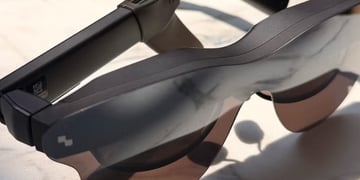
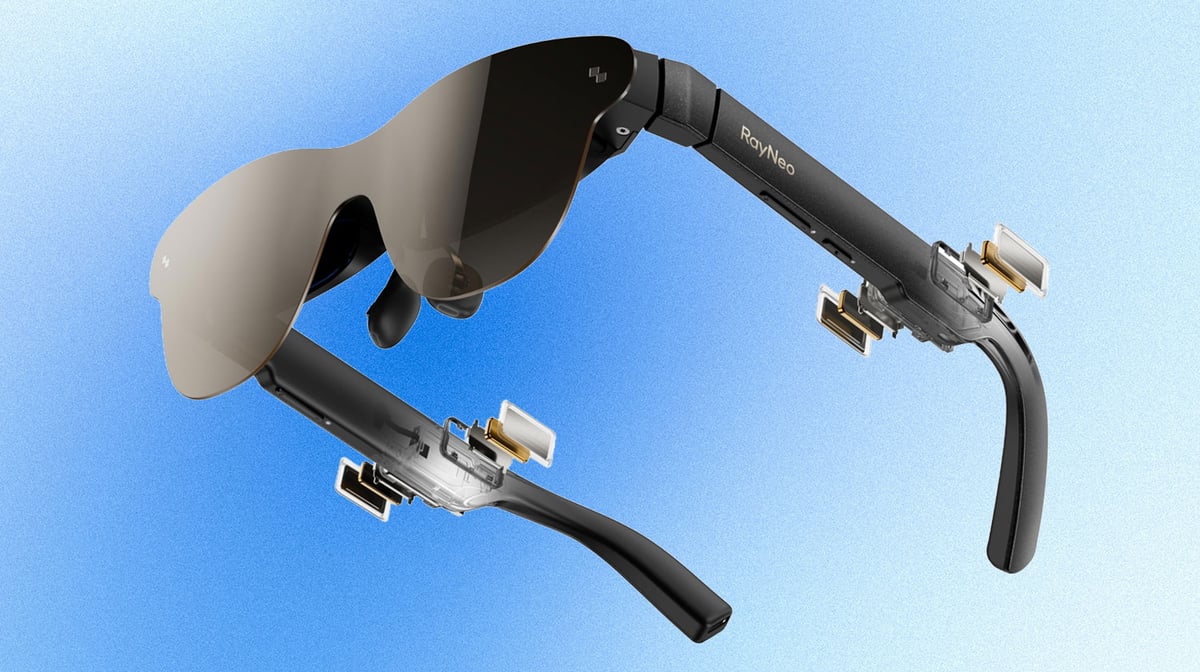
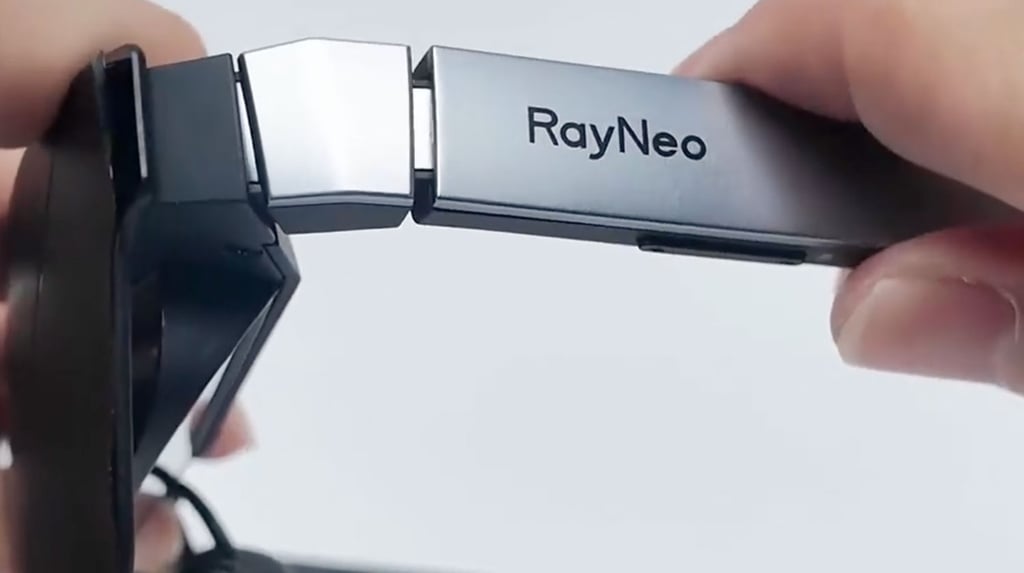
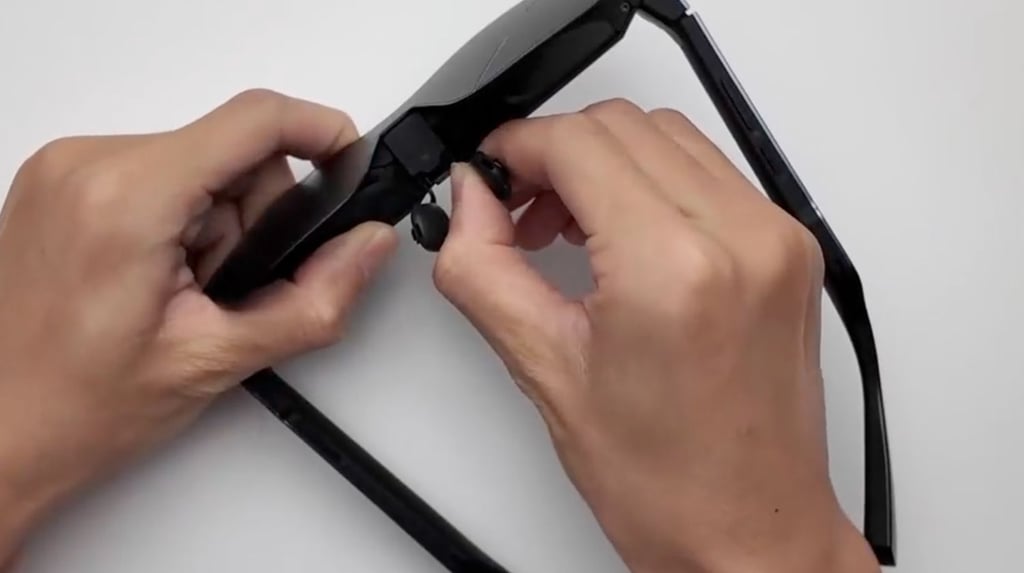
Air 3s Pro uses a plastic frame with chunky arms, looking more like oversized sunglasses than everyday eyewear. At 76g, it remains portable, with a supplied case for travel. I’d prioritize fit over appearance here: the nine-point temple adjustment and three nose-pad heights give you scope to align the display without simply sliding the glasses down your nose. Those adjustments matter because a comfortable position also needs to keep the whole picture visible.
The USB-C cable connects behind the right arm, keeping the connector away from your cheek, although you still have a tether to manage when settling into a seat.
Experience during longer sessions
Low weight is encouraging, but it doesn’t guarantee lasting comfort. When I tested the glasses, the fit stayed comfortable for an hour or so. However, sometimes I felt some nose pressure during longer sessions, so I wouldn’t assume everyone can finish a film without readjusting.
The dark front lenses reduce awareness of your surroundings, so RayNeo also sells a $15 clip-on light blocker for brighter conditions. Treat that as an optional accessory, keeping in mind it’s not included with every purchase.
Display and viewing experience
Resolution, sharpness and color
Each eye gets a 1920 x 1080 micro-OLED display, with refresh rates up to 120Hz. Films and games fit naturally, with colorful images and strong contrast, but small text deserves closer scrutiny. In my experience, desktop content stayed readable, while some softer lettering appeared around the edges. I’d check subtitles, menus, and corner-positioned game information before treating these as a monitor replacement.
RayNeo’s advertised 201-inch screen describes a simulated viewing experience, not a physical display. Perceived size varies, that’s why I wouldn’t buy on that number alone.
Brightness, contrast, and field of view
RayNeo claims up to 1,200 nits of brightness and a 200,000:1 contrast ratio. In practice, reviews highlight punchy highlights and deep blacks, although the visor doesn’t eliminate reflections or light entering around the frame.
The 46-degree field of view creates a bounded picture rather than an all-encompassing cinema. For viewing comfort, I’d prioritize alignment and manageable brightness: the 20 brightness settings offer more flexibility, but edge visibility still depends on how the glasses sit on your face during everyday use.
Gaming and movies with RayNeo Air 3s Pro
Movies and gaming are where I saw the clearest case for these glasses: a private picture without balancing a tablet or finding space for a monitor. You get vibrant colors, deep blacks, and convincing detail in video playback, although reflections can interrupt darker scenes when light enters around the lenses. I realized a dim room over pushing brightness to its maximum is often the better way to go.
The selectable 60Hz and 120Hz refresh rates give you flexibility. For gaming, 120Hz offers the potential for smoother motion, provided your connected device and game deliver the frames to match. It doesn’t turn a 30fps game into a 120fps experience. For films, don’t treat the higher setting as an automatic picture upgrade, as source quality and playback settings will still matter.
The immersion also has limits. The screen follows your head rather than remaining anchored in the room, and the 46-degree field of view leaves a visible boundary around the action. I’d approach them as a portable personal cinema, not a VR headset. In other words, it’s an alternative way to enjoy familiar games and films, rather than a fundamentally different kind of entertainment experience altogether.
Audio quality and everyday comfort
The four built-in speakers offer clear dialogue and useful stereo separation, making casual viewing in a quiet room a realistic option. Bass has less weight than you’d get from headphones, so I’d keep expectations modest for action films. Whisper mode reduces sound leakage at lower volumes, but it doesn’t make listening private. For noisy journeys or shared spaces, I’d choose earbuds rather than rely on louder playback.
In terms of controls, separate volume and brightness rockers keep adjustments straightforward without repeatedly opening menus. The USB-C cable connects behind the right arm; its angled plug helps routing, although one reviewer found the cable stiff. For extended viewing, I’d leave some slack and keep the source device within reach. For example, managing the tether remains part of the comfort equation, especially when changing position mid-film.
Compatibility and what to know before buying
I’d check your device’s video output before buying, because a USB-C socket alone isn’t enough. Direct connection requires DisplayPort Alt Mode, supported by compatible laptops, selected Android phones, iPhone 15 and 16 models, and handhelds including Steam Deck. The iPhone 16e is excluded. HDMI sources need a powered HDMI-to-USB-C adapter, and Lightning iPhones also require Apple’s Lightning Digital AV Adapter. Nintendo Switch needs a compatible dock or RayNeo’s JoyDock rather than a direct cable connection.
Check your exact model and adapter specifications, as connection options and supported refresh rates can differ. These are externally powered display glasses, not a standalone computer, so they don’t run apps independently or provide built-in head tracking to anchor the screen. Your connected device supplies the entertainment and remains essential throughout every viewing or gaming session.
RayNeo Air 3s Pro price and value
RayNeo currently lists the Air 3s Pro at $299 in the US. The box includes the glasses, USB-C cable, carry case, cleaning cloth, nose-pad component, sample prescription-lens frame, and manual; prescription lenses and connection adapters cost extra. I see the strongest value in straightforward entertainment, with the bright micro-OLED picture and 120Hz option prioritizing films and games over spatial features.
Against premium Xreal and Viture alternatives, the compromises include no adjustable lens dimming or built-in prescription adjustment. The 76g frame and adjustable fit are encouraging, but comfort remains personal. I’d also compare RayNeo’s $299 Air 4 Pro before buying: at the same listed price, its HDR10 support makes the older model harder to justify without a discount or a particularly attractive bundle for your specific device and needs.
Should you buy RayNeo Air 3s Pro?
I’d consider RayNeo Air 3s Pro for films and gaming, not as a replacement for every screen you own. Its appeal is understandable: a bright picture, portable frame, and simple connection when your device supports video output. The trade-offs are noticeable, though. Fit can affect edge visibility, adapters can increase the total cost, and the screen follows your head rather than staying fixed in space.
Before buying, I’d check compatibility and compare the complete setup price with newer alternatives. These glasses make most sense for someone who wants private entertainment while traveling or relaxing at home. Buy them for that focused role at a competitive price; choose an alternative if screen anchoring matters more than straightforward, portable viewing of your entertainment.
Other smart glasses reviews
Best smart glasses and AR specs: Top tested picks
Luminette glasses review: Wareable in-depth review
Oakley Meta Vanguard review: Tested for every workout
Xreal One Pro AR glasses: Hands-on experience review
FAQ
RayNeo Air 3s Pro features micro-OLED displays with 1920 × 1080 resolution per eye, selectable 60Hz and 120Hz refresh rates, and a 46-degree field of view. RayNeo specifies up to 1,200 nits of to-eye brightness and a 76g weight. Connectivity is wired USB-C with DisplayPort video support.
Yes, RayNeo Air 3s Pro connects directly to both Steam Deck and Steam Deck OLED through USB-C, without an HDMI adapter. The handheld supplies video and power. The glasses support up to 120Hz, but actual frame rates depend on the game, graphics settings, and handheld performance.
Yes, compatible iPhones can output video to the RayNeo Air 3s Pro. RayNeo lists direct USB-C support for iPhone 15 and 16 models, excluding iPhone 16e. Older Lightning models require Apple’s Lightning Digital AV Adapter plus a compatible powered HDMI-to-USB-C adapter; a charging cable alone won’t work.
Air 4 Pro adds HDR10, Vision 4000 image processing with SDR-to-HDR enhancement, and Bang & Olufsen-tuned speakers. Both models offer 1080p resolution per eye and up to 120Hz. RayNeo lists 1,200-nit brightness for both, so the newer model’s headline upgrade is HDR capability, not a higher stated brightness.
-
Comparison of visual fatigue caused by head-mounted display for virtual reality and two-dimensional display using objective and subjective evaluation
-
Assessment of eye fatigue caused by head-mounted displays using eye-tracking
-
Factors Associated With Virtual Reality Sickness in Head-Mounted Displays: A Systematic Review and Meta-Analysis
-
Cybersickness and discomfort from head-mounted displays delivering fully immersive virtual reality: A systematic review