- Superb open-ear audio quality with highly responsive adaptive volume
- Fun, hands-free POV capture with clever Garmin/Strava integration
- Premium Oakley build quality featuring excellent Prizm lenses
- No official prescription lens options available at launch
- Heavy use quickly drains battery to 3-4 hours
- Single-size, heavy frame won't suit smaller profiles
In 2026, devices like the Oakley Vanguard are no longer much of a novelty—thanks largely to Meta's aggressive push into mainstream smart glasses. Yet, for Oakley, this isn’t a new frontier.
A decade ago, the brand launched the Radar Pace—a futuristic, voice-activated audio coach that arrived far too early, in a market that simply wasn't ready to run with computers on their faces.
Today, the landscape is entirely different, and the reimagined, modern Vanguard arrives with much loftier, camera-equipped ambitions. By marrying Oakley’s sports-performance heritage with Meta’s camera, microphone, and AI ecosystem, the Vanguard aims to be the ultimate hands-free workout camera for runners, cyclists, and outdoor enthusiasts.
But with smart specs still commanding a massive premium over traditional sunglasses, key questions remain. Are they comfortable enough to wear for long runs? Can the battery actually survive all-day rides? And does the video quality justify the investment?
We took them out on sunny holiday trail runs and local training sessions to see if these connected sunglasses are a genuine breakthrough or—for now—a gimmick you can pass on.
Design, features, and comfort
A big part of why Meta’s collaboration with Luxottica brands like Oakley has worked so well is limiting compromises to design when adding the extra hardware.
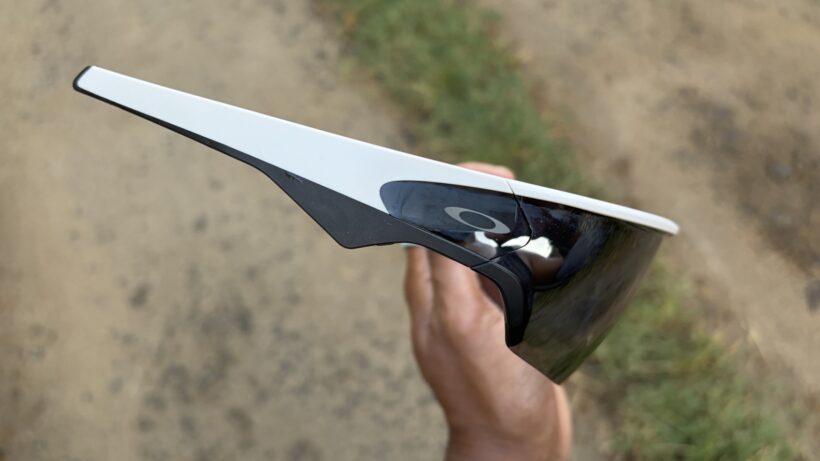
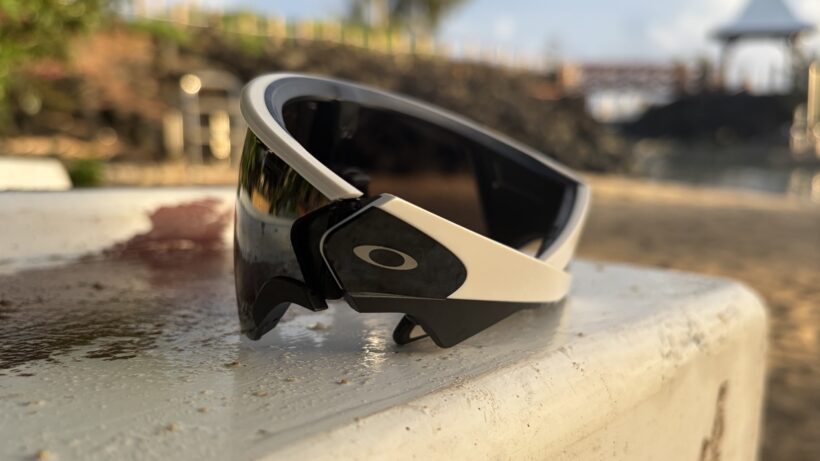
We saw that with Ray-Ban's smart glasses first and have since seen it with the Oakley HSTN. It’s the same story with the Vanguard. Oakley has sought to stay as close to the look and feel of a regular pair of its sports sunglasses.
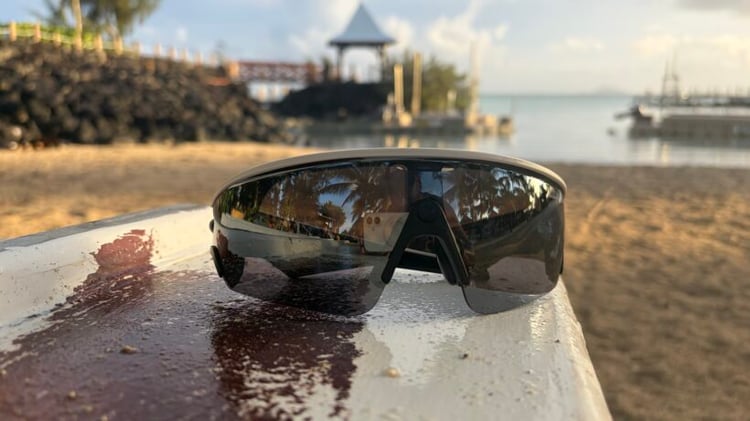
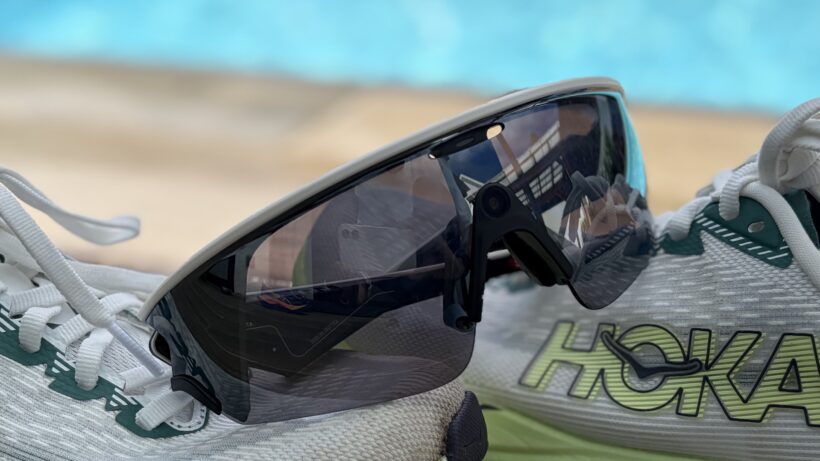
That means you'll spot typical Oakley glasses traits, like the use of its Prizm lenses, which are available in five different colors on the Vanguard. These lenses are designed to perform in any lighting or weather conditions. You’ll also find those lenses held in place by one of Oakley’s O Matter frames for good impact resistance.
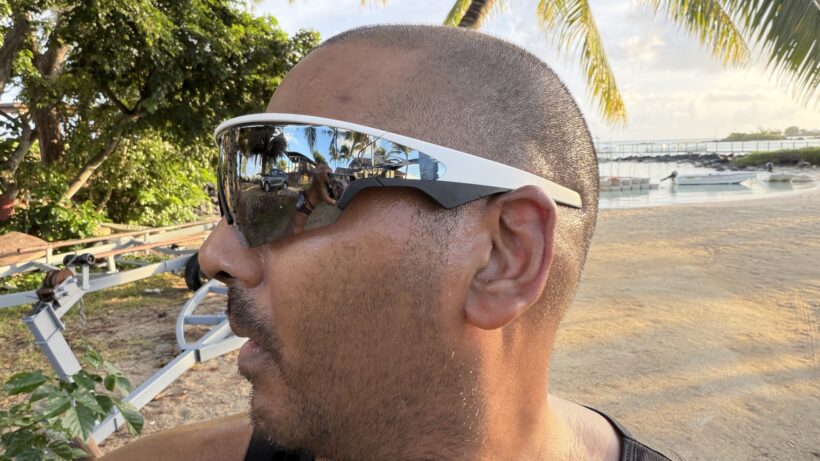
However, there's only one size option available—and they definitely dominate your face. You'll need to be a fan of the bold, wrap-around athletic style, which won't be to everyone's aesthetic taste.

Weight is the biggest indicator of the extra tech on board. Thankfully, while they are double the weight of a regular pair of Oakley sunglasses, it’s not the sort of added weight that instantly makes them unwieldy and uncomfortable to wear. To improve fit, Oakley includes additional nosepads, which are easy to replace.
Still, one major hurdle for glasses wearers is the lack of prescription support. Currently, the Vanguard does not officially support prescription lenses through Oakley or Meta. While some third-party lens manufacturers are already working on workarounds, this omission will leave out many people—unless they are comfortable wearing contact lenses.
Interacting with Vanguard in the real world
Control-wise, you get two sets of physical and capacitive inputs. Physical buttons on the underside of the frame make it a breeze to quickly snap a photo or start a video mid-stride. There's also a capacitive touch strip on the temple for media playback. The touch area is generous, making it easy to swipe to adjust volume or tap to skip tracks—even with sweaty fingers.
In terms of ruggedness, It’s been given an IP67 dust and water resistance rating. That rating technically means it can be submerged in water for short periods. In reality, it’s about giving you glasses that can handle rain and sweat—and maybe even allowing you enough opportunity to swiftly rescue them if you accidentally drop them in water.
When they aren't on your face, the glasses live in a chunky charging case. Because the frames don't feature a direct USB port, the case is necessary for keeping them topped up, and it also acts as a rugged portable battery pack when you are away from a wall plug.
Video capture and picture quality

The primary draw of the Vanguard is its ability to capture hands-free, point-of-view (POV) photos and videos. This footage is captured exclusively in portrait orientation, which is great for Instagram Reels, TikTok, and YouTube Shorts, but less ideal for stitching together traditional widescreen videos.
The hardware consists of a 12-megapixel camera sensor capable of capturing up to 3K resolution video at 30fps, backed by 32GB of onboard storage. That storage space is plenty, so you don't have to constantly pause your workout to sync footage to your phone.
To put those camera specs into context: if you spent the same money on a mid-range smartphone, you would expect 48-megapixel sensors and 4K recording.
Naturally, the image quality here won't rival a flagship phone, but, when the lighting is good and you remember to wipe sweat off the lens, the results are surprisingly vibrant and sharp.
Like other camera-first glasses, it takes a bit of time to master to get the most rewarding results—but the Vanguards are capable of producing something that’s very social-media-friendly and surprisingly special.
Slick software tricks help boost content capture
Wearing a cap can be an issue when using them, as well, which is likely why a cap crop feature is included and can be enabled in the companion app. Pretty neat.
For video, the electronic image stabilization is also highly impressive. We tested them on rocky, technical trail descents and expected the footage to be a nauseating mess, but the algorithm smoothed out the footfalls incredibly well.
The only disappointment is that this stabilization doesn't work when you are shooting at the maximum 3K resolution setting—you have to drop the resolution down slightly to get the smoothest playback.
Sound quality and AI assistant interaction
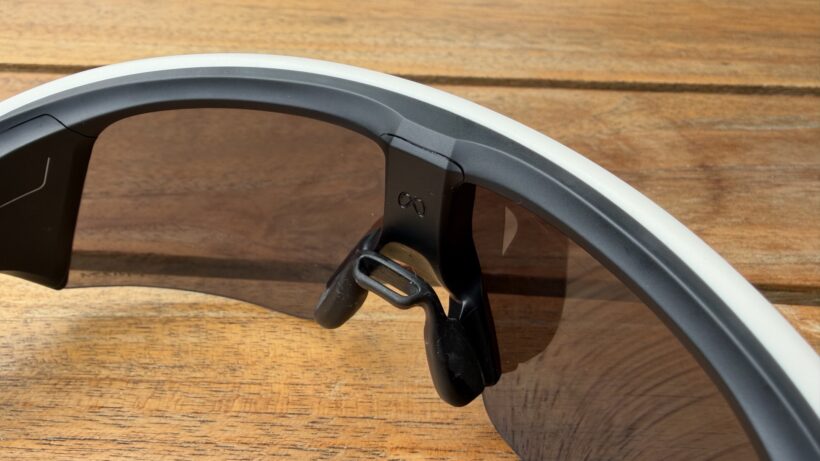
Alongside the camera, the Vanguard packs two custom open-ear speakers and a five-microphone array. The speakers beam audio directly toward your ears via Bluetooth, while the microphones are there to pick up voice commands for Meta's built-in AI assistant.
The audio quality is genuinely excellent for an open-ear design. If you've ever used bone-conduction headphones from Shokz, the experience is very similar: you get clear audio while remaining completely aware of ambient traffic and trail noise around you.
The speakers carry a surprising punch and clarity, ensuring podcasts aren't drowned out by heavy wind resistance. There's also an adaptive volume mode that automatically scales the sound up or down depending on how noisy your surroundings are, and it worked flawlessly in our testing.
The microphones and speakers also come together when you want to speak to the glasses and use Meta’s AI assistant. This assistant covers a range of areas, including messaging and phone calls, taking photos or videos without using the physical buttons, asking about your fitness performance, and even asking the glasses to translate something you glance at.
It works very well, picks up commands on the first attempt, and adds another dimension to using the glasses. While some aspects of these voice commands aren’t exactly new to smartphones, the more fitness-focused ones (more on that in a moment) offer compelling reasons to use them.
Smart integrations for fitness fans
To really earn its place on athletes' faces, Oakley and Meta have built-in deep integrations with Garmin and Strava.
If you pair the glasses with a compatible Garmin watch, you can unlock an 'Autocapture' mode. This uses your real-time workout metrics (like spikes in heart rate or hitting a specific pace) to automatically trigger short video clips—a bit like you'll find on platforms like Zwift.
While it's a neat concept, if you are just grinding out a boring recovery run on a flat road, you'll end up with a lot of mundane footage.
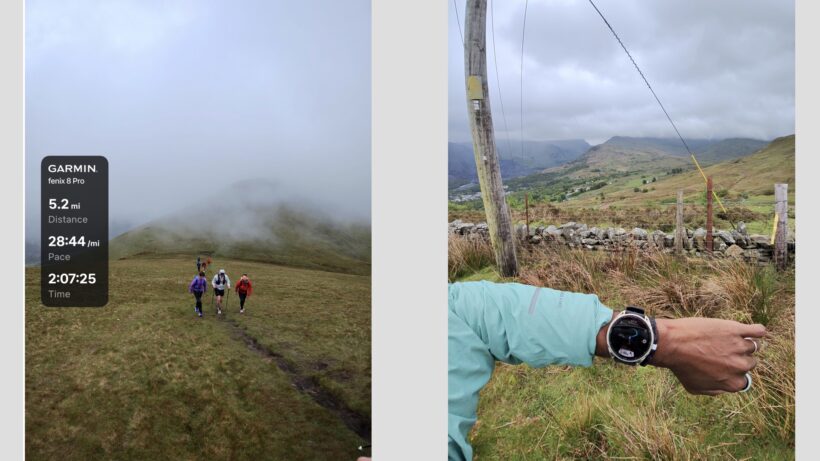
More useful is the ability to burn data overlays onto your captured media. You can show off your real-time speed, distance, or heart rate directly on top of your video clips before sharing them to Strava or social media.
Keeping a forward focus
Another aspect of the integration is the ability to use Meta’s assistant to ask about your data during a workout, such as your current pace or heart rate. You can also use it to create simple custom workouts.
After logging workouts, the Meta app will also show you an AI-fuelled summary of your data to help you better understand the benefits of the session. This feature seems a lot like Garmin’s own AI summaries (available to Connect+ subscribers), which get a bit more useful when they’ve got more historical data to analyze.
Aside from this, the Meta app remains a bit of a mixed bag. You'll want to use it for sifting through captured video and images—or playing around with settings, like making sure those around you are aware of when you’re shooting or recording footage.
However, if you're anything like us, you'll probably want to avoid the 'Vibes' section, which is packed with some of the oddest-looking AI videos around.
Battery life
Oakley and Meta quote up to 9 hours of standard daily use, which is an hour longer than the more lifestyle-focused HSTN frames. However, that figure is highly dependent on how active you are with the camera.
If you're using them purely as Bluetooth headphones, you will easily get 6 hours of continuous playback. However, if you're recording multiple 3K video clips, using GPS overlay data, and streaming music on a long ride, that battery life will crater to between 3 and 4 hours.
On a four-hour hike with casual photo-snapping, we made it back with some juice to spare, but you do have to manage your expectations if you plan to film an entire marathon, for example.
Thankfully, the charging case holds enough reserve power for an additional 36 hours of battery life. But the downside there is that recharging isn't overly rapid. Once the glasses are flat, they take over an hour to reach a full charge inside the case. It means you'll need to plan ahead and decide which sections of your long endurance days are actually worth filming.
As an Amazon Associate, we earn from qualifying purchases. Product prices and availability are accurate as of the date/time indicated and are subject to change.
Any price and availability information displayed on Amazon at the time of purchase will apply to the purchase of this product.