
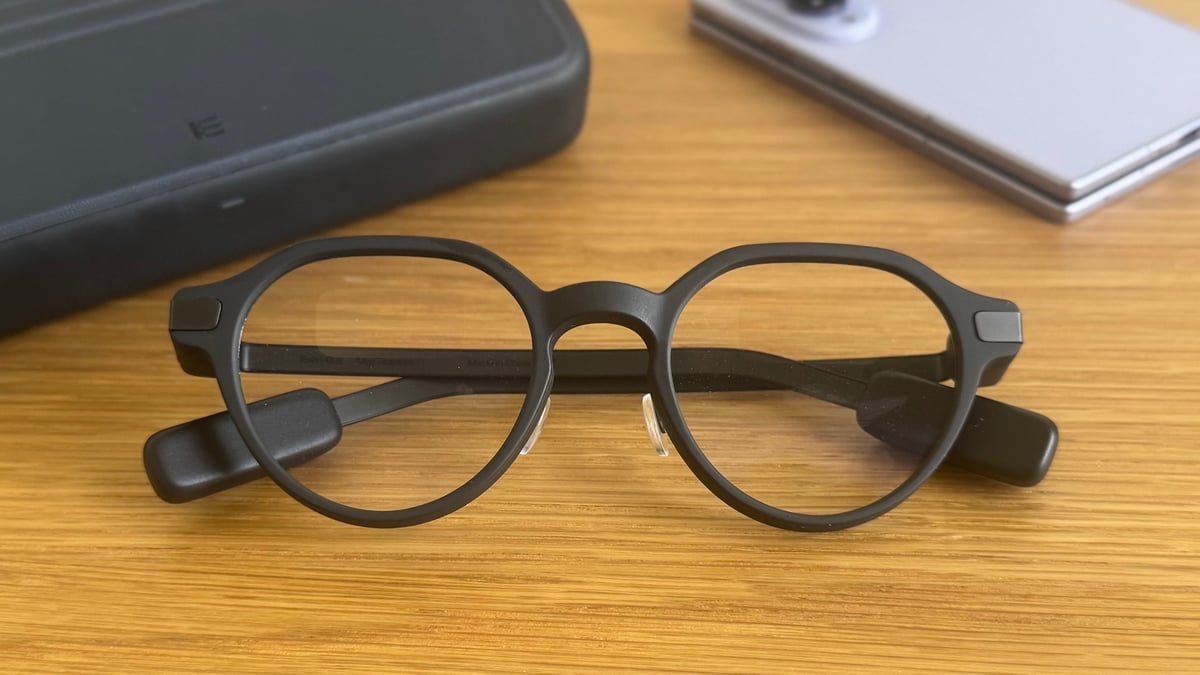
- Genuinely look like a normal pair of glasses
- Even Hub is evolving into a solid third-party ecosystem
- R1 ring is a clever way to solve the controls problem
- Prescription-friendly waveguide display
- $599 before you've added the $249 R1 ring
- Some native features are still inconsistent
- Touch-strip controls are fiddly without the ring
The smart glasses form factor usually forces a trade-off: look like ordinary frames, or pack in enough visible hardware to alienate everyone around you.
The Even Realities G2 tries to balance that tightrope, squeezing a sharp monochrome waveguide display into lightweight, camera-free frames that just about pass for everyday optical eyewear.
It's one of the few brands in the category that isn't following Meta's lead. By contrast, Meta's lineup now spans multiple camera-equipped models, with Google and Samsung having already shown off their first Android XR glasses ahead of the expected shipping window later this year.
Even Realities, by comparison, is a much smaller player betting on a completely different pitch: no camera, no speakers, and a display that's there to inform rather than distract.
It's also paired this more privacy-conscious design with a novel control element: the companion R1 smart ring. By shifting menu navigation to a subtle ring on your finger, the G2 delivers an invisible heads-up interface without drawing unwanted glances.
While the hardware impressed at launch, its barebones software made its steep base price—scaling even higher when bundled with the R1—a tough pill to swallow.
However, after the late arrival of the Even Hub app platform and a steady cadence of firmware updates, the platform is fundamentally transformed. Here's how the smart specs stack up after six months of wear.
Price, value, and the competition
At $599 / £599, the G2 sits in a slightly odd spot. The pair undercuts the $799 Meta Ray-Ban Display by a meaningful margin, but they're also considerably more than Meta's camera-equipped Gen 2 glasses at $379, or the brand's new self-branded $299 line.
Here, you're paying a premium for the waveguide display and the design restraint, not for raw feature count.
Then there's the brand's R1 smart ring. At $249, it's sold separately, but I'd consider it close to essential rather than optional—more on why in the controls section below.
All in, a fully kitted-out G2 setup runs you close to $850, which puts it uncomfortably near Meta's flagship display glasses despite doing noticeably less on paper.
Where the G2 claws that back is in what it doesn't do: no camera means no bystander-recording anxiety, and no speakers means no audio leak in a quiet room. For the right person, that isn't a compromise.
Prescription buyers get a real option here, too—and it's a good one. Even Realities bakes prescription lenses directly into the glasses rather than using clip-in inserts, with pricing tiered by strength.
It's a genuinely usable path to making the G2 your actual, only pair of glasses, which isn't something you can say for most of the competition.
Design and fit
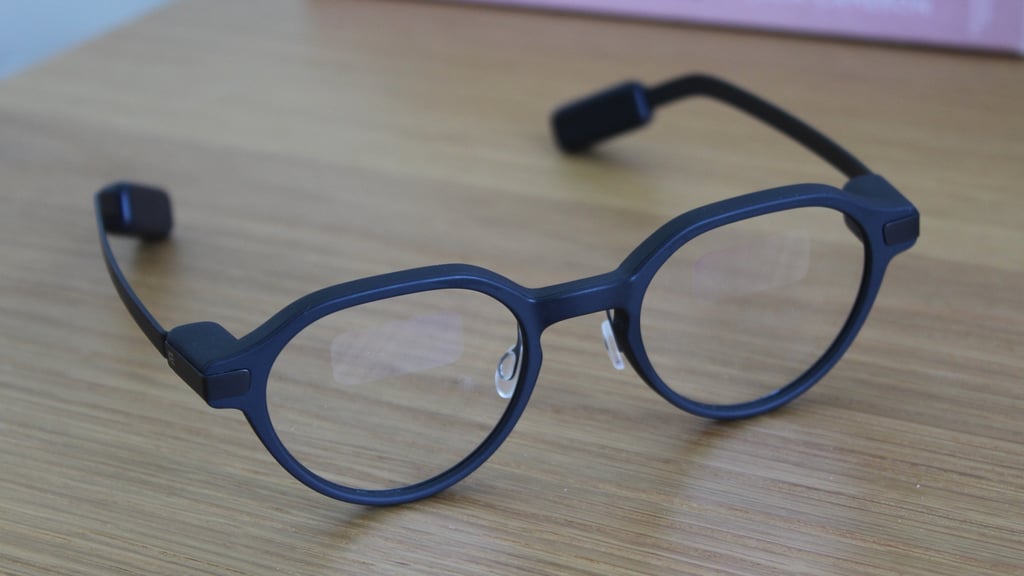
This is where the G2 beats plenty of the current smart glasses competition. The frames are thin, light, and available in rectangular or round lens shapes across a few understated colorways: black, green, or brown. Set them next to a normal pair of glasses, and most people won't notice the difference.
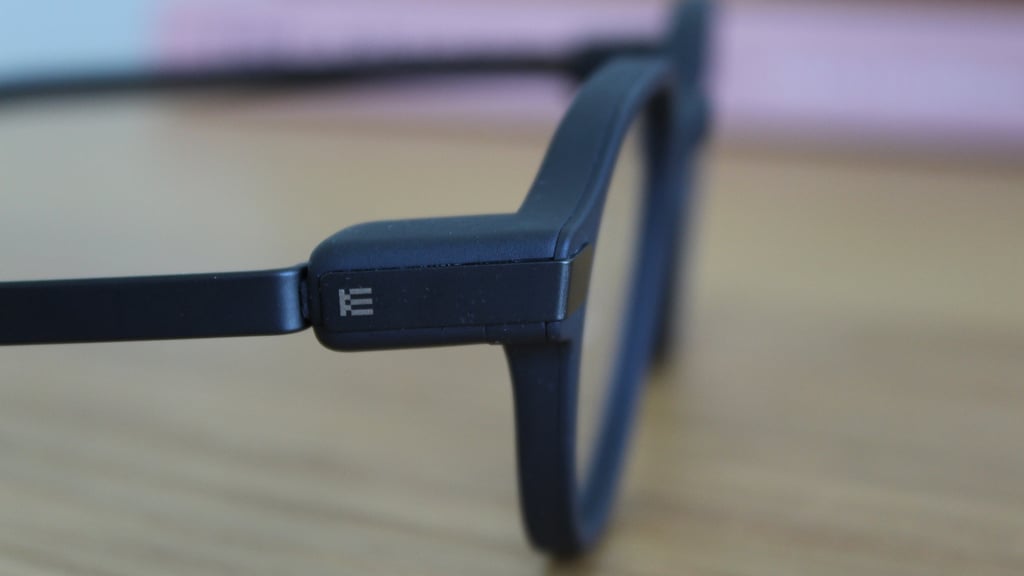
The giveaway is the slightly bulkier capsule built into the temple tip, housing the electronics and the touch controls. It's not huge, but it's the one detail that sets these apart as tech rather than eyewear—at least before anyone's close enough to notice the faint reflection of the display itself.
Luckily, I haven't noticed any significant difference in pressure from the temple tip to my usual glasses, either, meaning they've been totally fine for all-day wear. Again, ideal if you want these as your prescription pair.
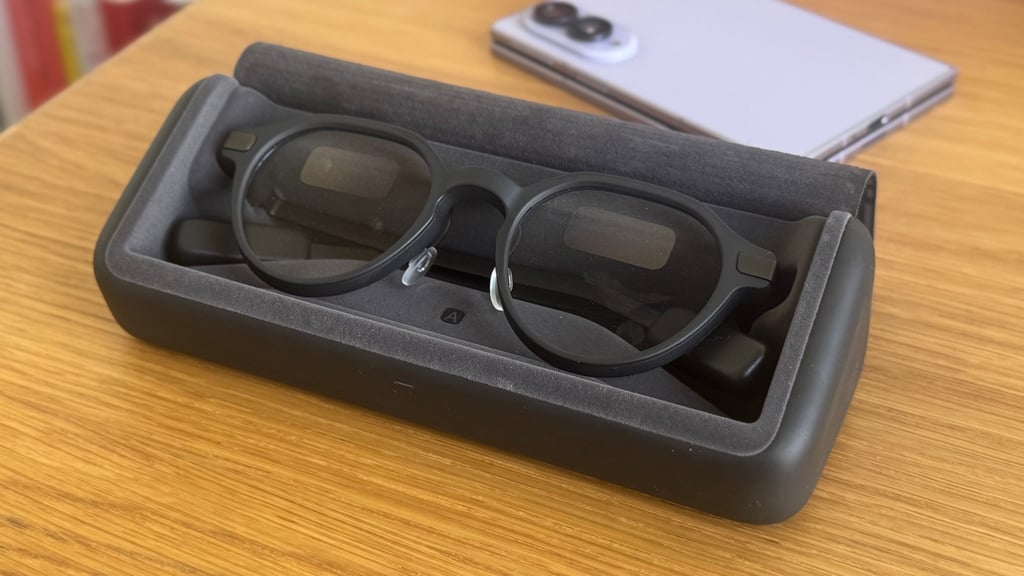
In this sense, the build quality really matches the price. The G2 feels like a considered, premium object, and that extends to the case—a slim, nicely finished unit with a satisfying top-folding lid that provides roughly seven additional full charges on the go.
It's a small thing, but it's the kind of detail that makes a $599 accessory feel like it earns the number.
On the spec sheet, the monochrome green waveguide display is easy to feel underwhelmed by—coming in at a 640 x 350 resolution and a 27.5-degree field of view.
However, in everyday use, it's generally bright and crisp enough that I never had to try hard to read it indoors or under cloud cover. And, in the app, Even Realities also gives you ample room to move it around your vision.
It's slightly less punchy in direct, harsh sunlight or against a busy background. In fact, the latter is the main condition where a waveguide naturally struggles, and quick glances can be a bit too much to focus on at once. To that end, it almost feels like it would be handy to have a filled, but still opaque, background.
Still, these are minor complaints rather than dealbreakers—and Even also sells clip-on sunshades separately if the sunlight visibility bothers you enough.
Controls and the R1 smart ring
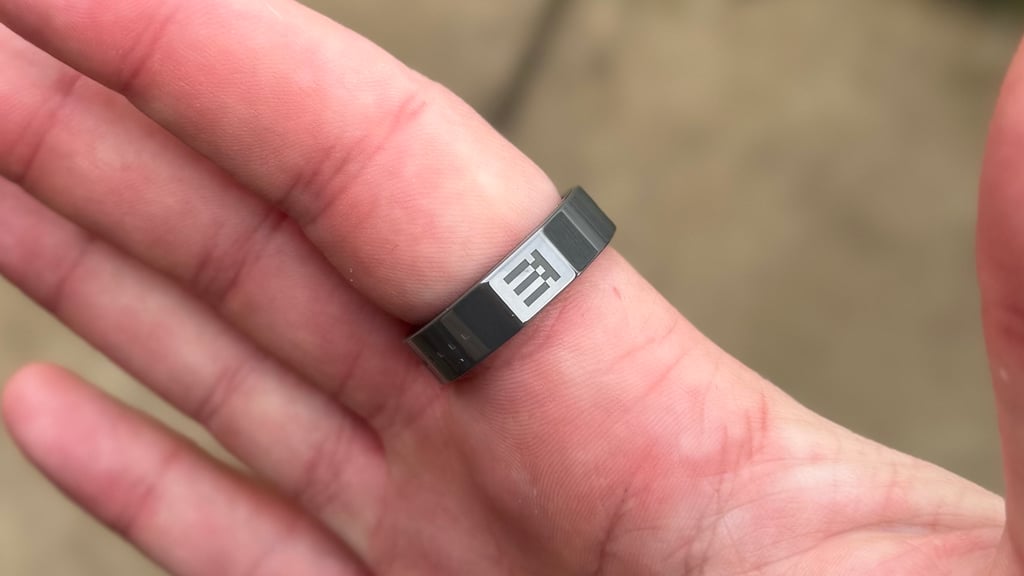
My main functional issue with the hardware isn't the waveguide—it's the touch strip on each temple capsule I mentioned earlier. With this, you tap to select, swipe to scroll, and double-tap for the menu.
It works, but reaching behind your ear to operate it is more awkward than it sounds. And if you've got any length of hair, like me, it can feel fiddly to constantly interact with it.
The R1 ring fixes this almost entirely. It mirrors the same tap-and-swipe controls, but puts them next to your thumb instead of behind your ear, and that single change makes day-to-day use of the G2 feel dramatically more natural.
It's genuinely one of the more clever control solutions I've seen and used in the smart glasses category. My only hesitation is that it's a $249 add-on that makes a $599 product feel complete.
Passive fitness and health tracking
The R1 also moonlights as a basic fitness tracker, with inward-facing sensors for heart rate, skin temperature, blood oxygen, and step counts.
I wouldn't put its data on the same shelf as a dedicated ring like the Oura Ring 5, the Galaxy Ring, or Ultrahuman Ring Pro, since there's no real coaching or trend analysis layered on top, just raw numbers in the Even app.
Yet, as far as those raw numbers go, steps, sleep tracking, HRV, skin temperature, and SpO2 all landed within a reasonable range of what I'd expect during testing. As a secondary, no-extra-effort health layer bolted onto a glasses controller, it's a genuinely nice bonus rather than a headline feature.
From a design perspective, it also doesn't obviously look like a controller for something else. Even Realities has done a credible job of making it look like a smart ring in its own right, and that's impressive considering it's an accessory to the main event.
Software and the Even Realities app
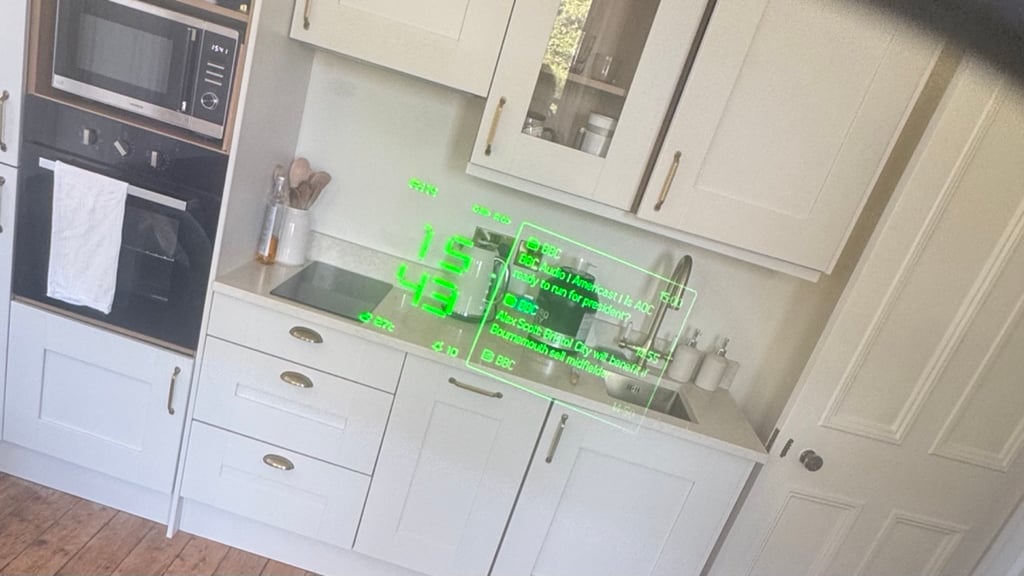
The main on-glasses interface is a tile-based dashboard—clock and battery levels on one side, a scrollable panel of news, calendar updates, and health data on the other.
However, the companion app is where you pair devices, tweak settings, load teleprompter scripts, and set navigation destinations.
It took me a while to adjust to the app's deliberately monotone nature and the fact that lots of tiles compete for attention, but there's also a design confidence to it that reminds me of Nothing's aesthetic: playful, a bit maximalist, clearly considered rather than default.
Again, it's the kind of touch that makes you feel like you're using a premium product and not a white-label one.
From the main dashboard, you get eight native functions—Notifications, Conversate, Teleprompt, Translate, Navigate, Even AI, Dashboard, and Silent Mode—and you can customize which of these sit front and center. A few are worth calling out individually.
Conversate and Prep Notes
Conversate listens to and transcribes conversations in real time, with an AI layer on top that summarizes and surfaces relevant context. The live captioning itself is reliable, handling casual conversation and even TV dialogue with only occasional slips.
The AI summary layer built on top is the less consistent part. It's fine for general chat, but I've seen it stumble on technical terms and specific product names, which matters if you're planning to lean on it for work conversations.
You can turn off the AI summary entirely and keep just the live transcription if that's more your speed, though it's worth knowing that Even's AI still processes the transcript afterward to generate a summary behind the scenes, even with the live cues switched off.
The more recently added Prep Notes feature lets you upload documents ahead of a meeting so the AI can surface relevant keywords and fact-checks on the display in real time. It's a genuinely useful upgrade for anyone using the G2 as a meeting tool.
Teleprompt and Translate
Teleprompt is exactly what it sounds like: load a script into the app, and it scrolls past your eyes at a fixed pace, manually, or automatically as you speak. It's simple, and it does technically work well.
Translate covers a wide range of languages and, while you still have to manually set the input and output languages in the app rather than have it auto-detect, the translation quality is solid without being flawless.
Like any teleprompter, though, it takes a lot of practice to learn how to actually use it. And since you have to stare through a block of text to focus on your subject—generally, a camera lens—and then back to the text, I'm not sure it's the most effective option.
Navigate
This was probably the weakest link in the native tools. Turn-by-turn directions on the display can often be vague, and the map is essentially an unlabelled grid.
That makes it hard to trust when you're navigating unfamiliar places—and I'd still much rather use my smartwatch for discreet directions.
The Even Hub app platform
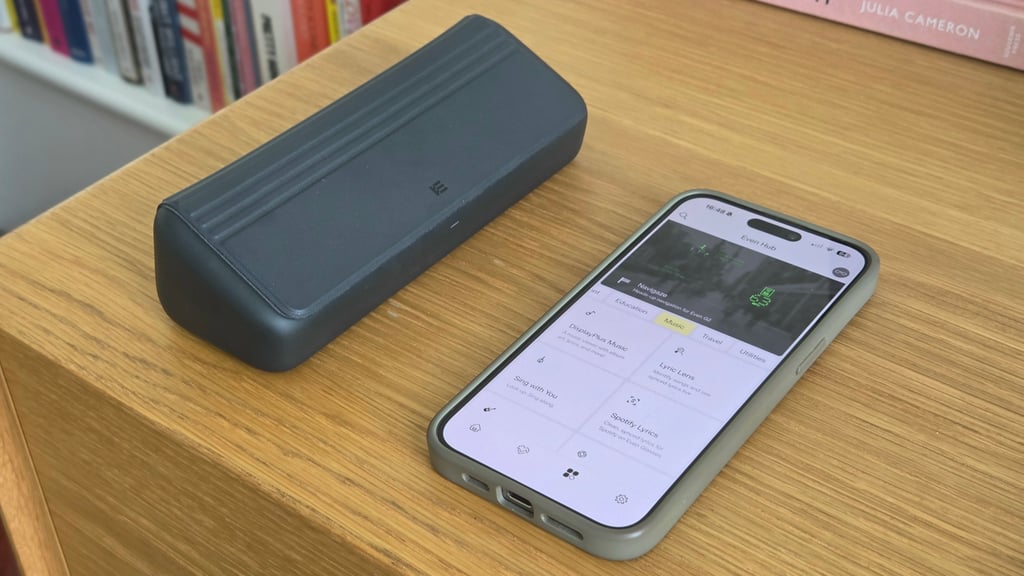
Increasingly, this is the real reason to buy the G2. It's also one of the package's lesser-known aspects, since it only arrived earlier this year, six months after the device's initial launch.
Since then, the Even Hub has become a genuinely useful third-party app store, letting developers build for the glasses using web code and distribute apps within the companion platform.
Using G2 without engaging with Even Hub is a bit like using a phone with only the stock apps on day one; it's untapped potential that only an open platform can deliver.
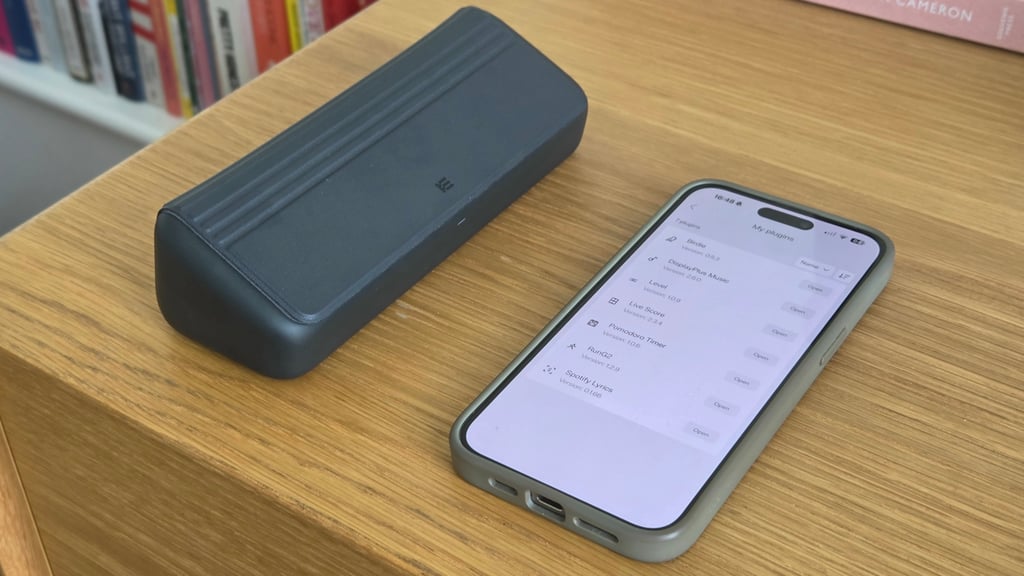
The apps already available range from useful to purely experimental: a bird-identification tool for when you hear something outside and want to know what it is, live sports scores, Tesla vehicle controls, a gym companion for logging sets and reps, shopping lists, Spotify lyrics on your HUD, live transcription for conversations, and—for developers specifically—a tool for monitoring AI coding agents directly on the display.
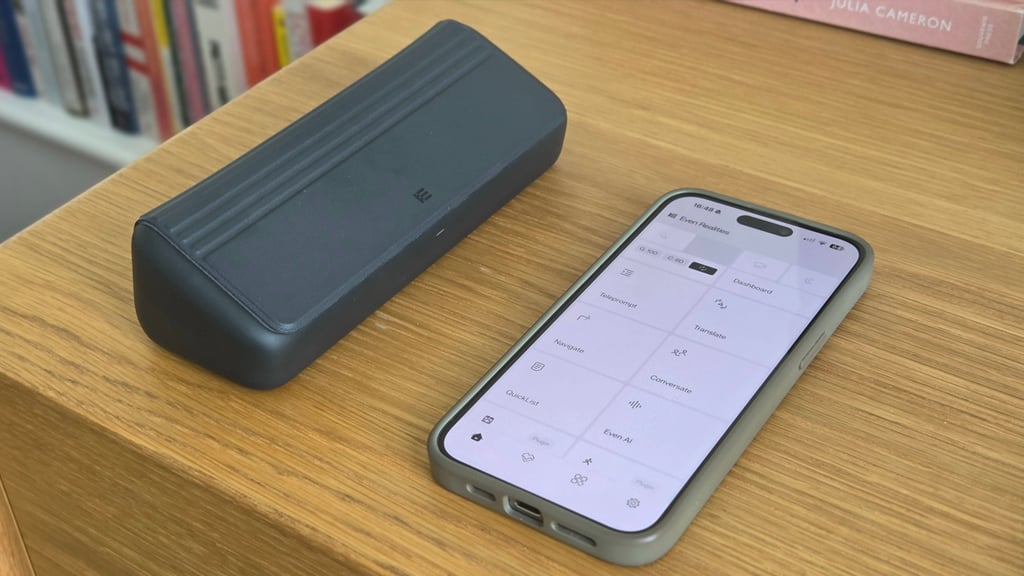
None of this is core to the glasses out of the box, and that's the point: the real depth here comes from what the community builds, not what's preloaded.
I don't personally reach for most of the options currently available. After all, I still believe the phone is the easier tool—or at least the one more ingrained in my routine—for following a recipe or checking a shopping list.
But I'm also not the target user for a lot of what Even Hub enables. And particularly for developers and enthusiasts willing to dig through the catalog for something that fits their actual workflow, there's real substance here that simply didn't exist at launch.
Privacy: Cameras and microphones

The lack of an onboard camera is perhaps the single biggest thing separating the G2 from (most of) the rest of the category.
Meta's camera-equipped glasses have had a rough few months on the privacy front. Reports of disabling the recording indicator LED to enable covert filming; Meta responding with tamper-detection updates that shut the camera off if the light is interfered with; and at least one US state now considering legislation that would legally require a visible recording indicator on any smart glasses sold there.
Digital rights groups have pointed out the core issue: glasses are designed to look like ordinary eyewear, so bystanders often have no real way of knowing they're being recorded. The G2 sidesteps that entire category of problem by not having a camera in the first place.
There's nothing to disable, no consent gray area, no indicator light to defeat. That's a structural advantage, and—even if it's just in the current climate—I think it matters more to some buyers than any spec on the page.
The G2 doesn't get a total privacy free pass, though. The G2's microphones do work for Conversate, and, as noted above, transcripts run through Even's AI to generate a summary even when you've turned off live captioning and cues.
Battery life

Even rates the G2 for about two days of typical use, which broadly matched my experience, dropping somewhat faster on days I leaned hard on Even Hub apps or Conversate. After all, plenty of those third-party integrations are battery-sapping by their nature.
On the longer workdays when I tested them around London—using the navigation features to find my way to the nearest tube and running the unofficial Spotify integration that syncs through song lyrics—I found the battery lasted around 12-15 hours.
On quieter days working from home—occasions when I would infrequently fire up the dashboard and use only a Pomodoro Timer app from the Even Hub—it was much closer to the brand's own estimate.
In practice, it doesn't matter much either way, because these are the kind of glasses you're taking off and placing in the case every night. That case earns its keep here, too.
Even Realities suggests it's good for roughly seven additional full charges before it needs topping up itself. And though I can't claim to have benchmarked this closely, that feels about right based on how infrequently I've had to hook a USB-C port up to them.
The R1 ring also needs charging—roughly once a week when we've worn it consistently with the glasses—which is also infrequent enough that it hasn't been a source of friction.
Summary: An ever-improving option
The Even Realities G2 is a genuinely well-designed, thoughtfully restrained pair of smart glasses that spent its first several months undersold by its own software. That's no longer true.
Between Even Hub's growing catalog, the R1 ring's control scheme, and a run of updates that fixed early bugs, the G2 smart glasses have become a product I can recommend with real conviction to a specific kind of buyer: someone creative, comfortable being an early adopter, and willing to actually dig through what Even Hub's developer community is building rather than expecting a finished experience in the box.
It's not there for everyone yet. Native and third-party features still misfire often enough to notice; Navigate is closer to a proof of concept than a Google Maps replacement, and $850 for the full glasses-plus-ring setup is a real number to swallow.
But as a design object, a privacy-conscious alternative to Meta's camera-first approach, and a platform with genuine momentum, the G2 is a legitimate option for those looking to pick up a pair of smart glasses.