Dnsys X1 review: An exoskeleton that's not quite mountain-ready

- Powerful motors
- Highly adjustable for different bodies
- Lightweight
- Straightforward companion app
- Packs away into a handy carrying case
- Initially complicated to set up
- Poor battery life (plus annoying alerts)
- Loses Bluetooth connection occasionally
- Noisy while walking
- Uncomfortable when worn with a backpack
It’s been 20 years since Segway first went from mall-terrain to all-terrain, releasing a rugged version of its popular two-wheeled ride-along that could handle the trail. In that time, some of the US brand’s engineers have had a change of heart about how best to help people with mobility issues explore the outdoors.
In 2021, some engineers from Segway joined others from commercial drone company DJI and smart tech brand Xiaomi to launch Dnsys, the startup behind what it claims is the world's first consumer-level knee exoskeleton. Instead of popping you on a moving platform to wheel you uphill, the Dnsys X1 wants you to hoof it—just with a little help from two AI-assisted motors.
First available for direct sale in 2025, the Dnsys X1 joins a growing field of exoskeletons—wearable robotic legs—that detect movement and assist your hip flexors by lifting your knee. The result is that you use less effort in walking. It won’t reduce pain, and it’s not a medical device, but it does improve endurance.
The potential to help people who might otherwise not attempt outdoor excursions get into nature is exciting, and it’s no wonder that companies like Dnsys are raising millions for research and development.
However, if it’s help getting off the beaten path you seek, the X1 has enough growing pains that we can’t help but think a Segway would be better.
Price, competition, and availability
The Dnsys X1 is available to buy directly from Dnsys.ai with an MSRP starting at $999 USD for the Lite version (non-carbon), going up to $1,999 USD for the Pro.
The X1 Carbon that we tested retails for $1,299 USD.
This pricing structure is identical to that of the rival brand Hypershell, which offers similarly spec’d exoskeletons geared towards hikers' needs.
How we tested
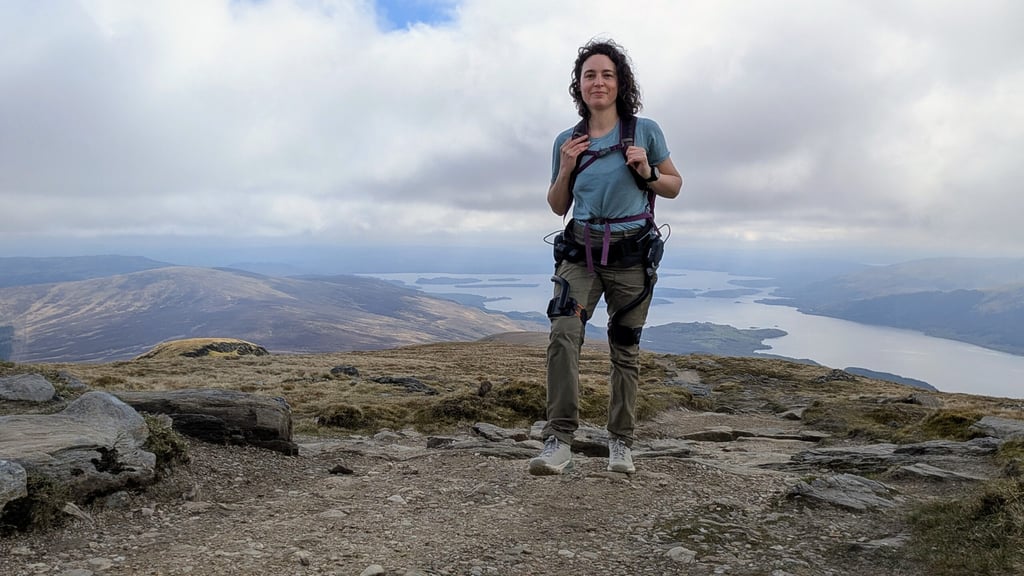
As an avid hiker and outdoors journalist, Julia Clarke has been testing hiking tech for the past five years, from the best GPS watches to the emerging field of exoskeletons.
She took the Dnsys X1 to the Yorkshire Dales for some gentle walking before strapping in for a more challenging encounter with Ben Lomond—one of Scotland’s highest peaks—to get to grips with it.
Design and comfort
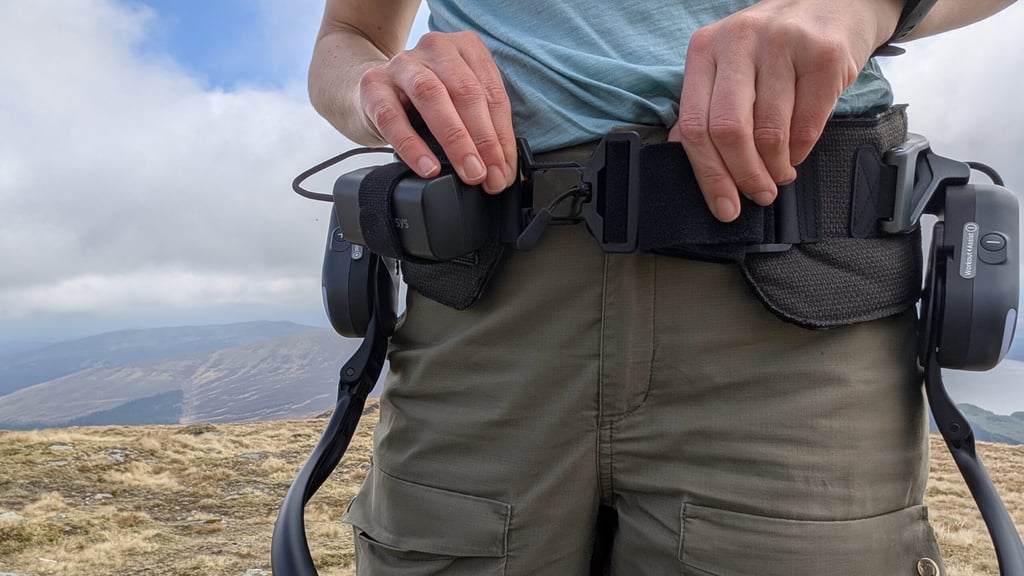
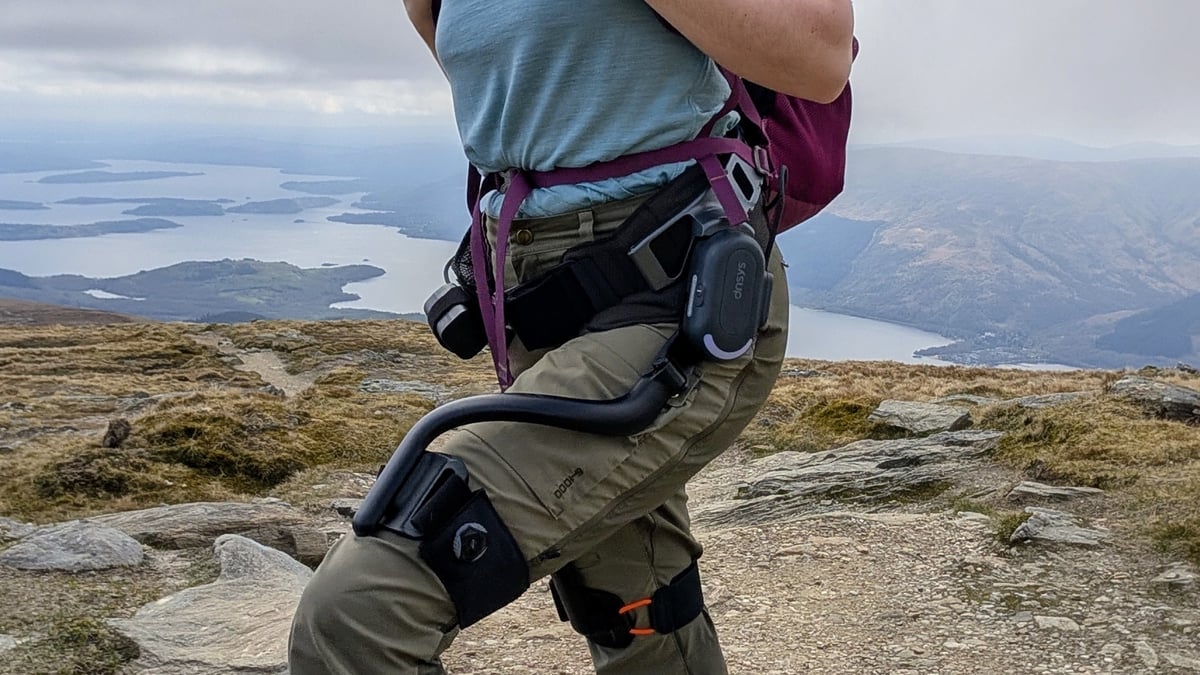
If you aren’t familiar with an exoskeleton, it looks like a leg brace that fastens around your hips and thighs. There’s an AI-powered motor on each hip that detects and assists motion.
The Dnsys X1 is relatively lightweight at just 1.6 kg / 3.53 lbs, and, of course, the assistance you receive does offset the added weight of carrying an extra couple of bottles of water on a hike.
The X1 comes in three sizes based on waist circumference (S: 27.5in - 35.4in, M: 33.5in - 43.3in, L: 41.3in - 49.2in)—though it’s actually supposed to sit lower, on your hips.
The adjustable straps are padded for comfort, and when worn on its own, you’ll hardly notice it. But one glaring difference between this exo and the Hypershell X series is backpack compatibility.
Growing pains
If you’re hiking, you’re almost certainly carrying a pack. And where the weight sits on top of the Hypershell, making walking even easier, the more streamlined design of the Dnsys turns out to be a disadvantage.
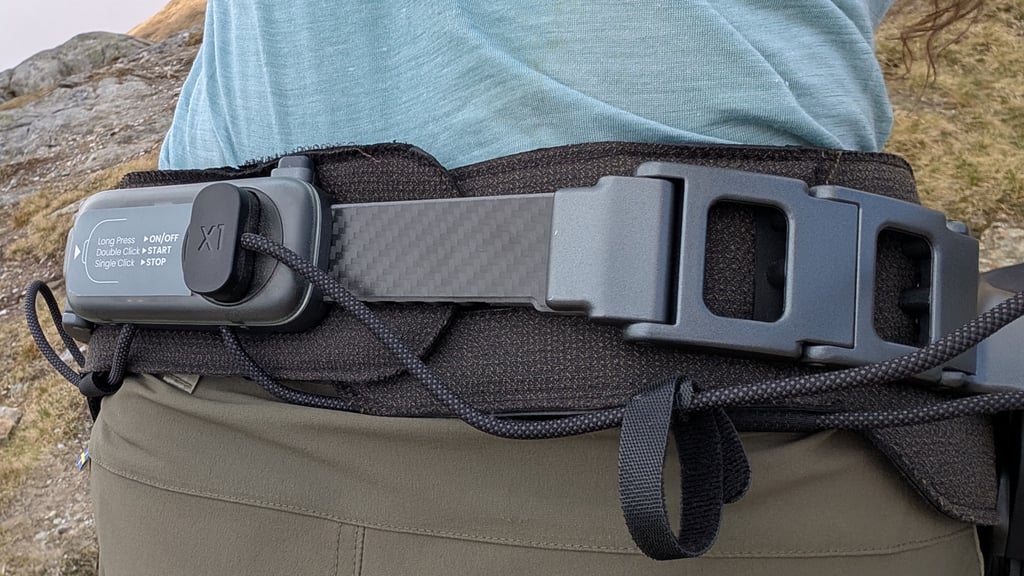
In our field tests, the bottom of the backpack sits over the hip belt, pressing it into the low back, which gets quite uncomfortable after a while. No doubt this would be easier in winter, when wearing more layers. However, in summer, we couldn’t wait to get it off after a while.
It’s got buttons on each hip with a '+' sign on the right to increase power and a '-' sign on the left to reduce it, but it needs to be connected to the app to use these buttons, which we’ll discuss more below.
Setup and companion app
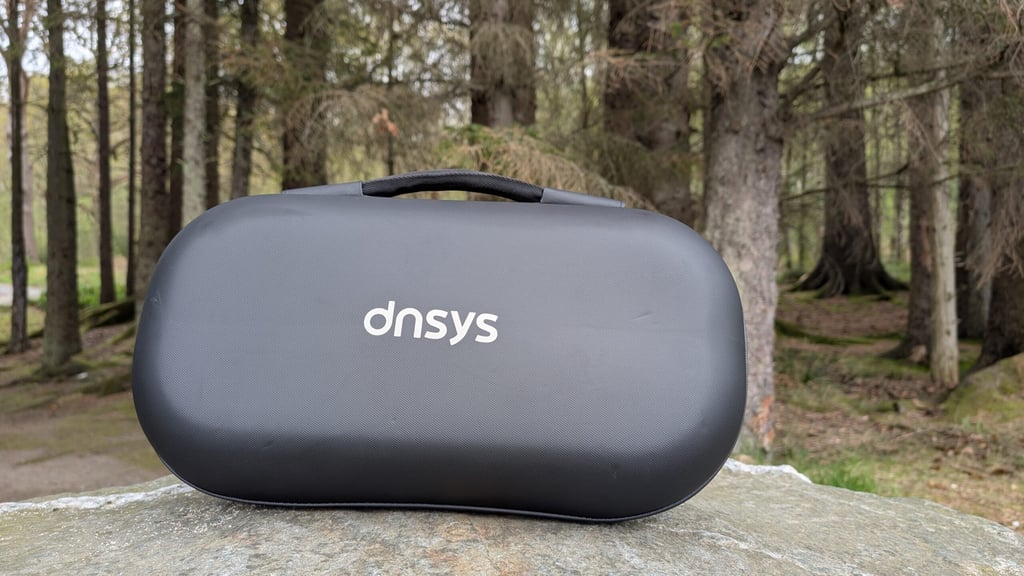
Dnsys says the X1 folds down to the size of an A4 sheet of paper, which makes it sound much niftier than it really is. It does fold up easily, but think more along the lines of a briefcase's dimensions, and it arrives in a very convenient case that zips up and has a carry handle for easy transport.
We requested a small size, and it seemed far too big initially. Even when adjusted to its tightest setting, it feels loose around the waist, and there are lots of extra straps and nowhere obvious to put them. However, it does seem to do the job.
The leg loops were equally huge when tested on various family members, but soon we discovered that the case also held a smaller set of straps that attach to the leg loops via hook-and-loop fastenings, then hook onto them to secure. It’s highly adjustable, but somehow the excess of straps and fastenings makes it all seem cheaper than the Hypershell X range.
Staying connected
To use the Dnsys, you need to download the free app, which opens to an annoying ad that you have to sit through for several sections each time.
After that, it’s easy to connect to your device via Bluetooth. The home screen lets you control the device and watch short video tutorials, all under a minute and mostly useful.
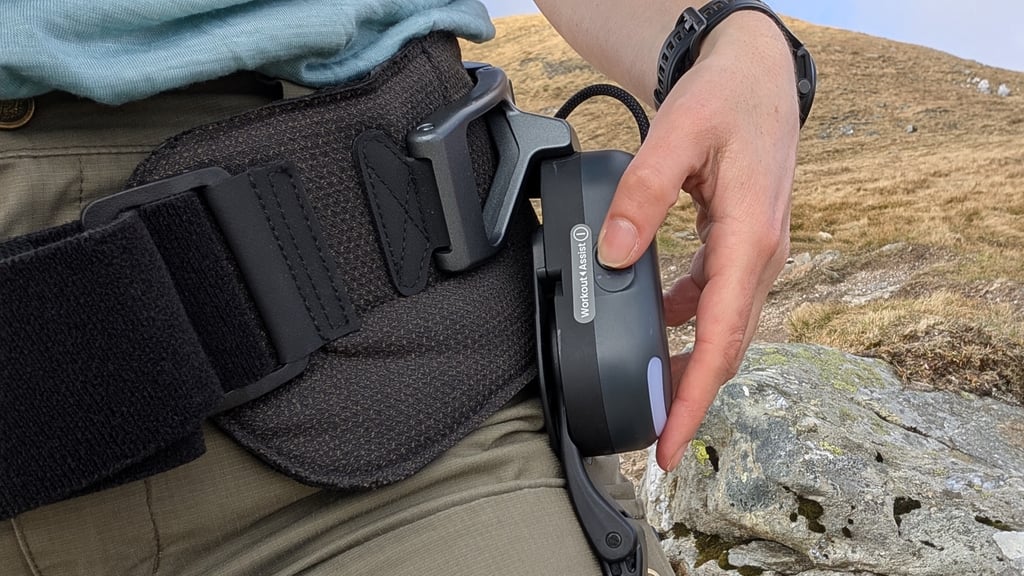
The app is easy to use, and it’s simple to increase or decrease the power with a quick swipe. Although we did find it dropped Bluetooth connection twice in an hour, which meant stopping and restarting the exoskeleton—a slightly awkward process because the power button is on the very back of the hip belt.
The addition of physical buttons on the hips lets you adjust power without taking your phone out, which is probably preferable when you’re trying to enjoy the views and watch your footing.
Another nuisance (which may be down to using the X1 with a Google Pixel 9 Pro) was that the app flags the exoskeleton as out of range with a notification that makes it hard to use other apps because it obscures the bottom of the screen. This seems to happen if the phone is in the same building as the device (but the device is turned off), but not if the device is in another location.
Performance and features
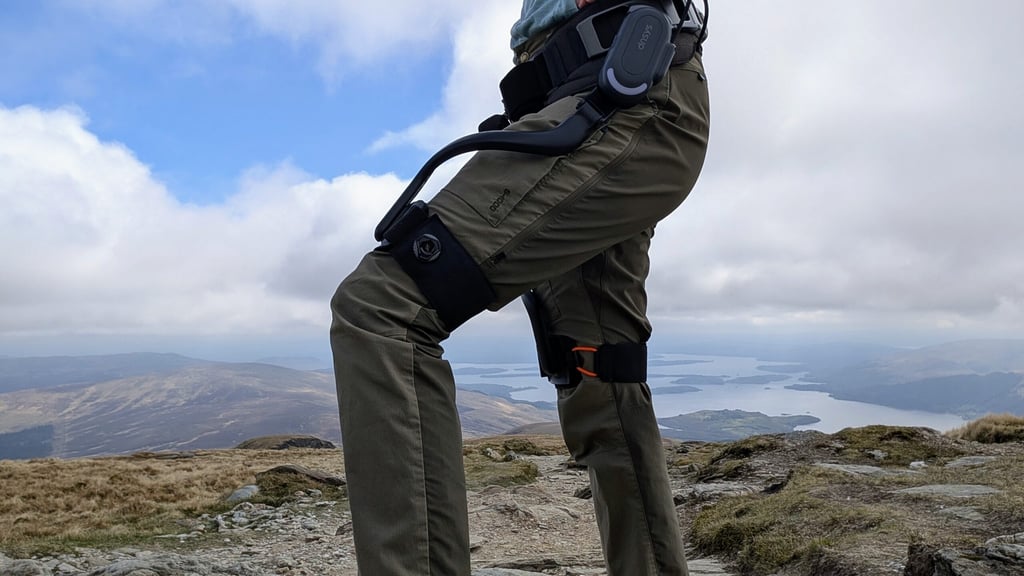
The motors on the X1 provide you with up to 1.2 Horsepower, which is close to 900 watts )or enough to power your laptop). It has several modes: Eco, which is the lightest assistance for straightforward walking; Sport, which you’ll enable for going uphill; and finally Boost, which gives you maximum power for steep stretches.
There’s no doubt it really makes climbing easier—just switch it to Idle mid-hike, and suddenly your legs will feel leaden.
On a steep slope, there’s sometimes a little lag before the support kicks in, but after a step or two, the motors kick in and help lift your knee. Like everything in modern life, the AI sensors use an algorithm and should adapt better to your gait and walking pattern the more you use it, too.
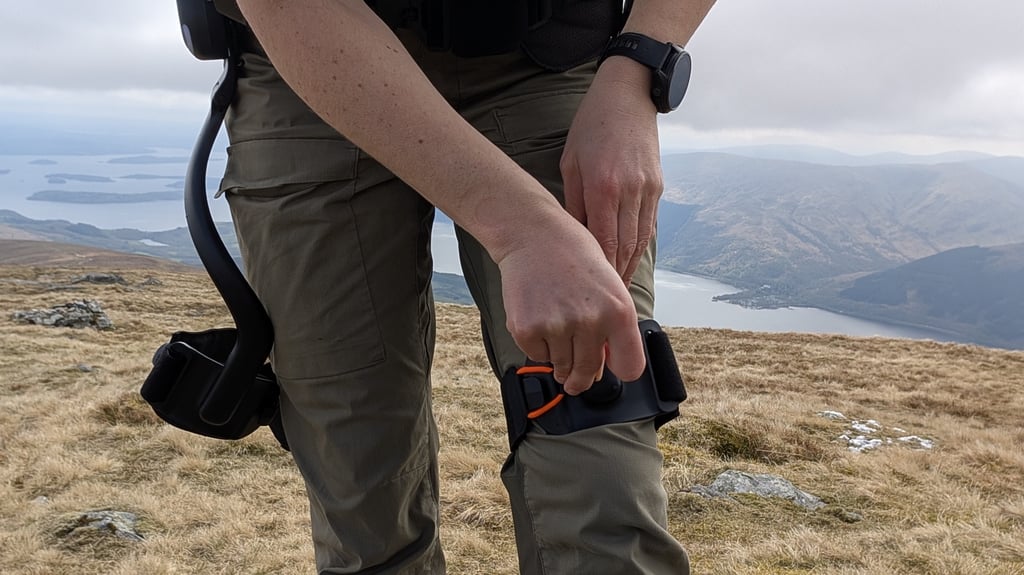
Take care on rough ground, as the more powerful settings can be a little overenthusiastic, making it feel like you’re surging forward even though the device doesn’t move until you do.
As with other exoskeletons, downhill assist is lacking, so if you usually require support on the descent, bring your trekking poles.
Zero stealth mode
The main drawback to using this device in peaceful mountain environments is that the motors are actually quite noisy.
Compared to the Hypershell, which is extremely quiet, there’s a constant whirring with each step that definitely draws a few looks from other hikers and probably annoys the birds and the bees as well.
Despite appearances, the X1 allows a good range of motion, so you can clamber over stiles and sit cross-legged while wearing it.
Battery life
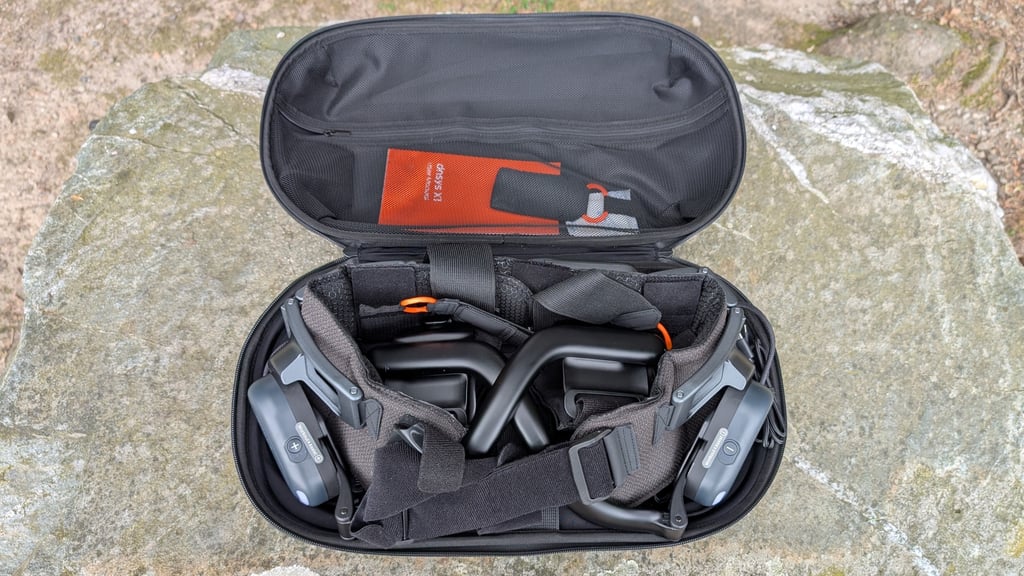
For any wearable you’re taking out on the trail, good battery life is key. Unfortunately, we found the X1 sorely lacking in this area.
The device comes with two batteries. After some sorting and watching tutorials, it became clear that the batteries can be charged using a USB-C cable (with an adapter) and then slide into the hip belt with the same cable used to plug into the motor.
It’s complicated the first two times, but then it becomes easy enough.
We set off to climb a mountain with two fully charged batteries, staying mostly in Sport mode, and the first one lasted about 70 minutes.
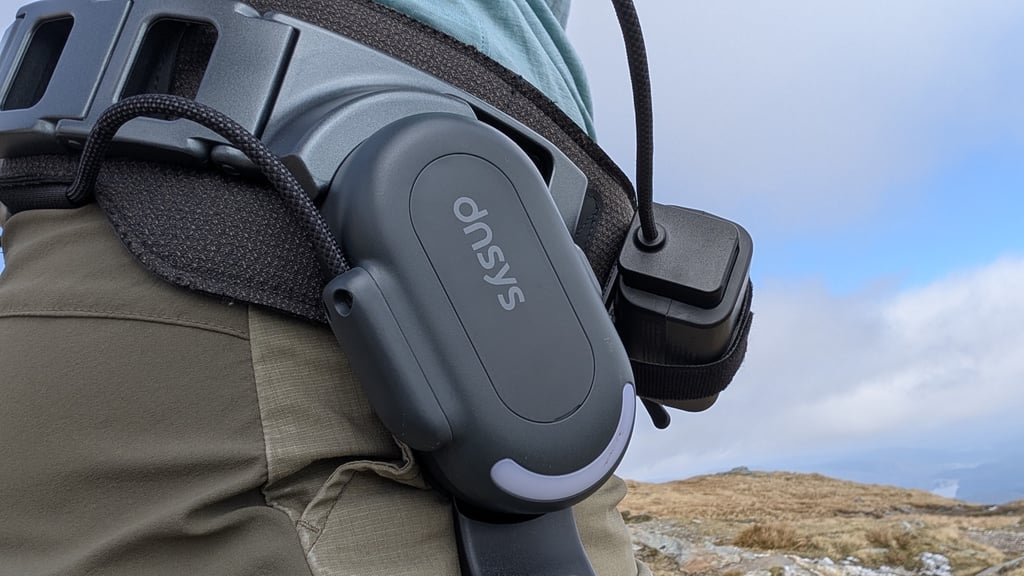
You can keep an eye on battery life via the app, which is useful. However, if your phone is in your pocket, you’ll soon know your battery is dying because it emits a loud-pitched wail that won’t stop until you change it or turn the device off.
With this capacity, you could reasonably embark on a two-hour hike, which may be all you want. Still, it’s feeble compared to the Hypershell X Ultra, which powered us through a nine-hour day in the Welsh mountains.
The only real plus here is that you can easily keep walking or carry it over your shoulder if the battery runs dry or you grow tired of the whirring. If you're of able body, of course.