
- Gentle sunrise alarm for easier wake-ups
- Sound machine, light, and alarm in one
- Useful phone-free on-device controls
- Dimmable clock helps limit bedroom light
- High $169.99 price
- Wi‑Fi and an app are needed for setup
- Hatch+ subscription needed for full content
Hatch Restore 3 is an all-in-one bedside device designed to make bedtime calmer and mornings less jarring. It pairs a gradual sunrise alarm with a sound machine and warm, dimmable bedside light, so it can guide an evening wind-down as well as a gentler wake-up. I tested it for two weeks as part of my usual bedtime and weekday alarm routine, focusing on how it works.
Compared with earlier Restore models, the third-generation version is larger and more powerful, with more physical controls, including a central rotating “Big Button” for volume, routines, and snoozing. This Hatch Restore 3 review is for anyone who wants a more deliberate, screen-less bedroom routine, but needs to know whether its premium price is justified.
| Price | $169.99 |
| Alarm type | Gradual sunrise alarm with selectable alarm sounds |
| Light | Dimmable bedside light; sunset-style wind-down and sunrise wake-up lighting |
| Sleep sounds | Built-in sleep and wake sounds; additional audio and guided routines through Hatch+ |
| Controls | On-device buttons and rotating control for routines, sound, volume, alarm, and snooze |
| App | Hatch Sleep app for setup, scheduling, and customization |
| Wi‑Fi/Bluetooth | Wi‑Fi is required for setup and app-connected features; it is not designed as a Bluetooth speaker |
| Subscription | 30-day-trial of Hatch+ included; optional paid Hatch+ membership unlocks the expanded content library |
| Dimensions | 7.5 × 2.75 × 5.75in |
| Best for | People who want a screen-free wind-down routine and a gentler wake-up |
Hatch Restore 3: How it works
Hatch Restore 3 replaces the standard alarm-and-snooze routine with a scheduled sequence of light and sound. At your chosen wake-up time, the sunrise alarm gradually brightens before the alarm plays, offering a less abrupt start than a conventional clock. In the evening, you can launch a bedtime routine that pairs low, warm light with sleep sounds, meditation, or other audio, then set it to switch off automatically.
I found the Hatch Sleep app most useful for building and scheduling these routines, particularly for setting consistent bedtime cues and morning wake-up light programs. Meanwhile, the device’s physical buttons handle everyday playback, volume, and snoozing without a phone. The Restore 3 includes 40 sleep sounds, 20 alarm sounds, and 20 lighting options at no extra cost. Hatch+ is optional and adds a larger, regularly updated library of audio and light content after the trial.
Unboxing Hatch Restore 3: Design and setup
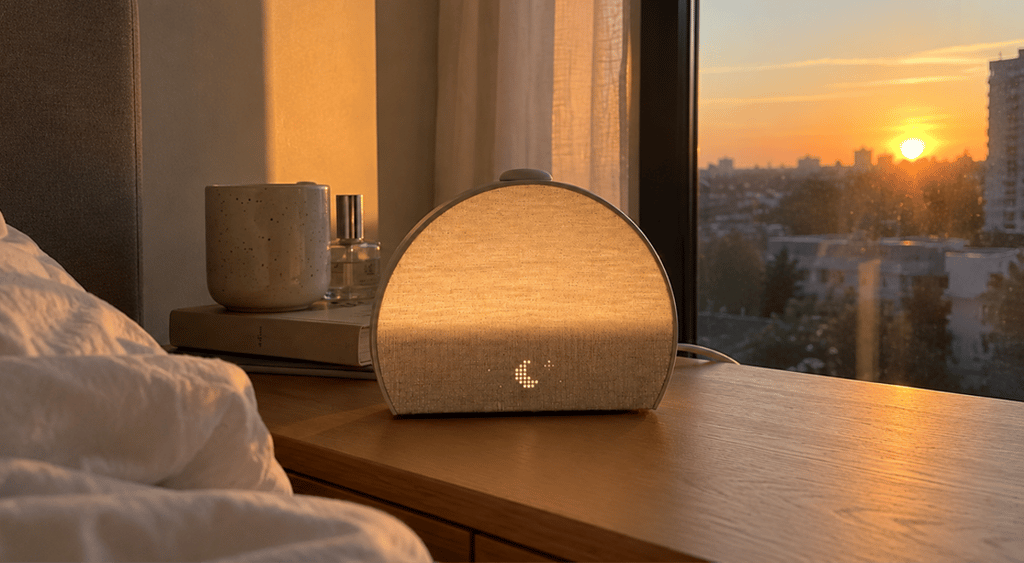
I found the Hatch Restore 3 reassuringly simple to unbox and set up. Its fabric-fronted, softly rounded design looks more like a small bedside speaker than a piece of sleep tech. Plus, the build feels sturdy enough for daily tapping and turning. At 7.5 × 2.75 × 5.75 inches, it takes up noticeably more room than a basic alarm clock, but still fits neatly on a bedside table. The front clock display is deliberately dim, while the rear light produces a soft, warm glow. This helps with reading and wind-down routines, as opposed to any harsh room-filling illumination.
The physical controls are a highlight. The central Big Button, pause button, and volume dial make it easy to start or stop audio, change volume, and snooze without opening the app on your phone. Sound quality is clear and full enough for white noise and spoken sleep content, though it is not a replacement for a dedicated Bluetooth speaker. Initial setup requires the Hatch Sleep app and Wi‑Fi, which I found quick to set up once connected. Creating a first bedtime and wake-up routine is guided step by step, and daily use soon feels intuitive without constantly reaching for a phone.
Sleeping and waking with Hatch Restore 3
On my first night with Hatch Restore 3, the difference wasn’t so much about falling asleep but more about having a clear cue to stop scrolling and start winding down. I set a short evening routine with low, warm light followed by steady rainfall audio, then used the top button to move through each stage. The light is soft enough for getting ready for bed without feeling like a bright bedside lamp. At the same time, the speaker has enough body to make white noise effective without dominating a quiet room.
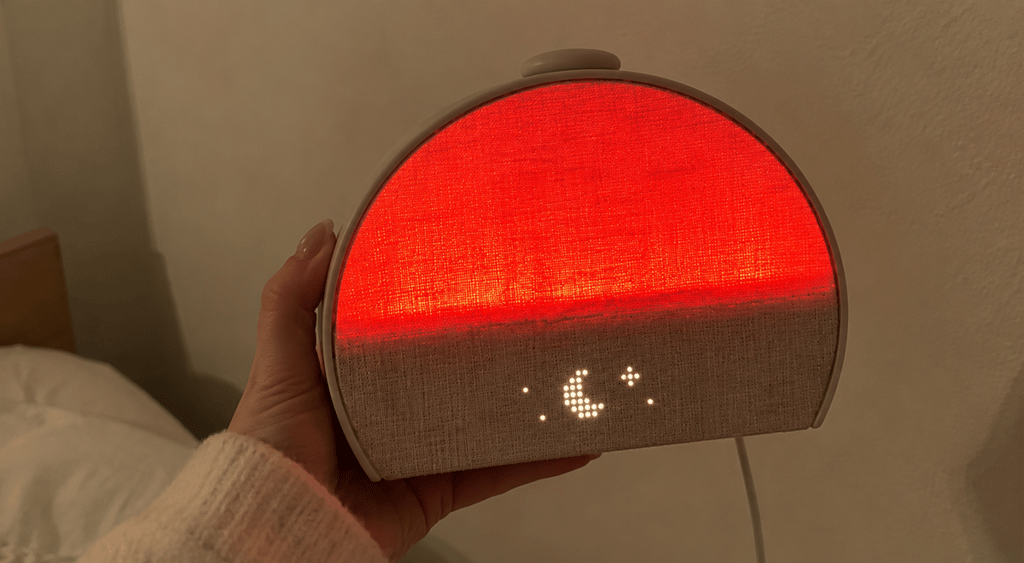
The morning experience is where it earns its place. The sunrise begins gradually before the chosen alarm time, building from a dim glow to a noticeably brighter light, then adding the selected alarm sound. I often woke during the light phase rather than to the sound itself, which felt calmer than a phone alarm.
Yet, heavy sleepers may want to choose a more assertive alarm sound as backup. Hatch offers more than 20 included sunrise alarm options, alongside 40-plus sleep sounds and basic unwind routines, without requiring Hatch+.
After several weeks, I found myself using the device less as a novelty and more as a boundary. Audio and warm light signaled bedtime, while the sunrise made it easier to get up without immediately checking notifications. Snoozing or stopping the alarm on the device is straightforward, though you can snooze too often if you lack the discipline to get up.
Restore 3 will not fix inconsistent sleep habits, insomnia, or an inadequate sleep schedule, but it makes the practical act of settling down and waking up feel more pleasant and less phone-led.
Hatch Restore 3 light, sounds, and sleep features
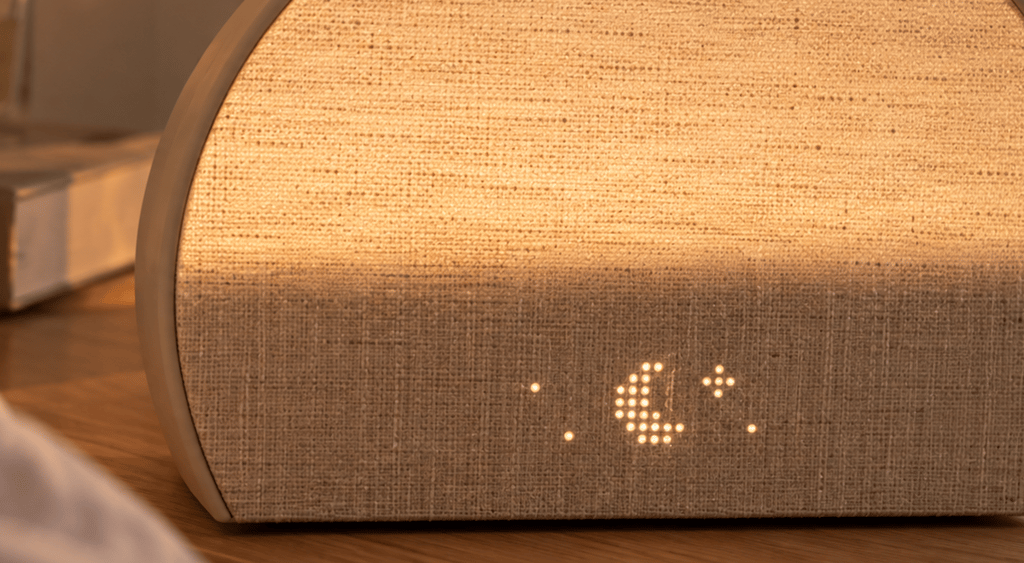
Hatch Restore 3 works best when its light and audio features support a simple routine rather than become another app to browse in bed. That’s where I found the sunset-style wind-down lighting genuinely useful. Setting a low, warm tone was a clear signal that it was time to stop working or scrolling, while the gradual sunrise brought enough brightness to make darker mornings feel less abrupt.
You can tailor light color, brightness, and timing in the Hatch Sleep app, although I mostly returned to one warm bedside setting and one brighter sunrise profile after the initial experimentation.
The free sound selection covers the essentials (white, brown, and fan noise, plus rain, ocean, and nature sounds), so there’s no immediate need to subscribe additionally. The speaker sounds fuller and less tinny than a phone, particularly for continuous noise, though it lacks the detail and stereo spread of a dedicated speaker. Alarm sounds range from gentle birds and chimes to more noticeable musical options. Personally, I preferred the quieter choices because the rising light did most of the work.
Hatch+ becomes more relevant if you enjoy guided meditations, sleep stories, and frequently refreshed bedtime content. Otherwise, much of it can feel superfluous when the most effective routine is simply warm light, rain sounds, and a timed switch-off. Custom routines are easy to create, but their real value lies in repetition—not in building a complicated sequence of features you won’t use.
The Hatch app: Everyday use
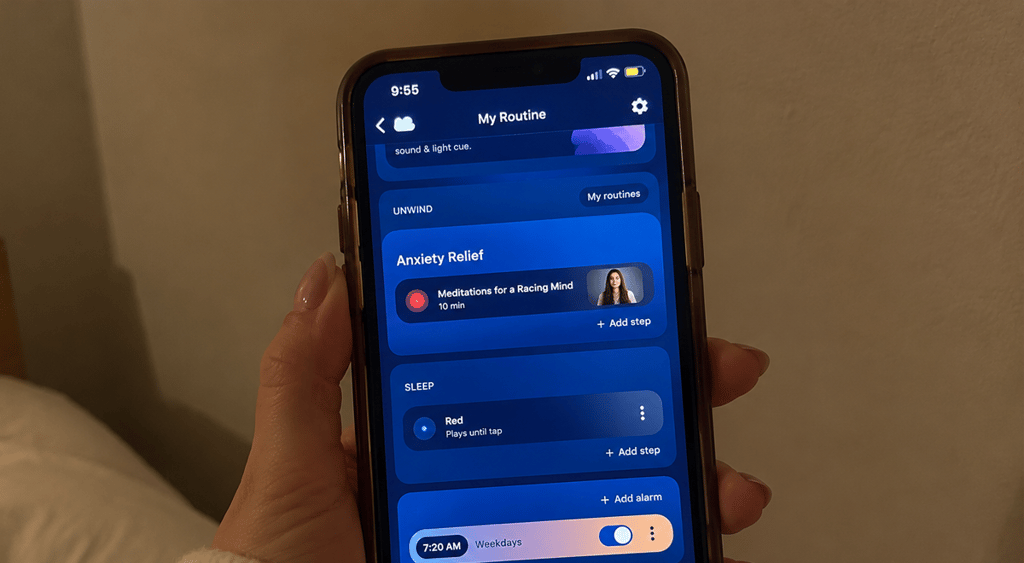
The Hatch Sleep app is where I set up and fine-tuned Restore 3, but it didn’t need to become part of my nightly routine. It makes creating or editing the Unwind routine straightforward: choose the light, sound, duration, and order of each step, then schedule a sunrise alarm separately.
I found it useful for occasional changes (such as switching from rain to brown noise or adjusting an alarm time), but less convenient for browsing a large content library when I simply wanted to sleep. Once configured, the physical controls feel very easy for everyday use. The top button starts a routine, while the dial adjusts volume and nearby buttons pause audio or manage the alarm.
Do you need a Hatch+ subscription?
No, you don’t need a Hatch+ subscription. Restore 3 works as a sunrise alarm, light, and sound machine without it, including 40-plus sleep sounds and more than 20 alarm sounds. Hatch+ costs $4.99 per month or $49.99 annually and adds a wider library of sleep stories, meditations, podcasts, and other bedtime content.
Wi‑Fi is required for setup and app-based changes, so connectivity matters. During the night, however, I could control the essentials directly on the device and leave my phone outside the bedroom once the routine was in place.
Hatch 3 Restore: Price vs. value
Hatch Restore 3 costs $169.99 in a single hardware configuration. There are color choices, not size tiers, and it includes the device, power supply, and 30 days of Hatch+. Hatch backs it with a 30-night trial and a one-year limited warranty. Long-term costs are limited unless you retain Hatch+: it costs $4.99 per month or $49.99 annually for expanded audio content.
This is not an active cooling system, so it will not lower bed temperature like an Eight Sleep Pod 6 (from $1,999), or a Chilipad Dock Pro (starting at roughly $1,019 on promotion). Instead, it is a much cheaper routine-building device. If you only need a dim light or white noise, a basic lamp and a standalone sound machine are more affordable passive alternatives. Restore 3’s value is in combining those functions with an effective sunrise alarm and app-led routines.
Other sleep tech and wellness reviews
Best sleep trackers: Top tested options
Can’t sleep in the heat? Oura Ring 4 review
Garmin Index Sleep Monitor: Hands-on review
Final verdict: Is Hatch Restore 3 worth it?
Hatch Restore 3 is worth buying if you want a more pleasant, phone-free way to end the day and wake up. I found its gradual light, warm wind-down settings, and full-bodied sleep sounds more effective than a standard alarm, while the physical controls make everyday use genuinely simple.
The app is helpful for initial setup and edits, but the optional Hatch+ subscription is difficult to justify unless you will regularly use its guided content. At $169.99, it’s expensive, and it cannot replace consistent sleep habits or treat sleep problems. You may want to buy it for an all-in-one bedside routine. That said, you can also choose a cheaper sunrise alarm or sound machine if you need only one core function.
FAQ
Yes, Hatch Restore 3 works without Hatch+. You still get the sunrise alarm, bedside light, physical controls, routines, and a core library of sleep and alarm sounds. Hatch+ is optional and expands the available guided content, stories, meditations, and audio.
Yes, if you want a premium, all-in-one bedside routine that reduces reliance on your phone. Its gradual wake-up light, sound machine, and simple controls justify the $169.99 cost for regular users, but a cheaper sunrise alarm suits single-purpose needs.
Yes, after the initial Wi‑Fi and app setup. You can start routines, pause audio, adjust volume, snooze, and stop an alarm with the device’s physical controls. You will still need the Hatch Sleep app to create, edit, or substantially customise routines.
Yes, you can set white noise, brown noise, or other sleep sounds to run as part of a sleep routine overnight. Choose the sound and its duration in the Hatch Sleep app; check that the routine does not include a later silent or different audio step.
Restore 3 is Hatch’s newer model, replacing the discontinued Restore 2. It has a larger, brighter design and more practical phone-free physical controls, including the central Big Button, to make volume adjustments, pauses, and routine changes easier at bedtime.
-
National Library of Medicine.
-
National Library of Medicine.
-
Centers for Disease Control and Prevention.
-
National Library of Medicine.