- Lock function prevents accidental button presses
- Wide selection of preset therapy programs
- Dual-channel design lets you use it on two areas at once
- Uses AAA batteries instead of a rechargeable battery
After including iReliev TENS + EMS Recovery System in our list of the best TENS and EMS combo devices, I decided it deserved a closer look. I spent time testing it to see what it's like to use daily. In this review, I'll cover the design, setup, everyday experience, and whether it's worth considering.
Before buying a device like this, it's important to understand what you're getting. TENS and EMS are often grouped together, but serve different purposes. A TENS unit mainly supports pain relief by sending gentle electrical pulses through the skin, while an EMS device stimulates muscles and is commonly used for muscle rehabilitation and athletic training.
Many modern devices, including iReliev, combine both technologies into one controller, letting you switch between them as needed. As these devices grow more popular, knowing the difference makes choosing the right mode and product easier. So keep reading to find out what I found after testing iReliev TENS + EMS Recovery System.
| Product | iReliev TENS + EMS Pain Relief & Recovery System |
| Price | $79.95 |
| Therapy modes | TENS + EMS |
| Number of channels | 2 channels |
| Intensity levels | 25 levels |
| Preset programs | 14 programs |
| Warranty | 1 year |
What is the iReliev TENS + EMS device?
The original iReliev device was a TENS unit only, but the company later added EMS therapy. This makes it a more versatile option if you want both technologies in one device instead of buying two separate ones.
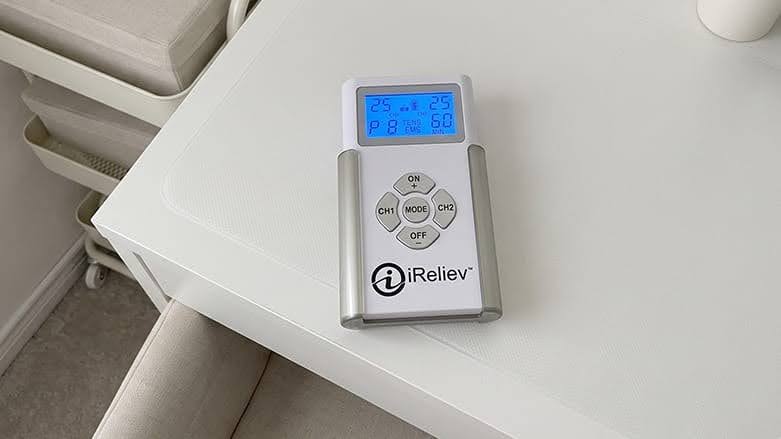
So what does it offer now? Well, it has 14 preset programs: 8 TENS modes and 6 EMS modes. The TENS programs are not named but simply numbered, each delivering a slightly different stimulation pattern. Before using them, I found it helpful to skim the manual to understand what each mode was designed for.
The EMS side is easier to grasp because the programs are clearly labeled. You can choose between Exercise Prep, Muscle Recovery, Active Recovery (two programs), Build Endurance, and Muscle Strengthening.
During my testing, I mostly used the Muscle Recovery program after gym sessions because I thought it might ease my sore muscles.
Understanding TENS and EMS
Choosing the right program starts with understanding the difference between TENS and EMS.
Let’s start with TENS. It stands for transcutaneous electrical nerve stimulation and is mainly used for potential pain relief. The device sends gentle electrical pulses through your skin to stimulate nerves, which may reduce pain and encourage the release of endorphins, your body's natural pain relievers.
EMS, or electrical muscle stimulation, works differently. Instead of targeting nerves, it stimulates your muscles, causing them to contract and relax as they do during exercise. That is why EMS is often used for muscle rehab after injuries and athletic training.
Unlike TENS, EMS activates your muscles, not just targets pain signals. That's why you will feel your muscles moving during an EMS session, while TENS usually just creates a tingling feeling.
First time using the iReliev TENS + EMS device
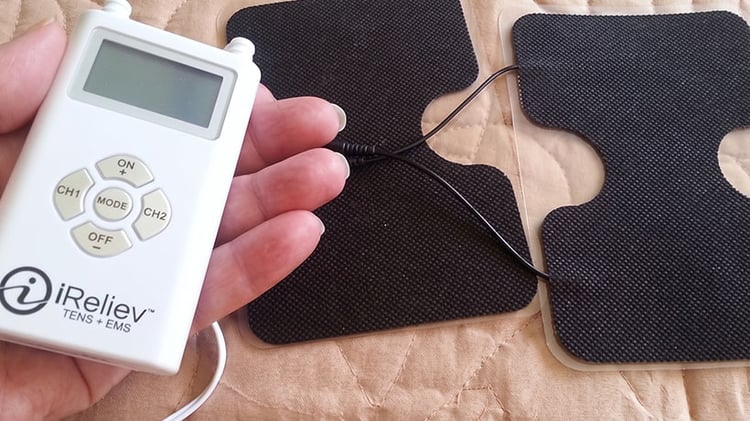
I found it surprisingly easy to start using iReliev TENS + EMS System. In the box, there’s a controller, a belt clip, two XL electrode pads, four smaller pads, two lead wires, AAA batteries, a small carrying bag, and a manual.
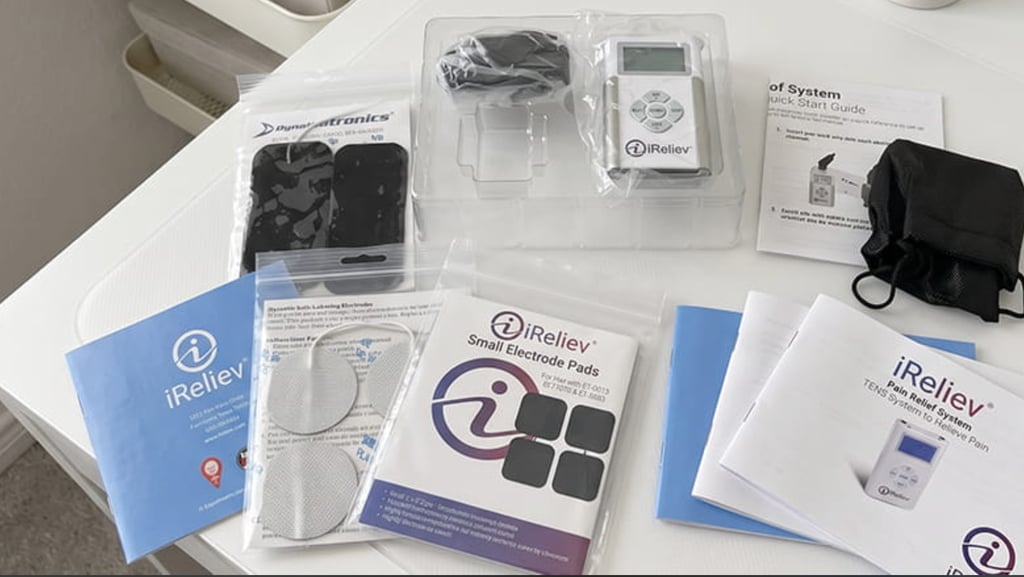
Setting it up took just a few minutes. I put in the batteries, connected the lead wires, and picked which electrode pads to use. The manual helps you figure out which pads work best for different body parts.
For example, the smaller pads are good for your wrists, ankles, calves, or knees, while the larger ones work better on your lower back, shoulders, or abs. After choosing an area, just peel off the plastic film from the pads and place them on your skin.
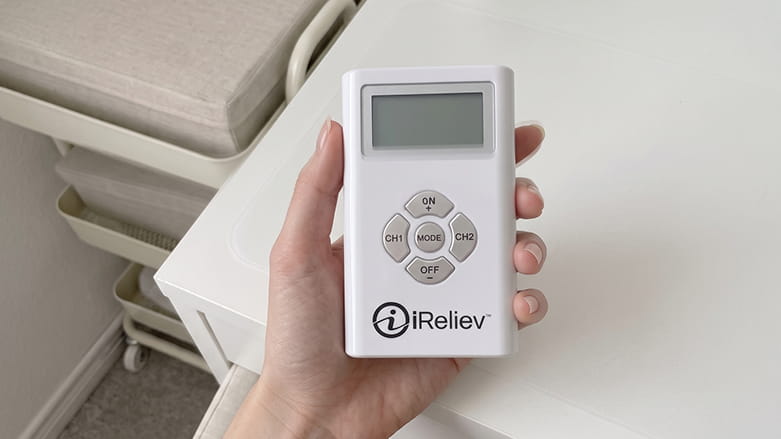
Then you control everything with the handheld unit. You can set the session time from five to 60 minutes, pick TENS or EMS, choose a program, and adjust the intensity to what feels comfortable (if you use both channels, you’ll need to set the intensity for each one).
What I really liked was the button lock feature. If you hold the On and Off buttons for a few seconds, it locks the controls. This lets you put the controller in your pocket and move around without worrying about accidentally changing the settings in the middle of a session.
Everyday experience
After setting everything up, I spent a few weeks using the device and noticed some things that made the experience smoother, along with a few areas that needed a bit more attention.
Finding the programs that work for you
One thing I learned quickly is that there isn’t one program that works best for everyone. You’ll need to try out the different modes to see which ones you like. I recommend giving each one a shot at least once.
As for me, TENS program four was my favorite because it gave a gentle, pleasant tingling feeling that came in gentle waves. On the EMS side, I usually used Muscle Recovery after workouts, and sometimes Exercise Prep before training if I had extra time.
The same goes for intensity settings. I never felt like I had to use the highest level. Higher settings can get uncomfortable fast, so I just increased the intensity until it felt strong but still comfortable. Just keep in mind that if it ever feels sharp or painful, the setting is probably too high.
Taking care of the electrode pads
The electrode pads need more care than I thought. Just for testing purposes, I tried ignoring one pair, and after a while, they stopped sticking well.
So, to make them last, I found that a few simple habits help. First, after each session, wipe the pads with a damp cloth to clean off skin oils. Sometimes, using an electrode spray can bring back some stickiness. When you’re done, put the pads back on their plastic film and store them in the bag (best in a cool spot like a fridge).
These quick steps only take a minute and can help you avoid replacing the pads too often.
Battery life
The device comes with AAA batteries, so you can use it right away. However, how long the batteries last is hard to say, as it depends on how often you use them.
If you only do a few 10-minute sessions each week, the batteries will last much longer than if you use them every day for like 20 minutes. So let’s just say you’ll get about 30–60 sessions before needing new batteries.
And, to be honest, this was the biggest downside. Rechargeable devices are easier since you can just plug them in when they’re low. With iReliev, you have to keep extra AAA batteries on hand. It’s not a huge problem, but it is something to keep in mind if you use the device a lot.
TENS + EMS units compared
As I tested iReliev TENS + EMS System, I was curious to see how it compared to some of its main competitors.
The table below shows the key differences so you can easily compare your options and choose the one that suits you best. Even though all of these devices offer TENS and EMS therapy, they vary in the number of programs, battery type, design, and price.
| Product | Channels | Modes | EMS + TENS | Battery | Price |
| iReliev TENS + EMS Pain Relief & Recovery System | Dual | 14 | Yes | 3 AAA batteries | $79.95 |
| Oxiline TENS Q Pro | Integrated pads rather than channel-based outputs | 6 | Yes | Rechargeable, 2000mAh | $89.00 |
| Oxiline TENS XS Pro | Dual | 24 | Yes | Rechargeable, 3200mAh | $119.40 |
Safety considerations
Before we talk about using TENS and EMS combo units safely, here’s something important to keep in mind. If you have pain or are recovering from an injury, don’t use these devices as your first choice unless a qualified professional tells you to. It’s a good idea to check with your doctor before you try one.
There are also some basic rules to follow if you decide to use them. For the best results, place the pads on or near the area you want. Most manufacturers include diagrams that show where to put the pads, so look at those before your first session.
That said, never put electrodes on the front of your neck, on your head, on your face, or across your chest and upper back at the same time. Using TENS in these areas can be unsafe.
Also, don’t put pads on open wounds, irritated skin, or broken skin. And try not to overdo your sessions. Start with a comfortable intensity and slowly increase it if you need more.
Who shouldn't use TENS and EMS combo units?
The list includes:
- People with a pacemaker, defibrillator, or other implanted electronic device
- Pregnant people (unless advised by a healthcare professional)
- People with epilepsy or seizure disorders
- People with certain heart conditions
- People with serious blood circulation problems
More pain relief device reviews:
Best wireless TENS unit: Our top picks
Best TENS units: Tested, compared, and ranked
Best TENS units for home use: Our favorite models and recommendations
Verdict: Should you buy iReliev TENS + EMS?
Overall, I had a good experience with the iReliev TENS + EMS System. It was simple to use, and after a few tries, I found the programs I liked best. I also appreciated that it combines TENS and EMS in one small device with easy controls.
That said, I'd also consider whether you're happy using a battery-powered device. If you prefer not to replace batteries, you might want to look for a rechargeable option instead.