
Our editors recommend 13 Apple Watch apps they can't live without
When we review and compare smartwatches to the Apple Watch, its app selection is always a key differentiator. However, there’s a lot of mediocre stuff out there, so we’ve revamped our guide to include only the apps we use ourselves.
While Apple Watch apps haven’t revolutionized the market as the iPhone did years ago, they enable users to add nearly any feature they need to their smartwatch.
Want to meditate? There are apps for that. Do you love a particular type of workout? There’s an app for that, too. If another wearable – like Whoop – starts getting attention, you can bet there’s an app that will replicate the features.
The problem is that Apple Watch apps have often been underwhelming. Even on this list, many integrations are easier to use from your iPhone. Yet, the watch occupies a perfect location on the wrist, so it can be there and do things when your phone can’t.
We polled the team at Candr Media, which includes Wareable, The Ambient, and Trusted Reviews, to determine our experts’ most-used Apple Watch apps.
At a glance: 5 best Apple Watch apps
- Todoist: Best for productivity:
- Oura: Best for fitness tracking
- Muscle Booster: Best for weight lifting
- WalkFit: Best for walking
- Yazio: Best for nutrition tracking
Our Apple Watch apps experts:
- CA: Conor Allison – Wareable Editor
- JS: James Stables – Wareable Co-Founder
- CB: Cam Bunton – Trusted Reviews Video Editor
- B-OB: Britta O’Boyle – Wareable contributor
- MP: Max Parker – Trusted Reviews Editor
- LJ: Laura Juozaponytė – Wareable contributor
The best Apple Watch apps you need in your life
1. Todoist
Price: Free – with IAP
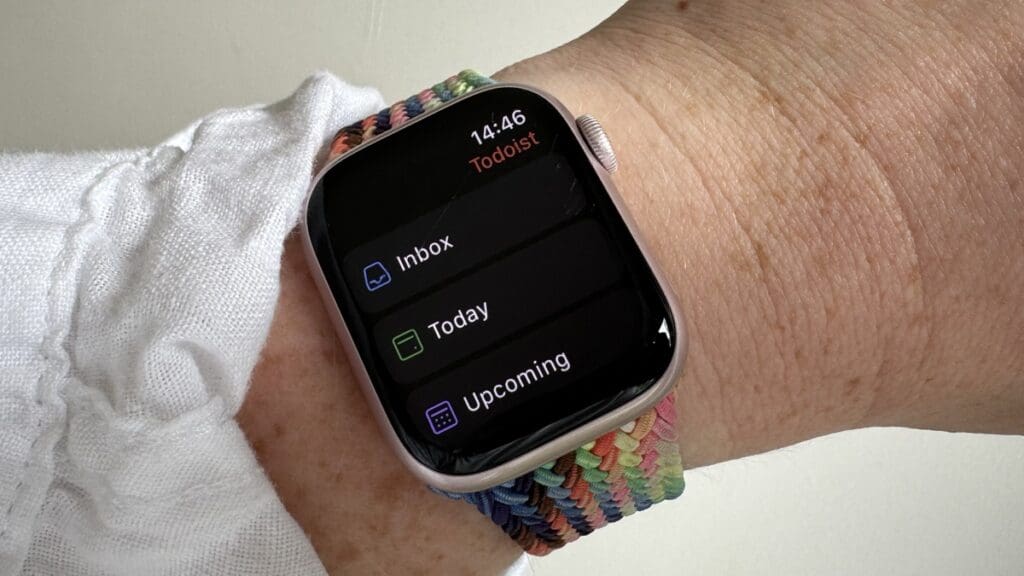
B-OB: A task management app that helps organize your to-do lists, set reminders, and track projects with a clean, intuitive interface.
The best part is that you can use Todoist complications on many Apple Watch faces. This way, – you can quickly see your top to-do list entries without diving into the app.
Apple Watch Complication: Displays your top to-do list entries, providing quick access to your tasks.
2. Oura
Price: Free (requires Oura Ring & and subscription)
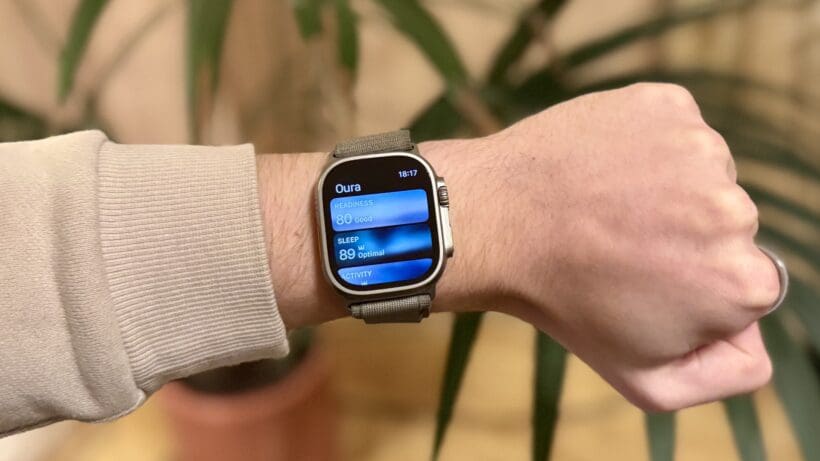
CA: We know from speaking to the folks at Oura that plenty of its user base also wears it alongside the Apple Watch, and, surprisingly, the integration between the pair comes in clutch.
We’re sure some will appreciate the faithfully mirrored data, which automatically syncs throughout the day after an initial manual sync with the iOS app each morning. Yet, I don’t care much about having my Oura data on the smartwatch; it feels pointless if you have to sync the smart ring with the iPhone app to get your scores to appear on the watch.
Instead, the complications Oura has built are the best part of having the app downloaded on your wrist. I use the battery indicator, as I’m constantly running down the charge, but you can also look at the ring’s interpretation of steps, active calorie burn, or those scores mentioned above.
Apple Watch Complication: App launcher, readiness/activity/sleep score, steps, active calorie burn, battery level
3. Muscle Booster
Price: $38.95 per month, $66.65 per 12-weeks
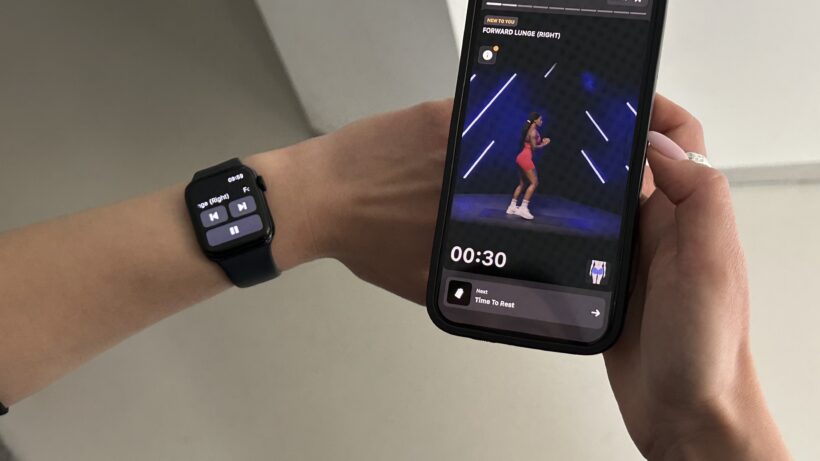
LJ: When I started going to the gym, I tracked every set and rep in an actual paper notebook, with pen and all. It still puts a smile on my face when I spot people doing that. However, one thing that this method clearly lacks is the inability to track time between sets. Besides that, it is not exactly beginner-friendly. A blank page isn’t very helpful when you are staring at the equipment you have never touched before.
This is why Muscle Booster is undoubtedly a winner. With easy-to-follow beginner-friendly routines, it removes the confusion in the gym. It even has an AI-powered fitness test that checks your form, the one thing most people ignore in weight training (well, of course, until it is a tad too late and they need to see a doctor for some strange shoulder pain).
Apple Watch Complication: Displays the time between sets, calories burned, the upcoming exercise, and heart rate per minute.
4. WalkFit
Price: $38.95 per month, $66.65 per 12-weeks
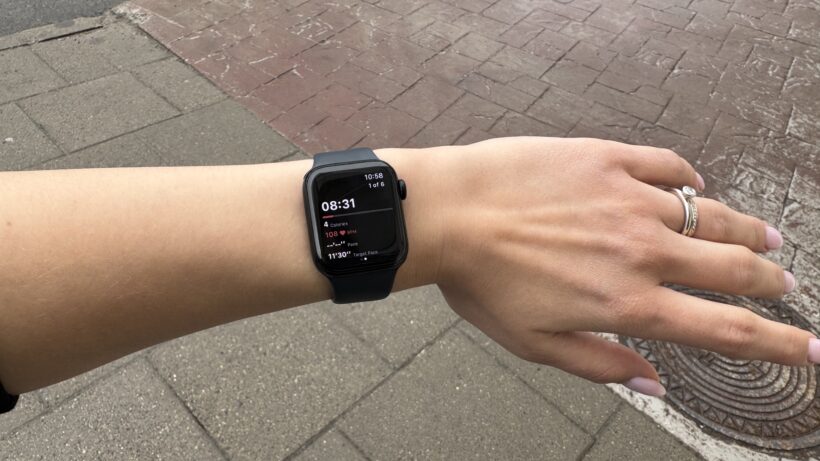
LJ: What I love about WalkFit is that it takes something as simple as walking and actually makes it feel like a proper workout program. You get a personalized walking plan based on your goals, and there are over 520 workouts to choose from, including some unexpected ones like Japanese Walking and Chair Walking, which, yes, is exactly what it sounds like.
I love walking, but getting those 10k steps sometimes is hard, not because I am lazy, but it is a bit boring. Or it is raining. This is when I use WalkFit the most, as it offers surprisingly entertaining routines that do not require me to step outside my apartment.
Apple Watch Complication: Displays your pace, pulse, and calories burned during workouts.
5. Yazio
Price: Free for limited features, $23.99 per 3 months, $38.30 per year
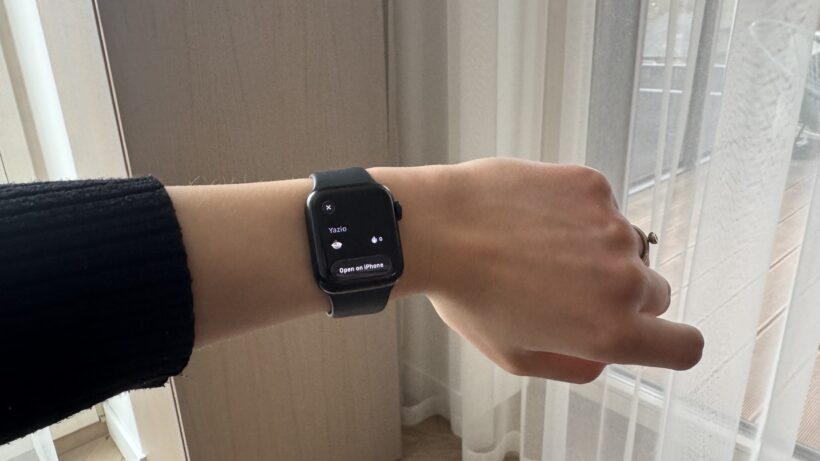
LJ: Compared to old-school calorie trackers, Yazio is super intuitive. While it is true that all these new AI-based calorie trackers have caveats to be aware of, such as hidden calories from oils, I mostly scan my food after I properly weigh it, so I can edit the amounts and add the “secret” ingredients.
But all that aside, that’s not why I use Yazio. Tracking is not that complicated, but I love the gentle nudges I get about nutrition I get on Yazio. The interface is genuinely pleasant to look at as well.
Apple Watch Complication: Add water function, which is, surprisingly, useful because before Yazio I struggled to track my water intake and, in turn, drank like one glass per day.
6. BetterMe
Price: $15.19 per month or $36,99 per 3-months
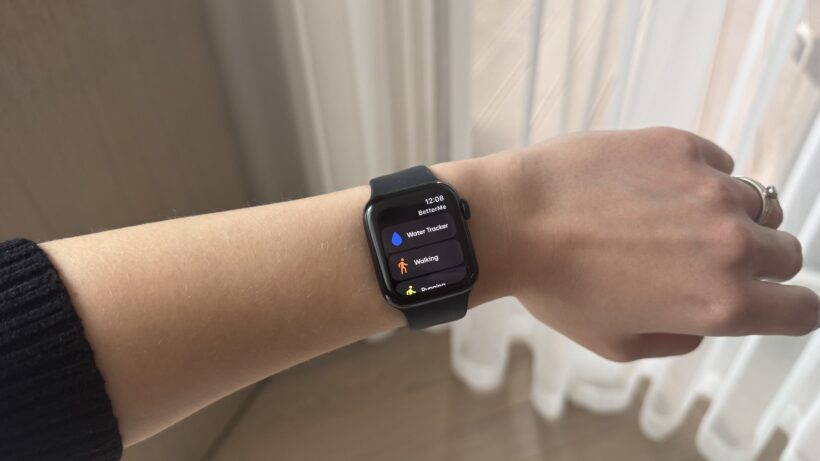
LJ: BetterMe is one of the most comprehensive wellness apps out there. If you don’t know where to start, BetterMe is a safe bet, as it covers all the basics. The interface is also clean and aesthetically pleasing, making the entire experience a breeze.
What I liked the most about BetterMe is the guidance, which is based on cognitive behavioral therapy (CBT) principles. Most people fail to improve their wellness not because they are not willing, but because they struggle with the mental side of it. BetterMe helps identify negative mindsets that are keeping you from positive change, and gently nudges you to apply various CBT techniques for improved adherence.
Apple Watch Complication: Water log, movement and exercise tracking.
7. Apple Watch Workout app
Price: Free
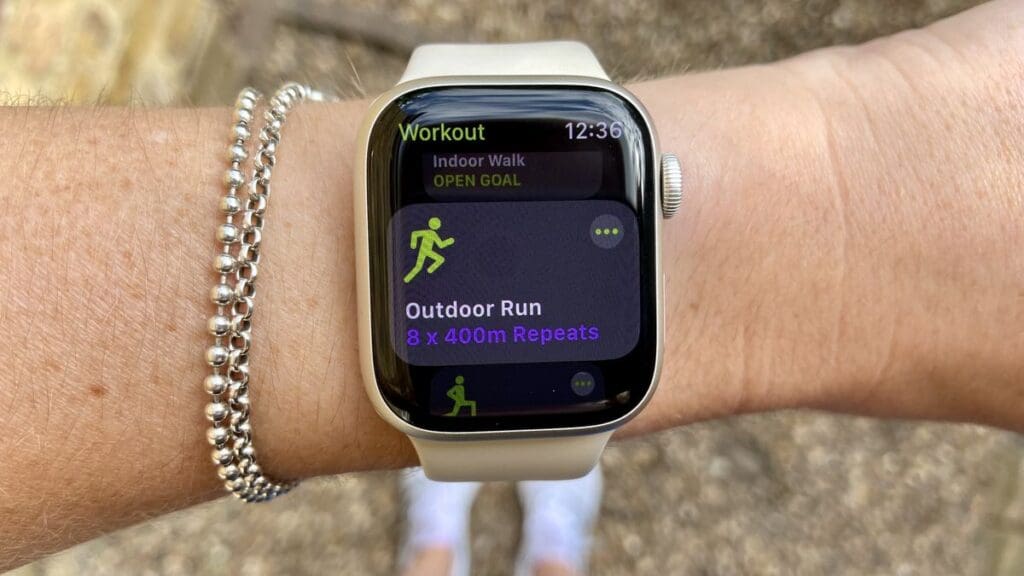
B-OB: Over the last decade, the standard Apple Workout app has evolved into one of the best fitness apps out there. It offers a wide range of tracked sports, some of which scratch way beneath the surface. The running and cycling profiles, for example, are loaded with insights and features, including routes, running power, and FTP.
Plus, the Workout API means the app will sync to a host of third-party apps. Plus, other apps can import workouts into Workouts to complete.
Apple Watch Complication: Displays y
8. Golfshot
Price: $79.99 a year
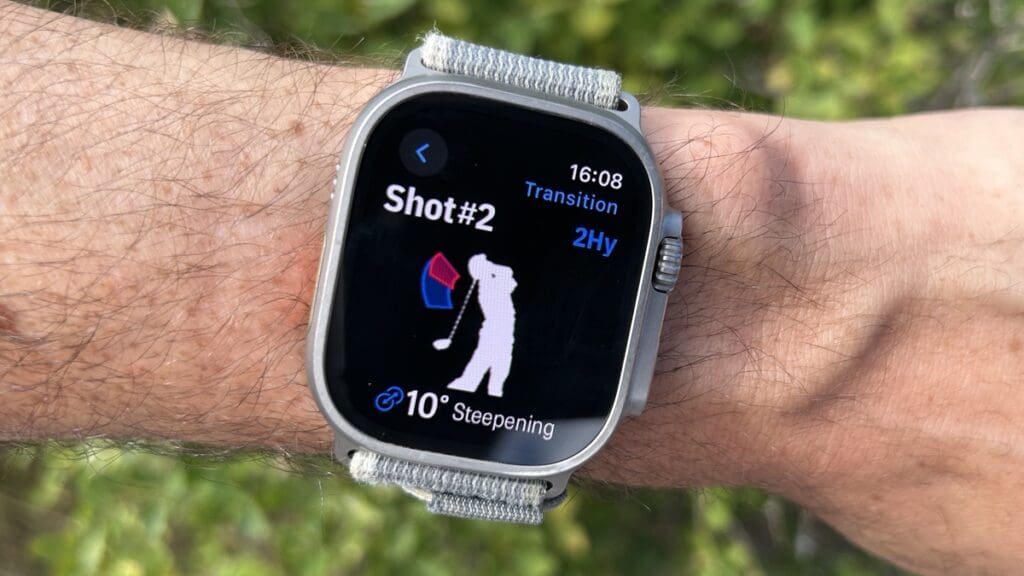
JS: One of the few apps that use the Apple APIs to access advanced motion data, Golfshot can be used on the course and range by users looking to improve their swing.
A comprehensive golf app that provides GPS, score tracking, and statistics to help improve your game, Golfshot also offers real-time distances, course maps, suggestions, and advanced analytics.
In terms of raw features, it’s lightyears ahead of anything else you’ll find on Apple Watch. And the fact that you can look at your swing during a round of golf to understand why bad shots might be creeping in is a powerful proposition.
Auto-shot detection also means that it can track shots on the course and help you piece together the distances for your clubs. You will need to go in and tell it which club you hit for that to be useful, though, which won’t be to everyone’s taste.
You will also need to be a very experienced golfer to understand the swing analytics or make tweaks, so I don’t feel it’s well-suited to beginners. The data points didn’t match the ones I work on with a coach, either, so it’s worth thinking about your goals as a golfer before jumping on board.
Apple Watch Complication: Shows your progress and score mid-round – and a quick start link.
9. Athlytic
Price: $29.99 per year
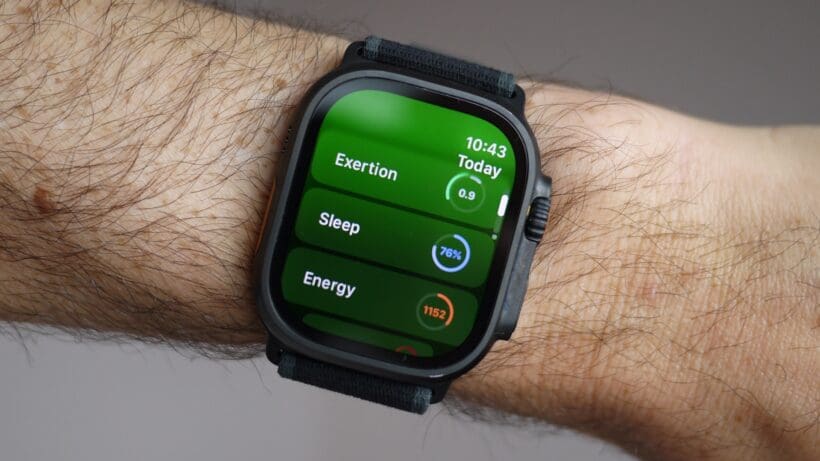
JS: I found this app while searching for a series of Apple Watch options that would replicate Whoop’s functionality. While you can combine three or four different ones for the best experience, Athlytic does most of the work in one place.
It will track sleep, recovery, readiness, training load, health trends, and HRV and allow you to keep a journal of your health habits, all in one place. The app’s design is bang-on, although some graphs can get chaotic.
If you’re interested in Whoop but don’t want to add a secondary device, this will satisfy your curiosity—even if the data doesn’t seem quite as reliable.
Apple Watch Complication: You can show pretty much any metric as a single complication, or have a dashboard of key scores on the wrist.
10. WhatsApp
Price: Free
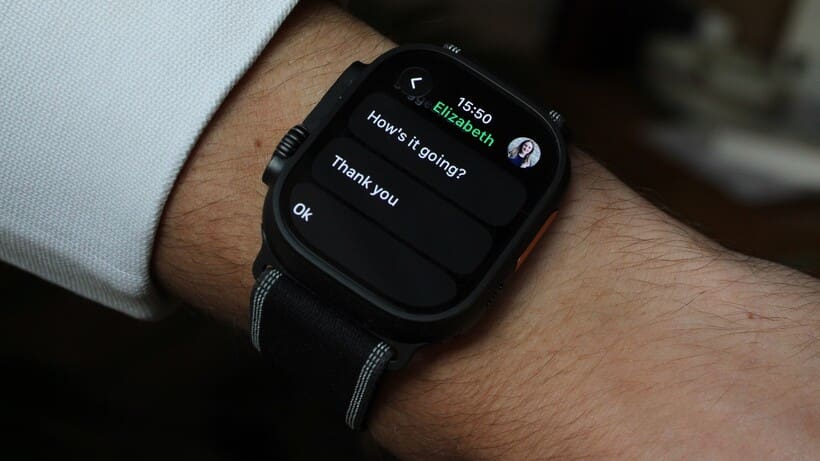
CA: Though a more popular choice of messenger outside of the States, a native WhatsApp experience finally arrived on the Apple Watch in late 2025. Rejoice!
It means that most people’s messenger hub is no longer just a notification mirror from their iPhone, with the standalone app able to show the full chat list, history, and photos, as well as let users send messages, voice notes, and stickers.
I won’t pretend that I use it every day—obviously, the iPhone is still a much better way to send most messages—but I’ve found it very handy in certain situations since it launched. I’ve used it to send voice messages during long workouts when my phone is out of reach in a running vest or backpack, and to respond quickly when my phone is charging elsewhere in the house.
The app could do with true standalone support to become the ultimate wrist messenger—for now, you still need your iPhone nearby—but it’s still a must-download for WhatsApp users. Learn more with our full WhatsApp on Apple Watch explainer.
Apple Watch Complication: Quickly check your messages and reply.
11. Hole 19
Price: Free (premium tier available)
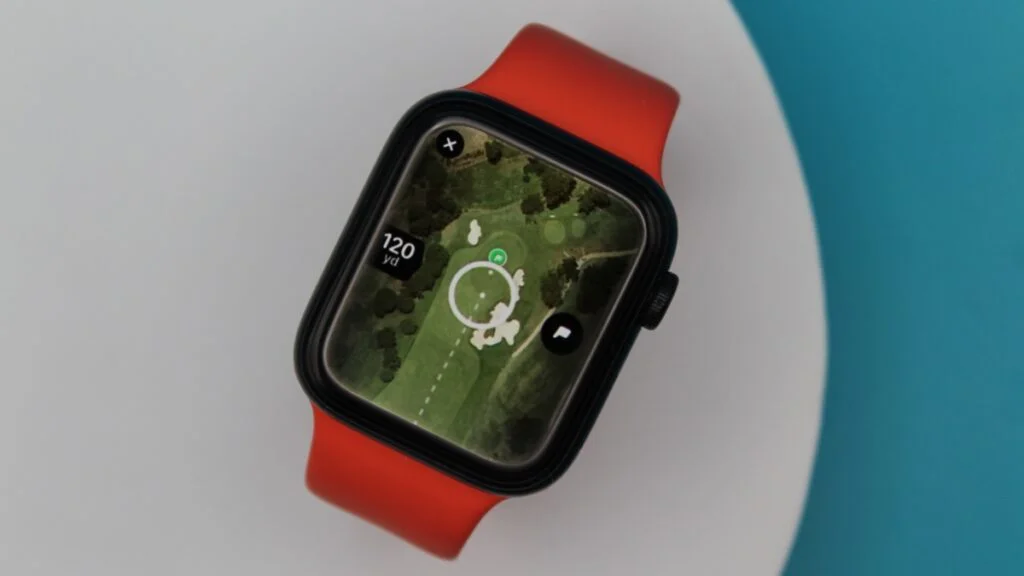
JS: Hole19 has always been my favorite free golf app. It’s a fairly simple experience that shows distance to the front/back/middle and allows you to track your scores.
The app will track scores, estimate handicaps, and also act as a golf social media platform, which is really neat. The paid tier offers further analysis – but this is a great app that comes recommended.
Apple Watch Complication: None
12. Strava
Price: Free (requires Strava)
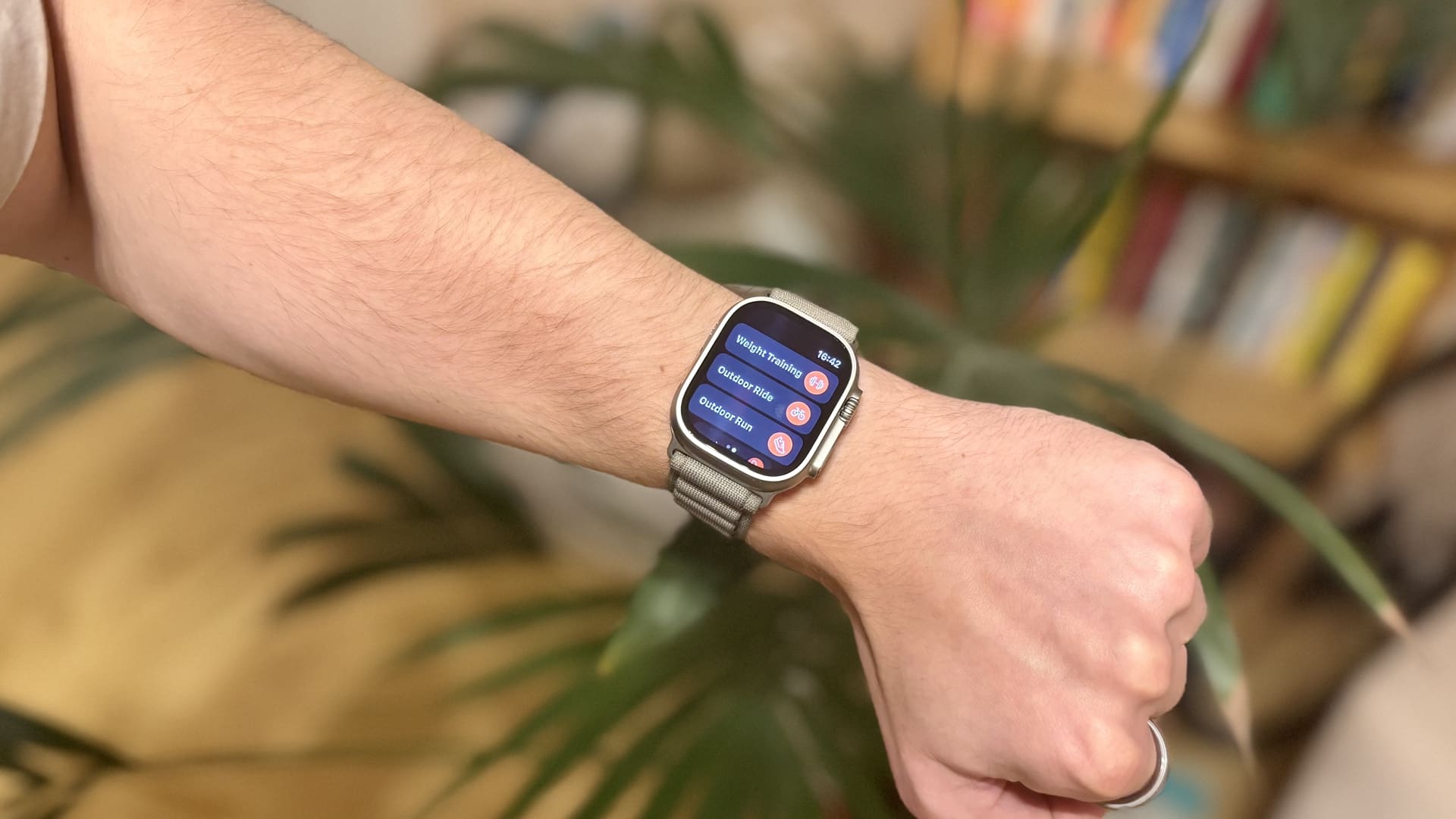
CA: The Strava app is an obvious choice for anyone who uses the fitness platform, though its highly simplistic nature won’t suit everyone. It tracks your basic metrics during runs, cycles, and swims, showing them in real-time and automatically uploading them to the platform.
However, you can also now sync Apple Workout sessions with Strava and use the superior app, making it somewhat redundant. Check out our guide on syncing your Apple Watch with Strava for all the details—and our verdict on whether the paid-for Strava tier is worth it.
Apple Watch Complication: App launcher only.
13. Nike Run Club
Price: Free
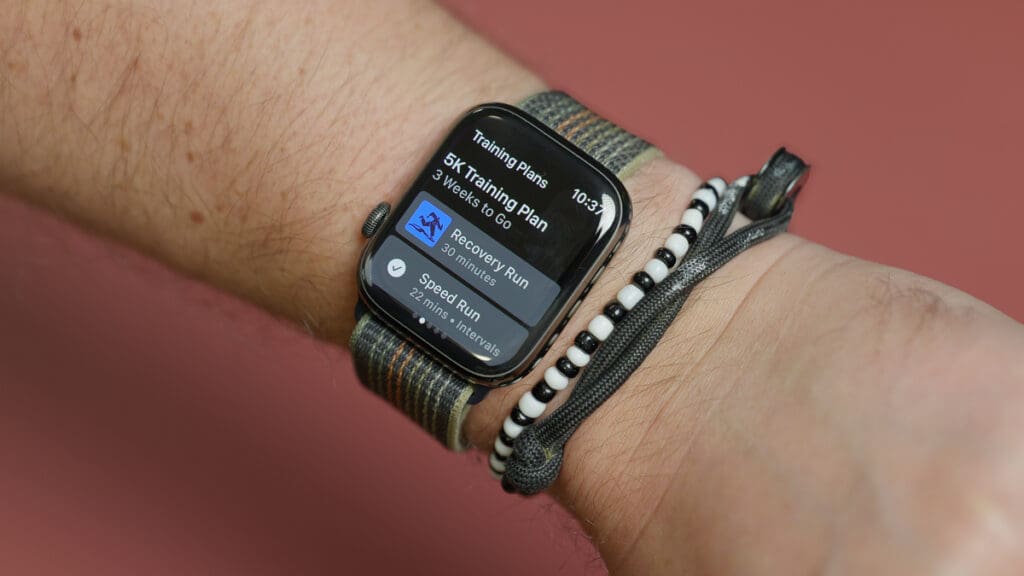
CB: The NRC (Nike Run Club) app has always been held in the highest regard on our team.
Nike Run Club is designed for runners, offering guided runs, personalized coaching, and performance tracking. You can access guided workouts and follow along with them, for some added spice and motivation for your training. It will now also connect to Strava so you can sync your workouts across platforms, which solved our biggest reservations about NRC.
Apple Watch Complication: Displays your running metrics, such as pace and distance, and offers quick access to guided runs.
Bottom line
Apple Watch apps have long been hit or miss, but these editor-tested selections prove that the best ones are worth installing.
Some of our favorites include Todoist, which lets you tick tasks off right from your wrist, Muscle Booster for gym workouts, Yazio for easy water tracking, and WhatsApp for a quick look at your messages.
Apple Watch apps prove that this wearable is more than just a fitness companion, as it can be used for productivity, socializing, and habit building.