

- Core sleep and heart health metrics match market benchmarks
- Charging dock tops the ring up in under an hour
- Sync with with Apple Health and Google Health
- Lightweight titanium build with solid scratch resistance
- AI coach is text-heavy and unengaging
- $499 retail price is more than established competitors
- Health data can be vague and lacks medical clearance
- Companion app is prone to crashes
We are entering the next critical phase for smart rings—one where devices aim to go beyond tracking sleep and readiness to become 24/7 health monitors.
Pin Pulse wants to lead that next evolutionary step. Originally launched on Kickstarter—where it comfortably met its funding goals—this smart ring promises to deliver non-invasive blood glucose and blood pressure trend data, along with AI-powered health insights.
Its makers describe it as the world’s most advanced health ring; a bold claim for a wearable where none of the headline biometric features are cleared for medical use or diagnosis.
There are also persistent questions regarding whether this is truly custom hardware or a rebranded white-label ring. We put the Pin Pulse on our finger to separate the high-tech promises from reality.
Price, competition and availability
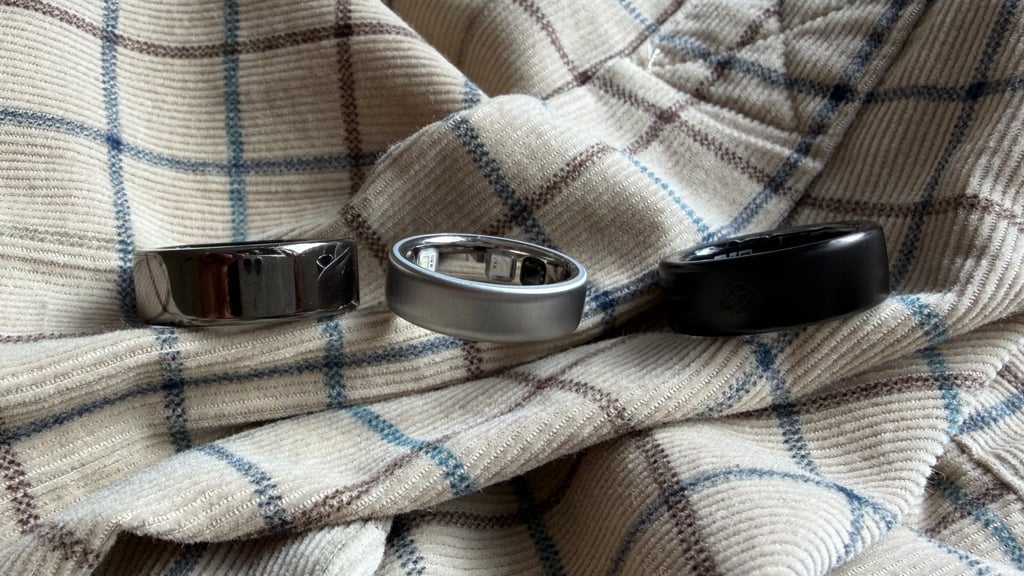
With the Pin Pulse, pricing depends heavily on when you bought in. During its initial Kickstarter campaign, early backers could secure the ring for $249. However, once it reaches full retail availability, it will carry a steep $499 price tag, placing it firmly in the premium smart ring category.
At $499, it sits above established flagships like the Ultrahuman Ring Pro ($419), RingConn Gen 3 ($349), and the Samsung Galaxy Ring ($399). It is also dramatically more expensive than budget options like the Leep Ring ($199) and Amazfit Helio Ring ($149).
Compared to the market leader, Oura, it's also pricier upfront than the base Oura Ring 5 ($399). However, because the Pin Pulse operates without a mandatory monthly subscription, it could theoretically prove cheaper in the long run—provided you can stomach that higher initial buy-in.
Design, fit and comfort
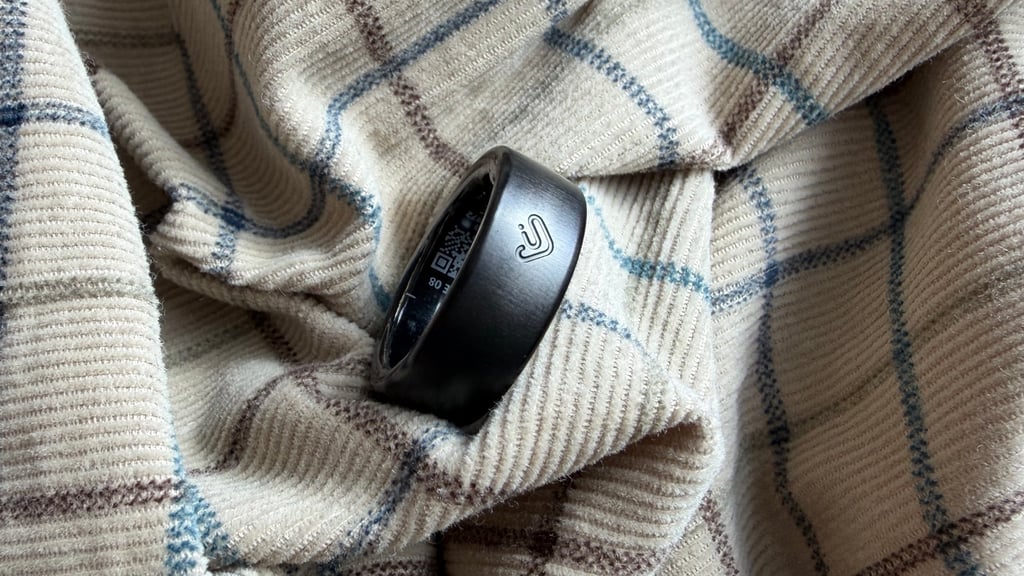
The Pin Pulse is a lightweight, comfortable ring for round-the-clock wear, even if its visual styling is somewhat bland and uninspired.
Crafted from titanium, like most premium competitors, it weighs just 3g and measures 2.7mm thick. That means, at least in terms of how it sticks out from your finger, it matches the footprint of something like the Ultrahuman Ring Air.
The minimal exterior is broken only by a small logo that acts as a visual guide to ensure correct orientation on your finger. We'll come on to the accuracy of the data shortly, but, in purely functional terms, it's also important to note that the Pin Pulse also delivers a 5 ATM water-resistance rating. We found that it survived showers, pool swims, and ocean dips without issue.
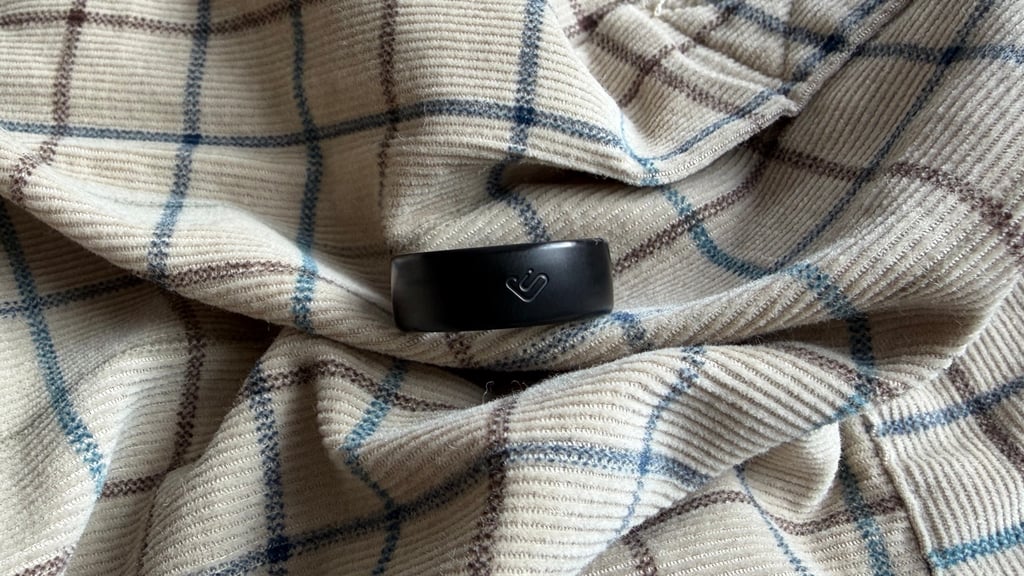
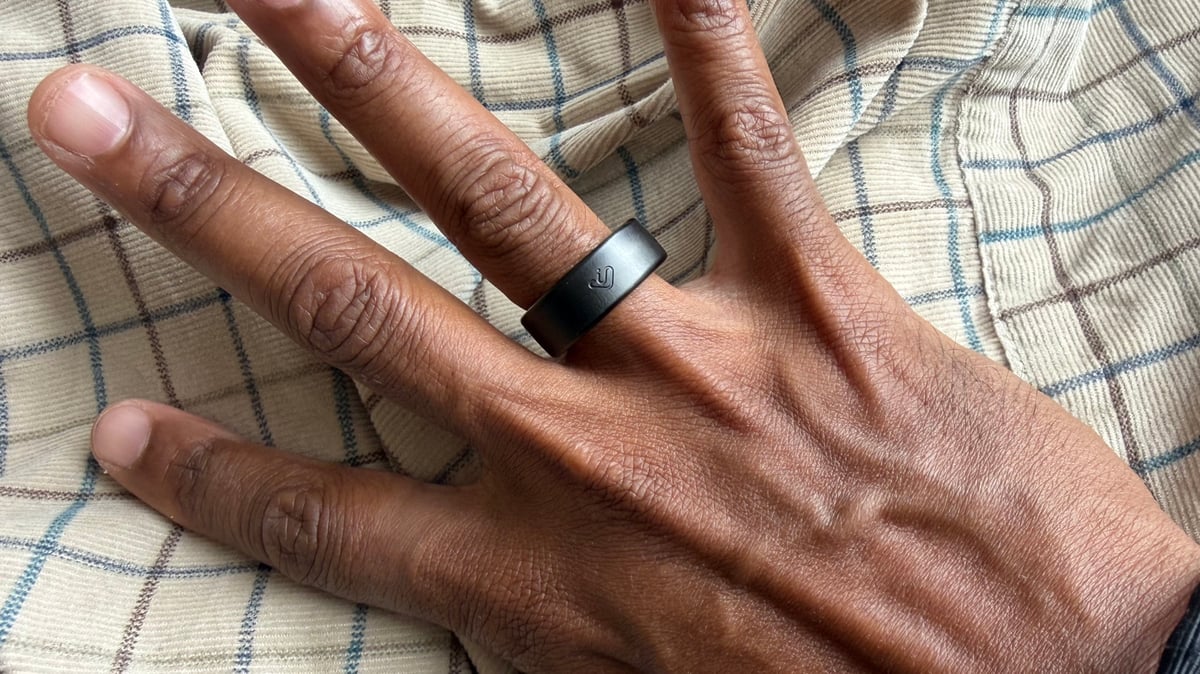
Smart rings are notoriously prone to scuffs, but, at least in our testing, the Pin Pulse proved impressively resistant to everyday micro-scratches. Sizing was also accurate and consistent with our samples from Oura, Samsung, RingConn, and Ultrahuman. And, unlike some startups, a sizing kit is available to help buyers lock in a proper fit for reliable sensor contact.
The ring comes in three standard finishes: gold, silver, and black. The black version we tested delivered a subtle, understated look.
The JCRing app experience
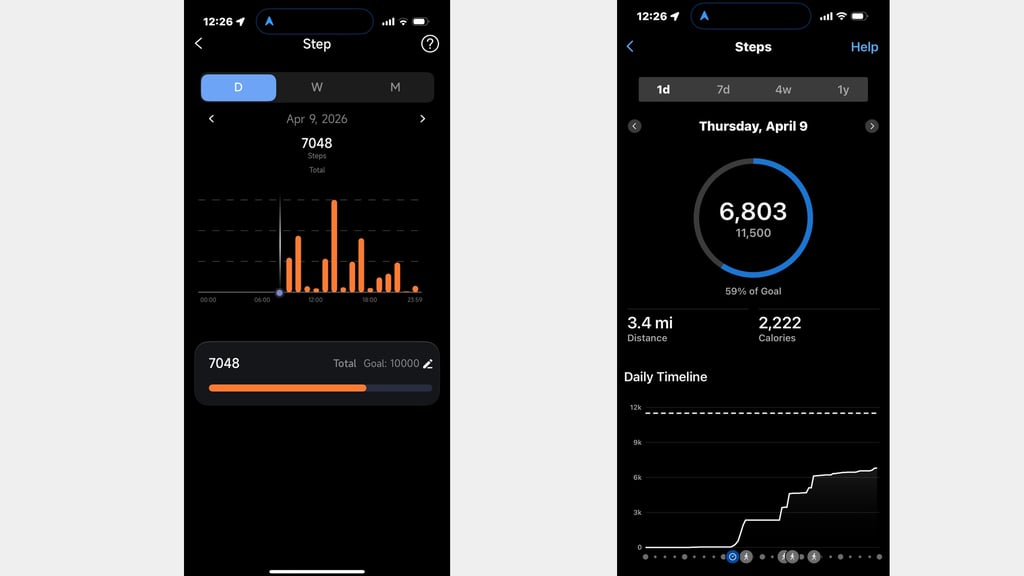
The first major quirk buyers will encounter is that there is no dedicated Pin Pulse app in the iOS App Store or Google Play Store.
Instead, the ring pairs with a third-party application called 'JCRing'—software associated with another smart ring brand that makes identical feature claims. This strongly suggests, obviously, the Pin Pulse relies on rebranded OEM hardware and software.
Rebranding concerns aside, the app layout itself is reasonably clean and intuitive. The main dashboard presents a steady stream of core metrics, including sleep, activity, and daily stress levels. Dedicated tabs house advanced health metrics, GPS workout tracking, and an integrated AI coach.
However, the AI coach is a major disappointment. The interface is overly text-heavy, processing prompts took noticeably long, and the tone lacked the personalized warmth needed for a compelling experience. Ultimately, it feels like a feature included merely to check a box.
While the app succeeds as a simple portal for checking daily metrics, it requires significant refinement before it can compete with polished ecosystems like Oura, Whoop, or Garmin.
Sleep tracking and fitness insights
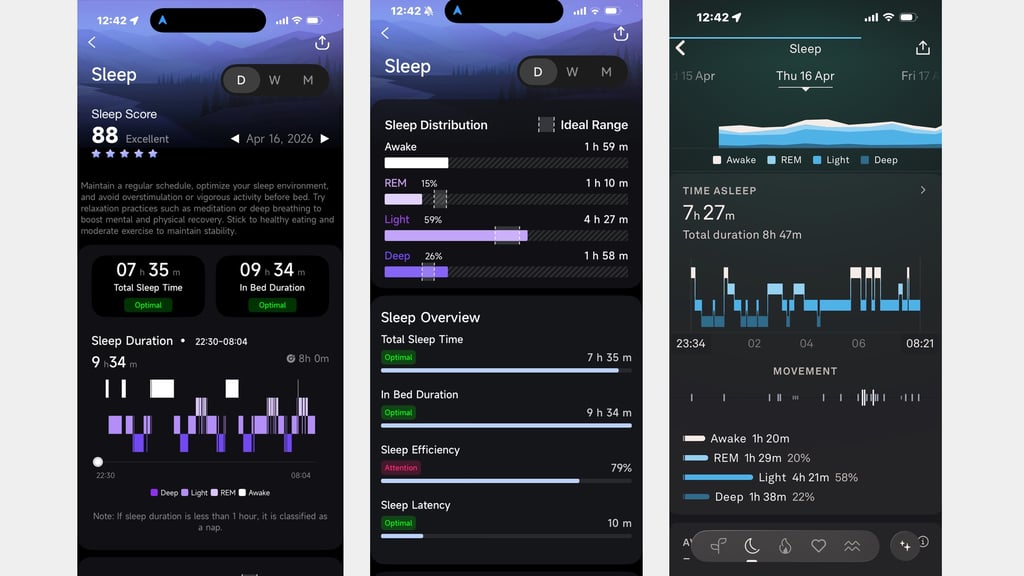
The JCRing dashboard at least provides a comprehensive breakdown of standard fitness metrics, sleep stages, daily movement, continuous heart rate, and blood oxygen (SpO2) readings.
For basic tracking, step counts aligned closely with control devices—such as the Oura Ring 5—and resting heart rate monitoring proved reliable. However, during higher-intensity workouts, heart rate readings became erratic, frequently overestimating peak figures.
Stress tracking, meanwhile, mirrored Garmin's stress algorithms, accurately mapping calm vs. demanding periods throughout the day. Sleep tracking was equally solid: when benchmarked against the Oura Ring 5, key metrics such as sleep duration, deep/REM stage splits, and the lowest overnight heart rate were nearly identical.
The app also offers sleep apnea risk assessments. However, this feature isn't medically certified and, as we'll come onto below, places a heavy drain on the battery. As a minor point, we also found that the optical sensors glow intensely during analysis, which can be distracting in a dark bedroom.
Workout tracking was severely hampered by software bugs. While the ring allows you to log indoor and outdoor sessions, the app crashed every single time we attempted to open and review post-workout data.
Health tracking
Then we get to the health features. When we first came across the Pin Pulse, it was the mention of blood glucose and blood pressure insights that intrigued us most. When you dig into how the biometric data is tracked and served, though, it raises some questions.
For tracking blood pressure, the ring can estimate trends in your readings using the onboard optical sensor. However, that's after the ring has been calibrated with a cuff-style blood pressure monitor—so be aware it's not true native support. And while it's technically still a unique feature in the smart ring industry, it also wasn’t one available to try out during our test period.
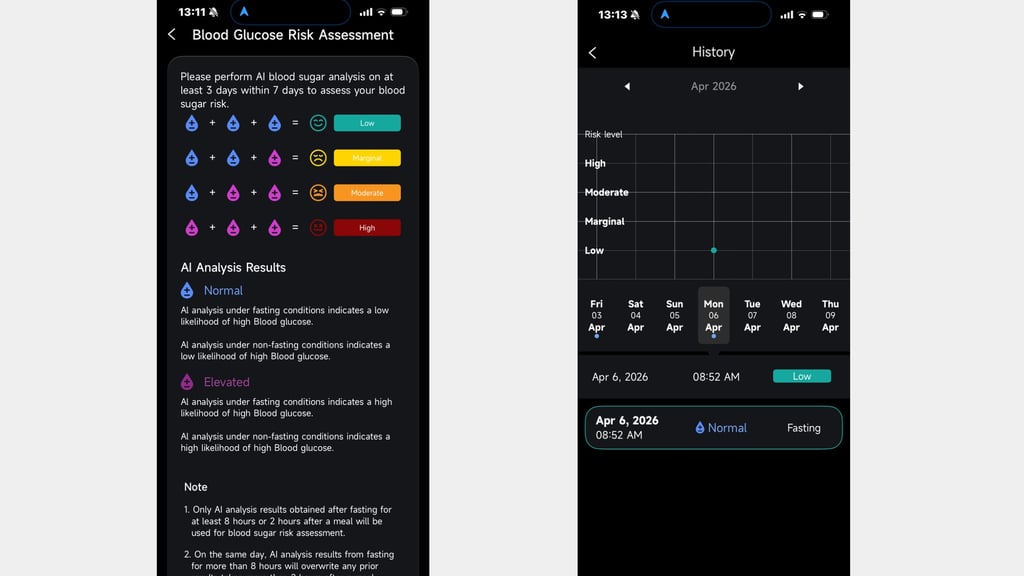
Next up is the ability to analyze blood sugar levels with a 5-minute measurement using the motion and optical sensors. That measurement looks at metabolic-related signals to estimate glucose trends. Unlike heart rate, you can’t get on-the-spot readings here—and, like most wellness-styled health features, it's not designed for diagnostic or medical use, either.
A reading should be taken after 8 hours of fasting (so, basically after you’ve been asleep). You can also take them a couple of hours after eating. The success rate of correctly completing a measurement wasn’t as high as we'd have liked, and there were plenty of the app couldn’t complete the analysis.
When it was successful, the app would consider my blood sugar levels as normal. However, the way the data is presented here is slightly odd, with the platform labeling readings as low, marginal, moderate, or high. There’s no figure attached to the assessments—likely, of course, to sidestep any regulatory clearance tied to advising and diagnosing medical issues.
Instead, AI helps carry out the analysis and compare it against datasets to determine how the signal patterns align with glucose trends. That might work for some people, but you're still putting a lot of trust in a feature without seeing the raw data.
Battery life
Battery performance is one of Pin Pulse's weaker areas. During our testing, we found the ring maxed out at roughly 7 days of continuous use—and that it also dropped significantly when the power-hungry sleep apnea monitoring mode was enabled.
Without sleep apnea tracking, averaging a week on a charge is achievable—and that's certainly decent—but it still lags behind key competitors. For context, the Ultrahuman Ring Pro lasts up to 15 days, and the RingConn Gen 3 generally lasts around 2 weeks.
The Oura Ring 5 lasts 6–9 days (depending on your ring size), but, while it is less than the rivals just listed, the class-leading design and platform offset this slight weakness.
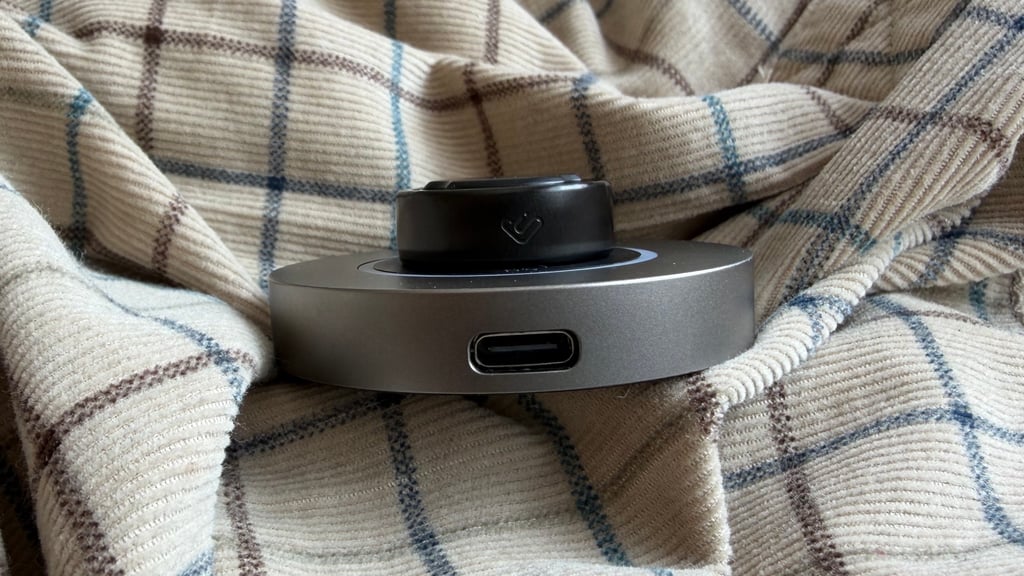
Charging is handled via a magnetic dock similar in design to Oura's mount. Juicing the ring from completely flat to 100% took less than an hour, making top-ups quick and painless.
When you need to charge the Pin Pulse, there’s a charging dock—very similar, actually, to the out-of-the-box option provided with Oura’s smart ring. You simply drop it on, plug in a USB-C charging cable, and getting from fully flat back up to 100% takes impressively less than an hour.
There's no potable charging case, which has become somewhat of a standard feature in the industry—and especially at this price point, it's a bit of a disappointment.