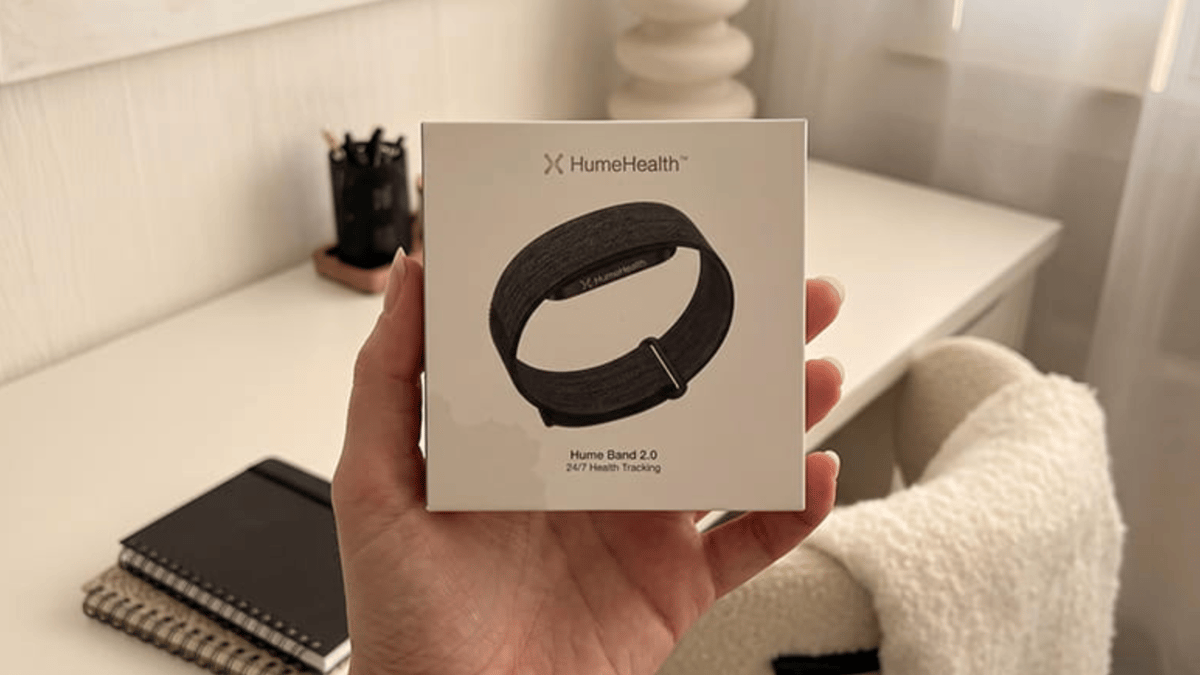
If your Apple Watch makes a holiday feel like your inbox simply changed time zones, Hume Band 2.0 deserves a look. I wore the screenless tracker for a 12-day city-and-beach trip instead of my usual Apple Watch, and the biggest benefit wasn’t a wellness score or a sensor spec. It was the absence of a tiny glowing wrist computer asking for my attention every 11 minutes.
Hume gives up maps, apps, payments, calls, messages, watch faces, and live workout screens. In return, it tracks quietly in the background and sends sleep, heart rate, HRV, blood oxygen, skin-temperature trends, activity, and recovery data to the Hume app when you choose to look.
The result of my 12-day test was a surprisingly convincing vacation trade: Hume Band 2.0 did not replace my Apple Watch. It replaced the part of my Apple Watch I actually wanted on holiday.
Hume Band 2.0 made my wrist feel less like a second phone
My normal travel setup is an Apple Watch on my left wrist, an iPhone in a crossbody bag, and a vague promise to myself that I’ll ignore work notifications. That promise usually lasts until the first airport coffee.
Because of that, I wanted to try something new, so I left my Apple Watch at home. I brought Hume Band 2.0 instead to find out if I could track my health without a small screen always demanding my attention.
I paired it with an iPhone 15 Pro, charged it to 100% before leaving, and wore it on my wrist for 12 days and 11 nights. I kept continuous heart rate and sleep tracking, blood oxygen, skin temperature trends, and recovery features switched on. Instead of checking the app all the time, I decided to open it just twice a day. I looked at it once in the morning to see how I slept, and again at night to check how the day affected my recovery.
To compare, I used my regular Apple Watch Series 9 setup for travel. I tested it for three days before the trip with the always-on display turned off, notifications and sleep tracking on, one GPS workout most days, and charging it every night.
That is not a lab comparison, but it is the buying decision many people actually face: do you want the fully interactive watch, or do you want enough health tracking with far less digital noise?
By day three, I stopped reaching for my wrist when I felt bored in a queue. By day five, I stopped missing the watch face. By day seven, I was checking the Hume app only in the morning, making one small decision from the data, and then forgetting the band existed.
That is exactly the point.
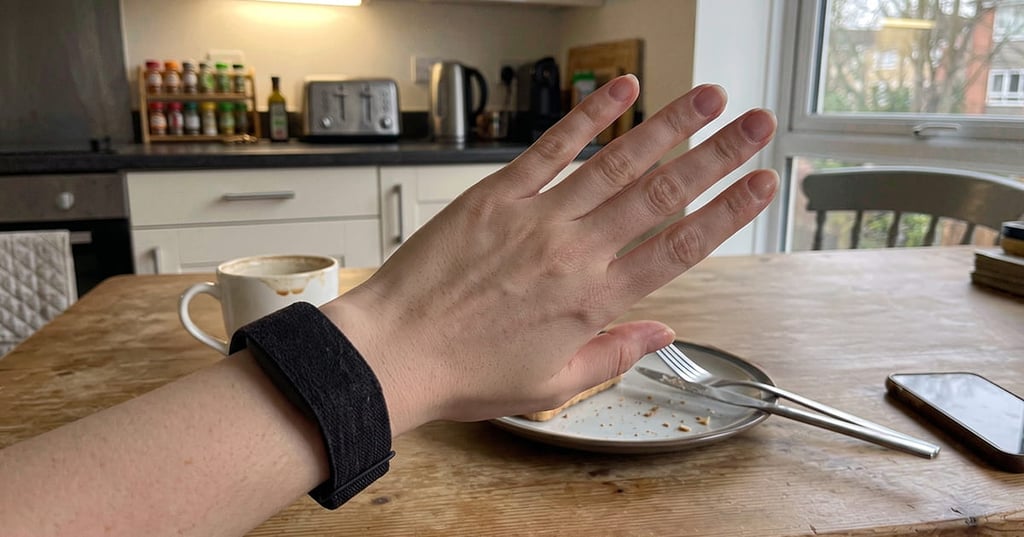
My test showed the battery advantage is real, even if I still packed the charger
Hume claims up to 14 days of battery life for Band 2.0. I did not hit that ceiling during my trip, but I got close enough that it changed my packing routine.
I started at 100% on a Monday morning before the airport. The band reached 14% late on day ten after continuous day-and-night wear. I gave it a 38-minute top-up while showering, which took it from 12% to 61%. It finished the trip at 43%.
| Test metric | Hume Band 2.0 vacation test | Apple Watch travel routine |
| Test length | 12 days / 11 nights | 3 days / 3 nights |
| Charging sessions | 1 short top-up | 4 charges |
| Longest stretch between charges | 9 days 14 hours | 27 hours |
| Average morning app-check time | 58 seconds | 4 minutes 20 seconds |
| On-wrist notifications | 0 | 76 over 3 days |
| Nights worn comfortably | 11/11 | 2/3 |
Yes, I still brought the charger with me, since I didn’t want to risk Hume’s 14-day battery claim while traveling. Battery life depends on things like firmware, sensor settings, syncing, temperature, and how much you use the band. That said, I hardly ever had to worry about charging it.
That was the biggest difference I noticed compared to my Apple Watch. With Hume, I didn’t have to plan my evenings around charging. I could wear it overnight without worrying if I’d forgotten to charge it. My Apple Watch was different. If I missed a nightly charge, I’d start the next day with a dead watch and possibly lose a night’s worth of data.
For a vacation tracker, ‘charge once if needed’ is a very different experience from ‘charge every night or lose sleep data.’
The screenless design turned out to be the main feature, not the compromise
On paper, Hume Band 2.0 sounds like a list of omissions.
There is no screen. No Apple Pay. No boarding pass. No music control. No on-wrist map. No app grid. No message preview. No live pace display. No ‘just checking the time’ moment that turns into scanning three notifications and a weather complication.
On holiday, though, all those omissions became the reason I kept reaching for it. I can explain why.
During a museum morning, I did not get buzzed by Slack. During dinner, I did not glance down because a news alert lit up. On a coastal walk, I did not turn a nice route into a live data inspection. The phone still had everything if I needed it, but my wrist stopped acting like the first line of interruption.
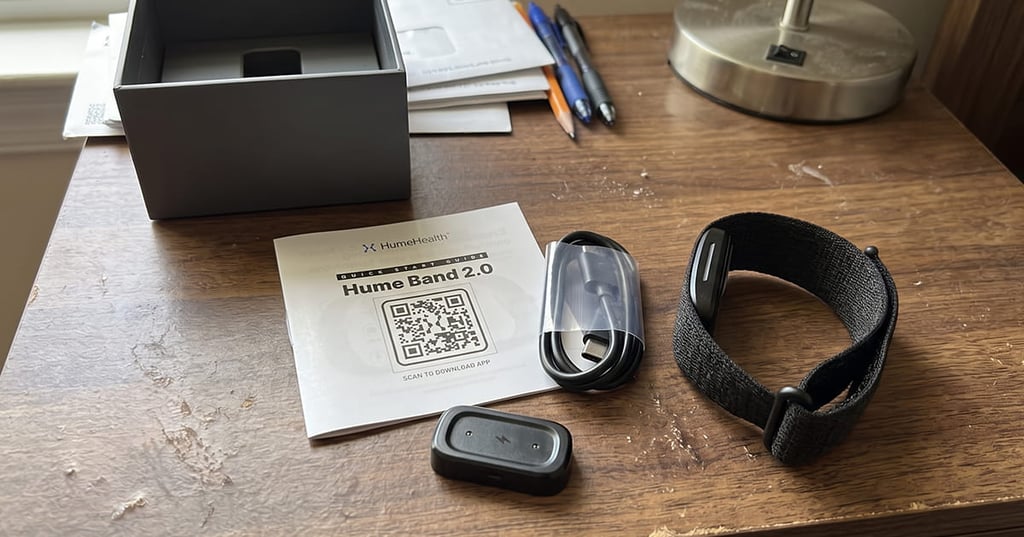
The best example came on day six. I was walking back from the beach, slightly sun-drunk and ready for food, when I realized I had not checked any health data since breakfast. Hume had tracked the day anyway. My Apple Watch would have shown rings, prompts, messages, and probably a timer I forgot to cancel.
Hume’s quietness is not objectively better for everyone. If you use Apple Watch for fall detection, accessibility features, family contact, timers, medication reminders, payments, navigation, or safety check-ins, this is not a like-for-like replacement.
But if your vacation priority is to track the basics without dragging your normal digital habits along, the lack of a screen isn't a downgrade. It is a plus, actually.
Sleep and recovery trends were useful enough to change small decisions
The Hume app organizes data into wellness-style views, including sleep, recovery, strain, biological age, and metabolic momentum. I treated those as trend tools, not medical conclusions.
Across 11 tracked nights, my average sleep duration was 6 hours and 52 minutes. The shortest night, after a late dinner and two glasses of wine, was logged at 5 hours and 41 minutes. The longest, after a no-alcohol beach day and an early bedtime, was 8 hours and 3 minutes.
Because of that, the app’s recovery score moved in the direction I expected. It was lower after the late dinner, lower again after a hot sightseeing day, and highest after the one day I did very little besides swim, read, and eat grilled fish.
That sounds obvious, but it was still useful to see the numbers reflected in my recovery score. I didn’t need Hume to tell me that walking 23,000 steps in the heat was tiring. Actually, I did appreciate seeing a lower recovery score the next morning before deciding whether to force a run or take the ferry and call that movement.
However, there is a limit to what I’d take from these scores. I wouldn’t rely on Hume’s wellness metrics to diagnose poor sleep, stress, illness, or any heart issues. I also see its blood pressure trends as just that—not a substitute for a real blood pressure cuff or medical advice.
Workout tracking is where I missed Apple Watch most
Hume Band 2.0 was much less convincing when I tried to use it like a sports watch.
I logged three intentional workouts during the trip: a 34-minute run in the hotel gym, a 46-minute hilly walk, and a 22-minute bodyweight session. For the treadmill run, Hume’s heart-rate curve lagged behind how the effort felt, especially during two faster blocks. In my notes, a chest-strap sensor peaked at 166 bpm, while Hume’s recorded peak was 151 bpm and arrived later.
For steady walking, the data looked more plausible and was good enough for a general strain estimate. For intervals, I would not rely on it.
The other thing I noticed was how little feedback I got during workouts. Without a screen, Hume cannot display pace, distance, workout zones, or elapsed time on the wrist. That was fine for a lazy holiday movement. However, it was annoying in the gym, where I had to use the phone for timing and had no quick glance at my effort.
As for comfort, there was no problem. The strap was soft enough to wear while sleeping and throughout the day. On one hot, hilly walk, though, I did notice a small pressure mark where the sweaty band touched my skin. I loosened it by one notch, and the mark disappeared by the next morning. This wasn’t a big issue, but it did remind me that you still need a snug fit for the sensors to work well.
So, no: Hume is not the band I’d choose for marathon training, structured intervals, or live workout coaching. It is, first and foremost, a passive wellness tracker.
The app is calm, but Apple’s ecosystem still wins on travel tools
The Hume app worked well with the screenless device. I used it to check my sleep, recovery, and overnight data, then closed it. I appreciated not having to check a watch all the time just for more notifications or numbers.
Another plus was being able to see my main health data without needing a subscription. Hume Plus offers extras like AI coaching and deeper analysis, but the basic tracking still works if you don't pay. While on vacation, I liked being able to keep things simple instead of signing up for another monthly subscription.
Still, Apple Watch remains massively better at travel logistics. And the reason for that is simple.
I missed wrist payments when buying metro tickets. I missed turn-by-turn walking directions on unfamiliar streets. I missed quickly seeing the time without pulling out my phone. I missed timers while cooking in an apartment rental. I missed being able to start a workout and see live numbers immediately.
The difference is that I missed those features in specific moments. But I still appreciated Hume’s silence all day.
That makes the buying logic unusually clear. If you want a holiday watch that reduces phone use by replacing phone interactions, Apple Watch wins. If you want a holiday tracker that reduces wrist interactions altogether, Hume has the stronger argument.
The water rating and health features need sensible expectations
Hume lists the Band 2.0 as IP68-rated, which means it should be fine with everyday water and dust. But still, that doesn’t mean you can throw it in the pool just to see what would happen.
For testing purposes, I wore it through sweaty walks, hand washing, and light rain. I rinsed and dried it after beach days, but I did not wear it for sea swimming, diving, hot tubs, or high-pressure water. An IP rating is useful, but it is not the same as a sport-specific swim watch promise.
The same restraint applies to the health metrics. Blood oxygen, skin-temperature trends, HRV, resting heart rate, and recovery scores can be useful signals, especially when travel disrupts sleep and routine. However, they are not a substitute for clinical devices, diagnosis, or care.
That does not make the data pointless. I found it most helpful for spotting personal trends. Rather than expecting the band to explain my health, I used it to notice simple patterns, like sleeping worse after eating late.
Choose a smartwatch if you still want maps, payments, and notifications on your wrist
Hume is the quiet choice, though, not the cheapest or most feature-packed vacation wearable. If you want longer battery life than an Apple Watch but still want a screen, these are the alternatives I’d cross-shop.
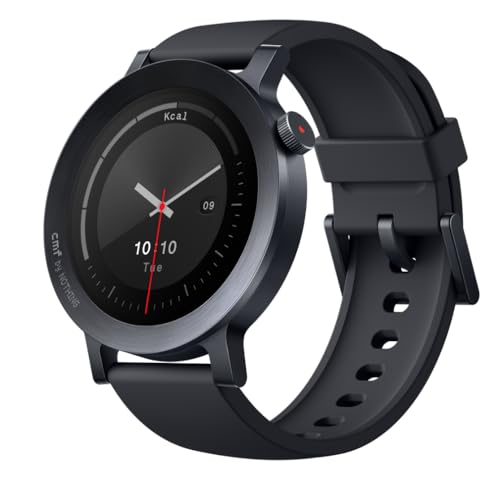
CMF Watch 3 Pro is the better fit if you want a large display and more smartwatch feel without going full Apple Watch. The trade-off is that notifications and a bright screen bring back the distractions Hume seeks to avoid.
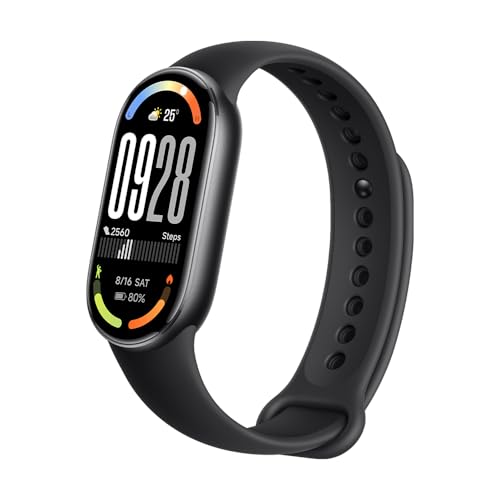
Xiaomi Smart Band 10 makes sense if you want something slim, cheap, and glanceable for basic fitness tracking. The big compromise is phone dependence for route recording, so it is less useful if you want to leave your handset behind.
Amazfit Bip 6 is the one I’d consider if built-in GPS and maps matter more than silence. It feels much more like a traditional smartwatch, which is great for travel but also means more notifications, apps, and things competing for your attention.
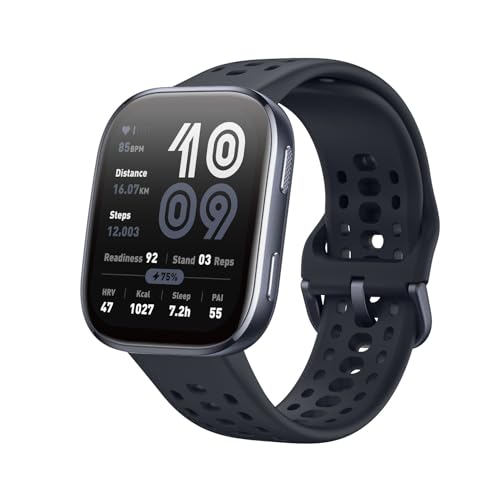
For my trip, all three would have been more practical in certain moments. But none would have been as forgettable on the wrist as Hume Band 2.0.
My verdict: Hume Band 2.0 is the vacation tracker I’d buy for quiet, not for power
Hume Band 2.0 is a strong Apple Watch alternative only if you define the job narrowly: sleep, recovery, passive health trends, long battery life, and fewer interruptions. It is not the right pick for serious workout tracking, wrist payments, navigation, or anyone who relies on Apple’s ecosystem while traveling.
But after 12 days with one short charge, zero wrist notifications, comfortable sleep tracking, and enough recovery data to guide small daily choices, I’d pack Hume Band 2.0 over my Apple Watch for a low-distraction holiday. Sometimes having less on your wrist is exactly what you need.