- Still offers great sleep tracking
- Google Maps and Google Wallet are good additions
- The physical side button is back
- Built-in GPS is problematic
- Our strap broke after two days
- Lacks an altimeter
Fitbit Charge 6 is a fitness, health, and sports tracker all in one that now also wants to behave more like a smartwatch.
Google Pixel Watch 2 is now a Fitbit smartwatch in all but name, but Charge 6 feels like Google’s first fitness tracker, even though it retains the iconic Fitbit branding.
Charge 6 marks another step in Google’s growing software presence among Fitbit’s wearable family, with apps for Google Maps and Google Wallet. It paints a positive future, at least in the short term, for Fitbit’s flagship fitness tracker, even with the Pixel Watch on the scene.Is there still life in Charge and does Charge 6 make big improvements over Charge 5? Here’s our take.
Price and competition
Charge 6 costs $159.95, so that’s $60 more than what you’ll pay for the excellent Fitbit Inspire 3.
There aren’t a lot of fitness trackers that sit at around Charge 6’s price. Xiaomi Mi Band 8 is considerably cheaper but does offer features like an AMOLED display, a collection of tracker bands, and versatile wearing options.
Then there’s the question of Fitbit Premium. This is required for features such as Daily Readiness, advanced sleep tracking, and long-term health and data trends. It costs $9.99 per month or $79.99 per year.
Read our full Fitbit Premium explainer for more.
Design and screen
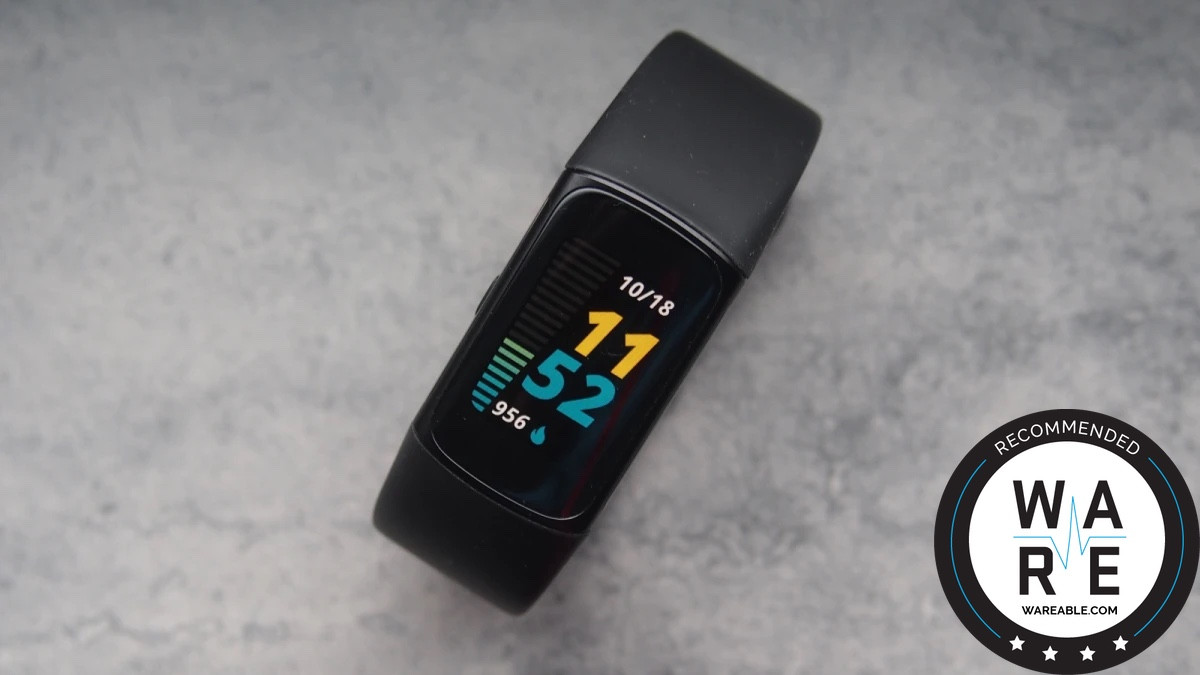
Side-by-side, Charge 6 looks identical to Charge 5. That’s not necessarily a bad thing because the previous Charge is a pretty sleek-looking tracker. For those hoping for more radical changes, that’s not the case here.
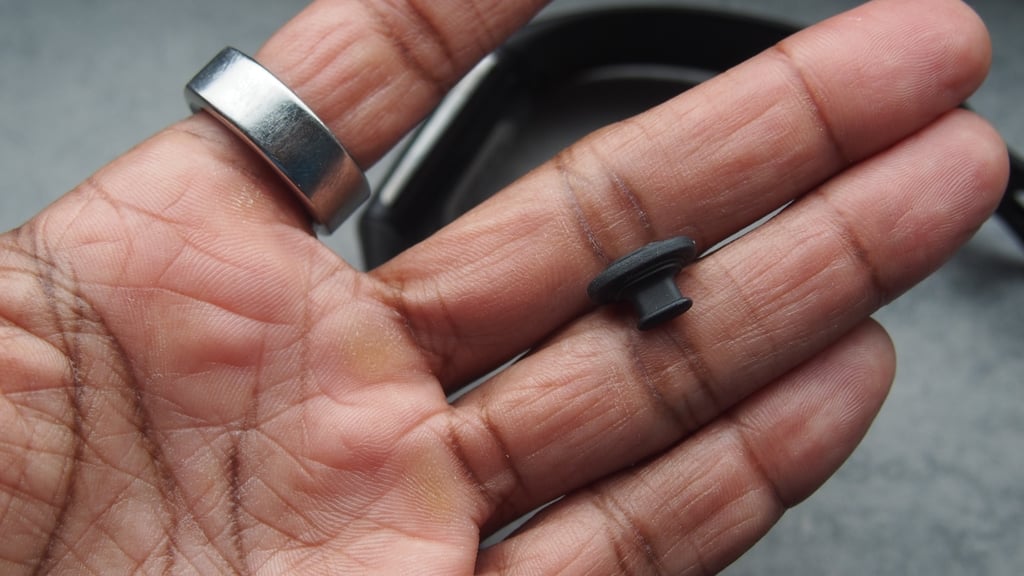
It’s similarly sized with an aluminum case that comes in three different colors and comes with a silicone band that comes in two sizes. Annoyingly, the clasp on our Charge 6 infinity band broke within days of using it, which isn’t a huge sign of quality.
There is one big design change and that’s the physical button added to the metal casing, which instantly makes interacting with Charge 6 a lot nicer.
That button wakes up the display, acts as a back button, and gives you access to contactless payments.
The button-less design on Charge 5 just didn’t work well enough, so bringing the button back was a wise move.
You’re still getting an AMOLED touchscreen display that does support an always-on screen mode. The raise-to-wake gesture support still isn’t the quickest here either, so you might want to take advantage of the always-on screen option.
Waterproofing remains the same. It's 5ATM rated, which means that it's good for the shower and swimming in the pool and the sea.
However, Charge 6 doesn’t support tracking for open-water swims.
Features, OS and ecosystem
It’s clear that bolstering the Charge’s ability to be more useful when you’re not checking your heart rate or stress has been a priority for Fitbit with Charge 6.
On the Charge 5, it essentially offered a place to view your phone notifications and also use it as a way to track down your paired smartphone. For the Charge 6, there’s definitely a lot more going on the smartwatch features front.
Unsurprisingly, it’s not giving you everything Pixel Watch, Sense, or Versa are capable of. There are no apps, SOS safety features, the ability to make calls over Bluetooth, or access to a smart assistant.
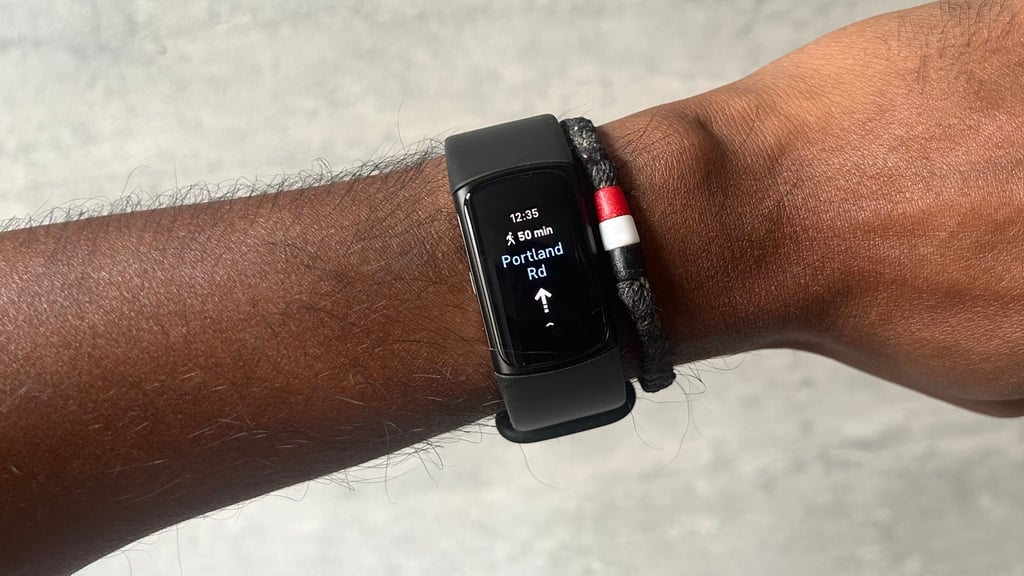
What you do now get is Google Wallet, Google Maps and YouTube Music controls pre-loaded. That means added contactless payment, mapping, and some music control features.
I found the Google Maps integration the most useful of the three big Google additions. It’s easy to use once you link it through the Fitbit app, and you make sure the tracker is paired to the phone app before you start mapping out and following a journey.
The YouTube Music controls feel less useful because let’s be honest, how many people are using YouTube Music? Opening this up to other players would have been far more useful.
The software experience on and off the tracker is good on the whole. It’s well presented, runs smoothly, and makes interacting with Charge 6 throughout the day a nice experience.
Fitness and sports tracking
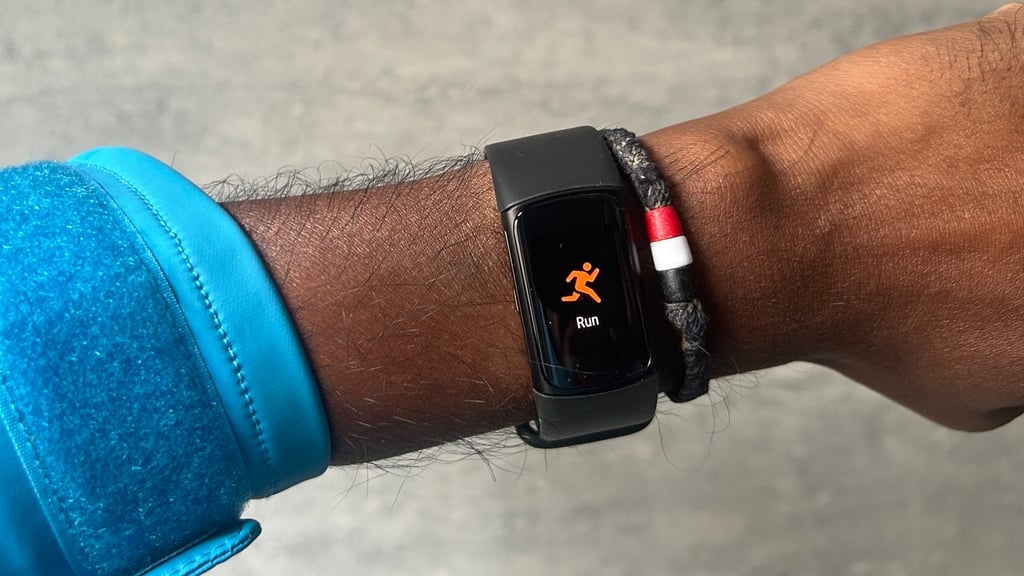
Pretty much everything you could do on Charge 5 from a fitness and sports tracking point of view remains intact on Charge 6, bar a few extras.
Performance-wise, it’s more of the same. This is a better tracker to do things like count steps, nudge when you haven't moved for a while, and less so for tracking outdoor workouts and dishing out lots of big sports metrics.
It’ll track your steps, hourly activity, and distance covered during the day, but annoyingly lacks an altimeter.
That means you can’t track elevation, like climbing stairs. It feels like an odd omission once again on Fitbit’s premium fitness tracker and I'd happily take it over the messy GPS support, which I'll get into later.
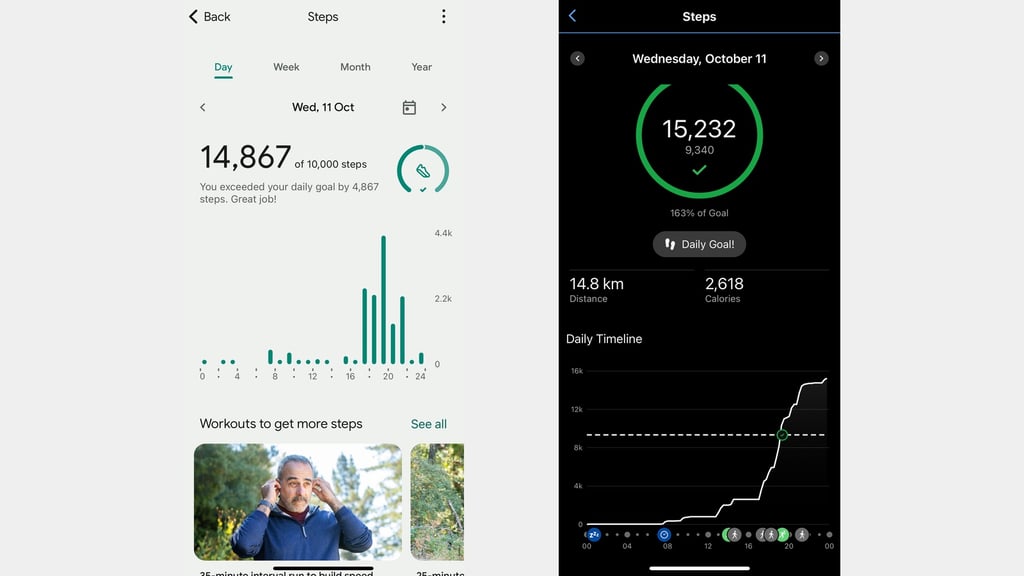
Daily step counts were nicely in line with Garmin’s tracking, which I’ve personally found to offer pretty reliable step tracking on its watches.
On the sports tracking front, there are over 40 exercise modes available, including HIIT, rowing, strength training, and pool swimming.
Many of those activities focus on tracking time spent in heart rate zones, capturing Fitbit’s heart rate-fueled Active Zone Minutes, and showing how that activity impacts your day.
There’s auto workout tracking here too, and it works fine for activities like walking and running. It has a habit of continuing to track the workout even when you’ve finished, though.
If you want to more accurately track outdoor workouts, Fitbit once again offers built-in GPS, along with a dynamic GPS mode and connected GPS (which is when the tracker uses your smartphone to track location).
The dynamic GPS mode uses a combination of the built-in and connected GPS to offer an accuracy boost with less drain on the battery than using the built-in GPS.
Unfortunately, GPS support on the whole isn’t very good.
When I used the dynamic GPS mode, it lost connection during an outdoor workout and switched back to the less accurate accelerometer-based tracking.
For built-in GPS, it can take a painfully long time to establish a GPS connection, and on more than a few occasions, it just didn’t connect at all.
When it did successfully connect, I found that the data wasn’t very reliable. Fitbit made a bit of a mess of this on Charge 5 and it’s not got any better on Charge 6.
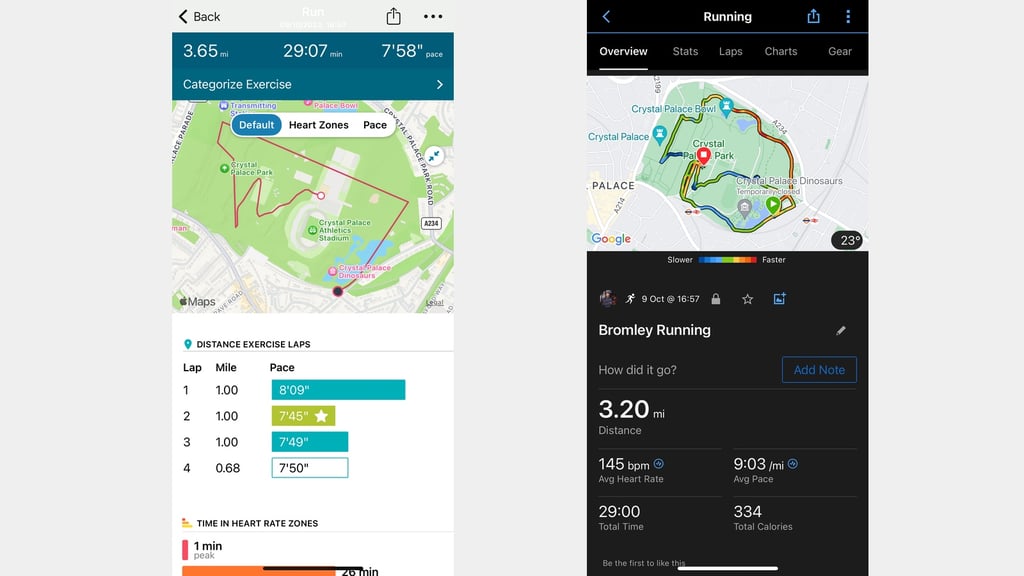
Things get slightly better when tracking heart rate during exercise, which is good news for the added ability to pair Charge 6 to connected gym equipment via Bluetooth to transmit HR data.
I've connected it to treadmills and rowing machines without any issues.
That heart rate data accuracy on the whole is better for some activities than it is for others, however.
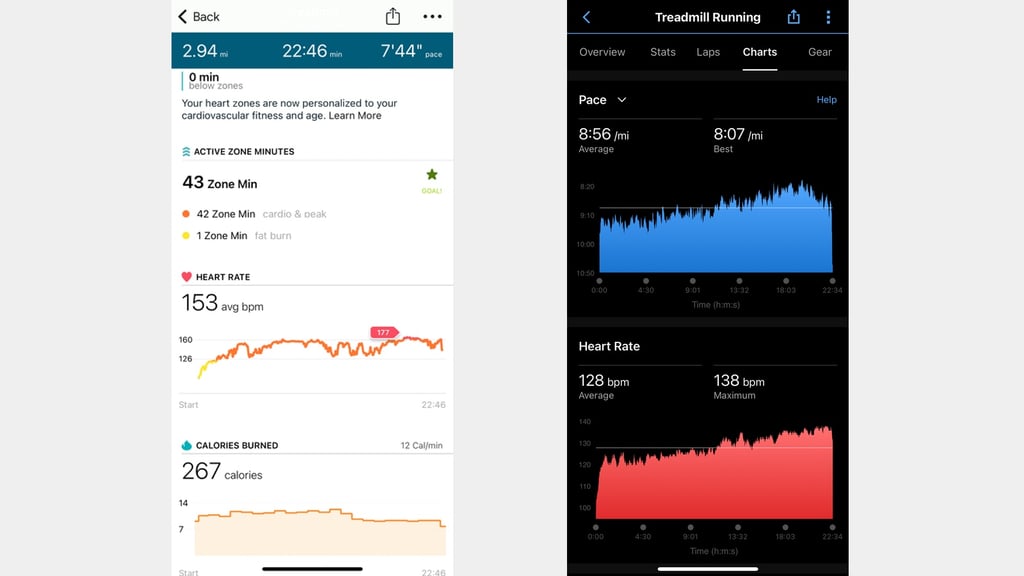
For rowing workouts against a heart rate monitor chest strap, Charge 6 delivered similar average and maximum heart rate readings.
For steady-paced outdoor runs, it was more of the same against a chest strap.
Yet, on a similarly paced treadmill run, Charge 6 posted significantly higher average and maximum readings (image above).
So Charge 6 does feel more capable of delivering reliable exercise heart rate, but it’s still not spotless, nor does it let you pair up external heart rate monitors to support performance.
Fitbit does offer some fitness-focused metrics, the key one being Cardio Fitness Scores, which is essentially VO2 Max estimates. There are also Daily Readiness Scores to help you assess when to train, but that sits behind Fitbit’s Premium service.
Sports tracking isn’t Charge 6’s strength. That was the same story with Charge 5. While it’s nice to see Fitbit introduce new fitness-focused features, it feels like it needs to get the basics right, like delivering reliable GPS performance.
Health tracking
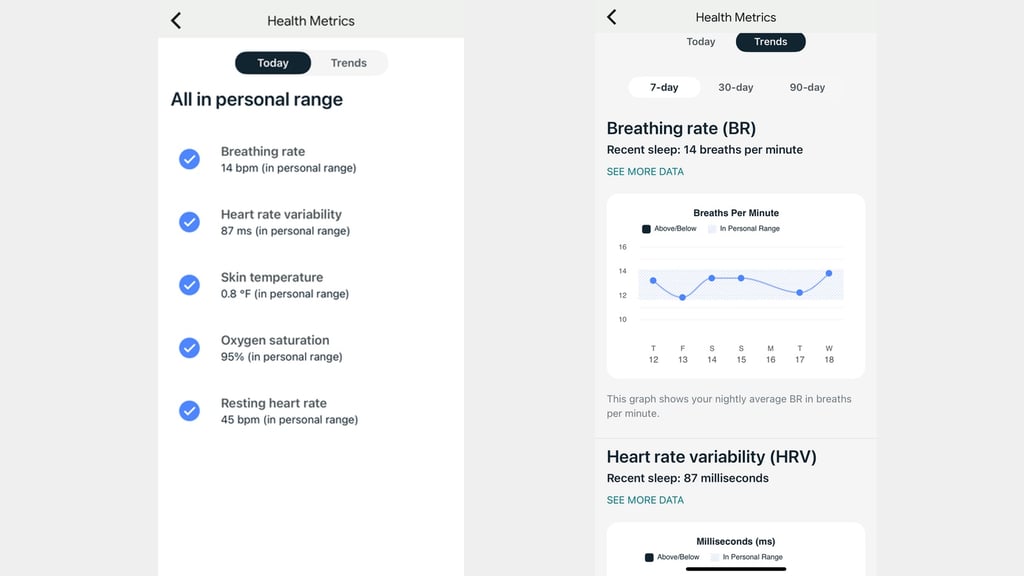
Something that separates Charge 6 from other fitness trackers is what it can offer on the health monitoring front. It has sensors that potentially track stress via heart rate variability, and continuously monitor heart rate, resting heart rate, breathing rate, and skin temperature variation.
There’s also support for menstrual health tracking and scope to manually input weight and glucose data into the Fitbit companion app.
These health metrics are free to access and are presented in the Fitbit app, showing data from your current day and trends over longer periods.
Fitbit doesn’t offer any actionable insights, though that’s perhaps not surprising given these features are not designed for medical insights. Fitbit also provides wellness reports that pull those stats into a PDF, but you’ll need Fitbit Premium to access them.
One feature that is designed for more advanced health tracking is the ECG sensor, which also appeared on Charge 5 and works in a similar fashion.
You may use it to assess your heart rate rhythm for atrial fibrillation. Once you’ve completed the pretty speedy setup in the app, you can place your thumb and index finger on the Charge 6’s metal case when prompted and it’ll conduct a 30-second measurement before analyzing the reading.
I’ve compared measurements to the ECG sensor on Apple Watch Ultra 2 and a dedicated pulse oximeter and was happy with the consistency of the data.
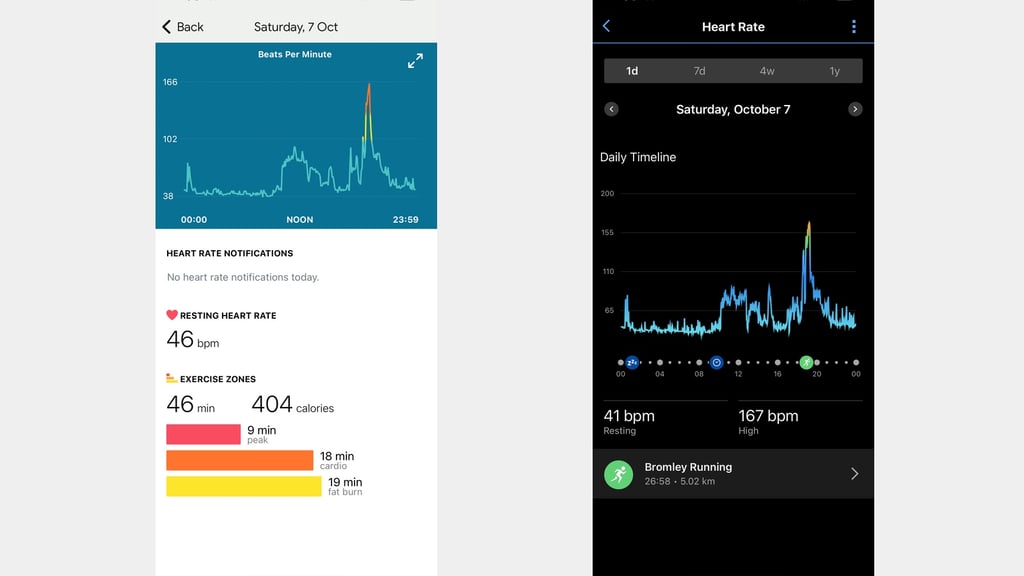
It’s a similar story for continuous heart rate and resting heart rate data delivered by Fitbit’s optical heart rate sensor.
I’ve been using it alongside the continuous tracking available on Garmin’s watches and Apple Watch, and while the data has generally been consistent across devices, this shouldn’t be taken as a measure of true accuracy.
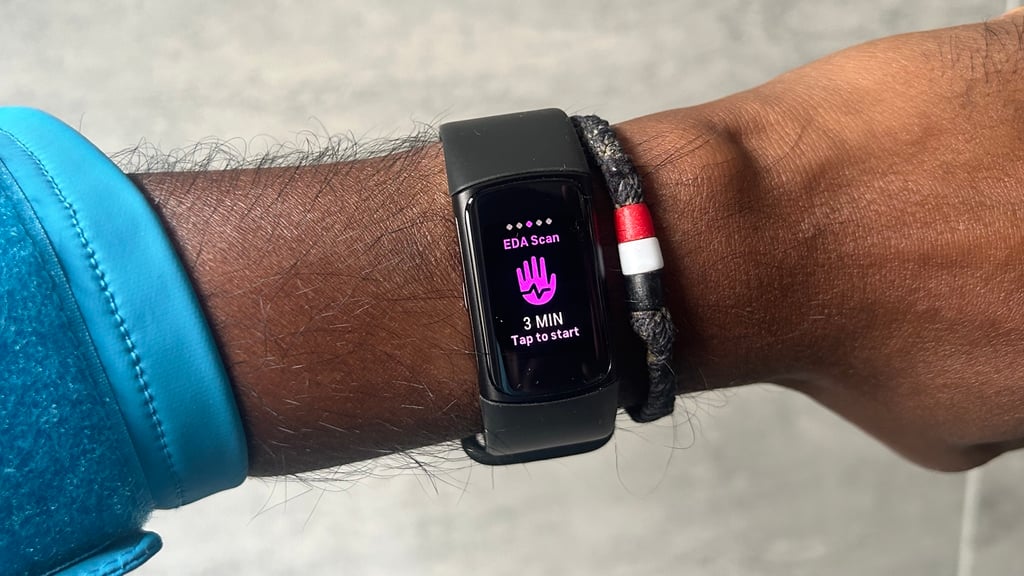
Fitbit wants to help you tackle your stress too, so it offers its EDA scan app, Stress Management scores, and access to guided breathing exercises from the tracker.
Measurements can take 2–7 minutes to detect heart rate and electrical changes in the skin to assess the body’s response to stress.
You’ll get a score from 0–100, with the aim of having a lower score, which may indicate you’re more relaxed. It’s also advised to do these scans after using the guided breathing exercises.
It’s another feature that’s underpinned by heart rate data and delivers the EDA scans that make it easier to understand whether you might be stressed or entering a stressful period of your day. The Stress Management scores, much like Sleep scores, may also give a sense of whether you’ve had a stressful day.
However, remember to use these insights as general wellness tips, not as medical advice. Devices like Fitbit Charge 6 may detect patterns, but they cannot diagnose stress or replace a professional evaluation.
Sleep tracking
Sleep tracking is one of Fitbit’s strengths and that doesn’t change with Charge 6, thankfully. It’ll provide Sleep scores, record sleep stages including REM sleep, and monitor estimated oxygen variation without a Fitbit Premium subscription.
With Premium, you also get additional insights into heart rate during sleep, along with a closer look at patterns that may relate to restlessness. Are these sleep insights worth the extra money? I’m not entirely convinced. Especially when similar insights are made available for free on other fitness trackers.
In terms of core sleep tracking, the data was good. I’ve been using it alongside Oura Ring Gen 3, one of the best sleep trackers I’ve tested. For data like sleep duration and sleep stages, the two trackers were nicely in line on most nights I took them to bed.
Fitbit also presents that data inside its app and on the tracker, which isn’t always the case with rival (and cheaper) fitness trackers.
The bottom line is that if you want a fitness tracking band to track your sleep, Charge 6 may be one of the best in the business.
Battery life
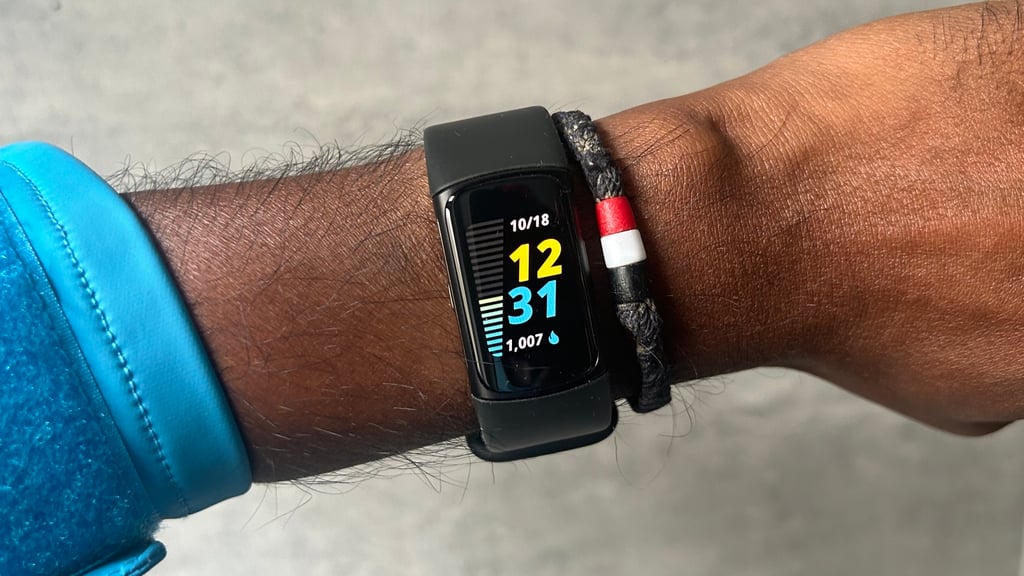
Fitbit sticks to the same battery numbers as Charge 5 for Charge 6, and it even uses the same charging cable. That’s up to 7 days, which drops to 3–4 days if you keep the display set to always-on.
Daily drop-off was around 15–20%, which works out to about 5 days. It is definitely capable of lasting a week like its predecessor.
Like Charge 5 using the built-in GPS (when it works), it does noticeably drain that onboard battery. A 30-minute outdoor run saw a battery drop of almost 30%. With connected GPS for the same amount of time, it was 7%.
Fitbit doesn’t include a quick charge feature like it does on its smartwatches and takes under 2 hours to get from 0–100%, so it’s not exactly the snappiest of chargers.
Should you buy it?
Fitbit Charge 6 remains a very likable fitness tracker that doesn’t scrimp on features.
The health and wellness data is top quality, so if you’re considering making changes to your sleep and health, this may be a great device to buy.
As a workout partner, it’s a mixed bag. It’s fine for tracking your gym classes, but we’d advise runners of all abilities to avoid Charge 6, as the GPS gripes will become an annoyance.
It’s still definitely a better fit for monitoring data like sleep, heart rate, and daily activity than it is built for serious sports tracking, while the integration of Google’s apps elevates the overall usefulness of Charge 6.
If you’re a Charge 5 owner, the biggest reasons to upgrade are the added physical button and those Google extras. If you’re not fussed about those, you can get largely the same experience on Charge 5.
Fitbit Charge 6 specs
| Fitbit Charge 6 | |
| Screen size | 1.04-inch |
| Screen tech | AMOLED |
| Compatibility | iOS/Android |
| Battery life | 7 days |
| GPS | GPS + GLONASS |
| Sensors | Heart rate Acceleromter Gyroscope SpO2 Temperature EDA |
| NFC | Yes |
| Water resistant | 5ATM |